How to Collect Customer Feedback That Actually Drives Growth
To really nail your customer feedback process, you need a smart mix of proactive methods, like in-app widgets and email surveys, and passive channels, like your support tickets and social media mentions. The idea is to build a system that grabs those crucial in-context insights right when they happen. This turns random customer opinions into a direct pipeline for product improvements, preventing wasted engineering hours and keeping your roadmap focused on what users actually need.
Why Your Feedback Strategy Needs a Rethink
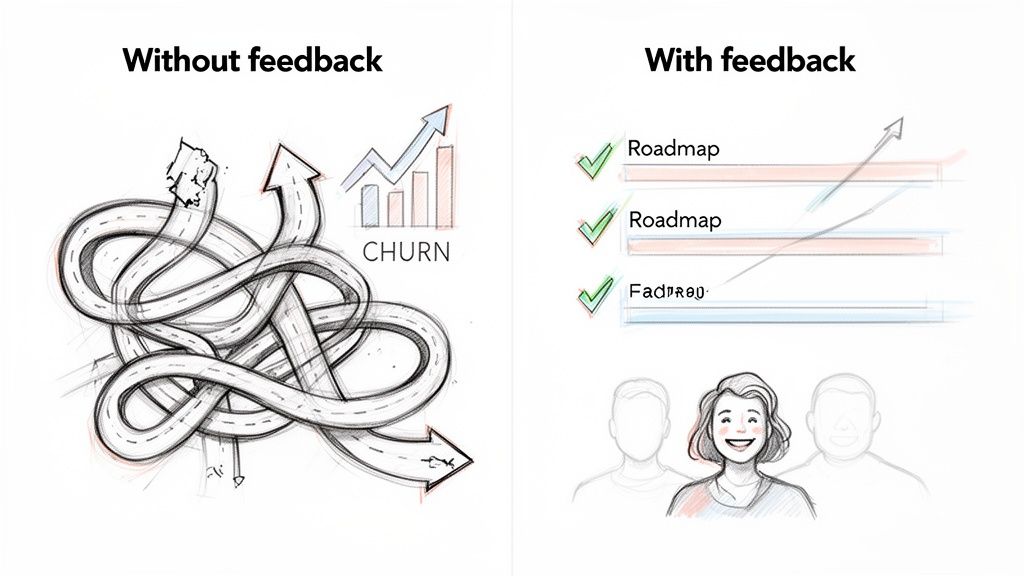
Let's get past the whole "feedback is important" platitude. We all know that. The real conversation is about the staggering cost of not collecting feedback well. We're talking about wasted engineering resources, product roadmaps that miss the mark, and a slow, painful bleed of customer churn.
When teams build in a bubble, they're not just guessing—they're actively burning money on features that solve imaginary problems. This guide isn't about just listening; it’s about turning feedback into a core growth engine for your business. It’s about building a proactive, repeatable system that pairs the right channels with perfect timing to capture insights that actually matter.
The True Cost of Ignoring Customer Voices
Choosing to ignore customer feedback isn't a passive decision; it creates real, negative consequences that spread throughout the company. Without a direct line to how your users are feeling, teams end up constantly putting out fires instead of building a better product. It’s an expensive and exhausting way to work.
Think about the classic symptoms of a broken feedback loop:
Wasted Engineering Cycles: Developers spend weeks or even months building features that nobody uses. This is a direct result of prioritizing internal assumptions over validated customer problems.
Misaligned Product Roadmaps: Without clear signals from users, product managers start prioritizing low-impact projects or simply copying competitor features, drifting further from what made your product great in the first place.
Rising Customer Churn: Users who feel ignored will eventually walk away. In fact, one study found that 52% of customers believe companies need to actually act on the feedback they provide.
Stagnant Growth: When your product stops evolving with your users' expectations, it loses its edge. This makes it tougher to bring in new customers and even harder to keep the ones you have.
The goal is to build a system where customer insights are woven directly into your decision-making. It’s about creating a continuous conversation that informs every feature launch, every UI tweak, and every strategic pivot you make.
From Passive Task to Proactive System
A modern approach to feedback is about creating an entire ecosystem, not just setting up a digital suggestion box. It means using smart tools to meet customers exactly where they are—whether that's inside your app, in their inbox, or scrolling through their social media feed.
This guide will walk you through building that very system. We’ll look at how the right tools can make this process feel effortless, helping you hear what your customers are really saying. More importantly, you'll learn how to act on those insights with confidence, long before your competitors even know there's a problem to solve. This isn't just about listening; it's about listening to win.
Choosing Your Channels to Meet Customers Where They Are
A great feedback strategy isn't about throwing every possible collection method at the wall to see what sticks. It's about being in the right place at the right time. The goal is to make giving feedback feel natural and helpful for your customers, not like another task on their to-do list.
The real secret is building an ecosystem of channels that actually match what the user is doing and thinking in that moment.
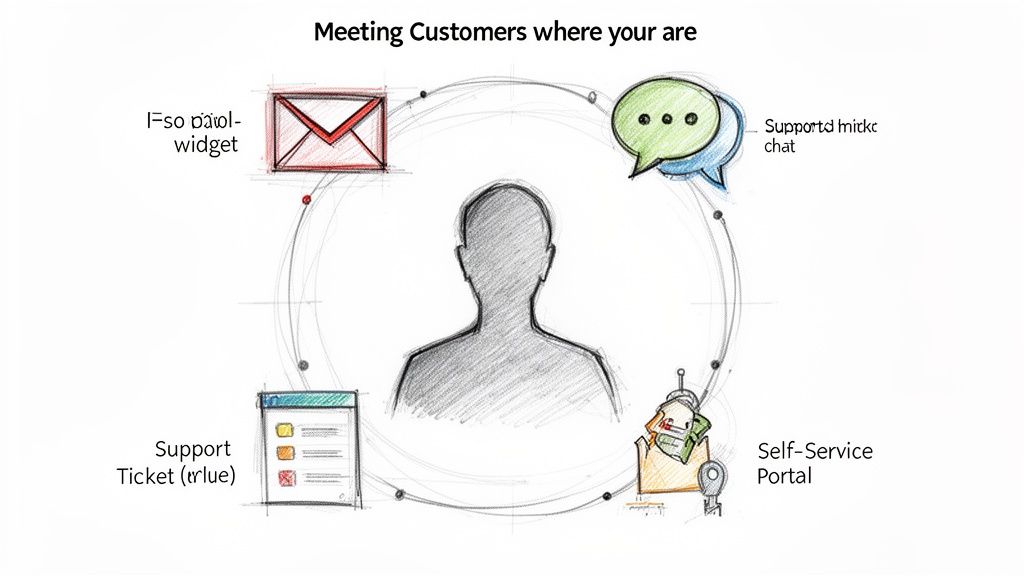
Think of it this way: sending an email a week after a purchase to ask for a product review feels totally normal. But hitting someone with that same detailed questionnaire in a tiny pop-up the second they log in? That's just disruptive and will almost certainly be ignored. Context dictates the channel.
This means you need a smart mix of proactive and passive collection points. Proactive is when you explicitly ask for input, like with a survey. Passive is when feedback is a natural byproduct of another interaction, like a customer sending in a support ticket.
In-App Widgets for Immediate Context
Honestly, one of the most powerful ways to get high-quality feedback is with an in-app widget. This is your chance to catch users at the exact moment their thoughts are freshest, tying their input directly to the experience they just had.
For example, imagine a customer uses a new feature for the first time. A small, unobtrusive prompt asking, “How was that?” is infinitely more valuable than a generic email survey sent days later. The context is immediate, which means the feedback you get is specific and actionable.
Modern tools go way beyond static forms, too. They can kick off a conversation, asking smart follow-up questions based on a user's initial response. This turns a simple comment into a rich, detailed insight without ever forcing the user to leave your product. By looking into different FeatureBot alternatives, you can see how various platforms are nailing this in-app experience.
Email and Surveys for Broader Sentiment
While in-app feedback is king for capturing specific, in-the-moment reactions, email is still perfect for gathering broader, more reflective insights. It gives customers the space and time to provide thoughtful responses without interrupting their workflow.
Here are a few classic plays for email surveys:
Post-Onboarding Check-in: A week after a new user signs up, ask them about their setup experience and any initial hurdles they hit.
Quarterly NPS Surveys: This is your go-to for gauging overall loyalty and tracking satisfaction trends over time.
Churn Feedback: When a customer cancels, an automated email can be a goldmine for uncovering the real reasons they decided to leave.
The key to getting responses via email is brevity and clarity. Keep your questions focused and make it dead simple for the customer to see how their input will be used. A short, well-timed email almost always outperforms a long, complex questionnaire.
A common mistake is treating all feedback channels as equal. An in-app widget is for immediate, contextual input. An email survey is for reflective, high-level sentiment. Using the right tool for the job is critical for getting responses that actually help you make better decisions.
Feedback Channel Comparison Strengths and Use Cases
To make the right call, you need to understand the strengths and weaknesses of each channel. A well-rounded strategy often uses a combination of these methods to capture a complete picture of the customer experience. This table breaks down some of the most common options.
| Channel | Primary Strength | Best Use Case | Potential Drawback |
|---|---|---|---|
| In-App Widgets | High context, immediate feedback | Capturing feedback on specific features or user flows right after interaction. | Can be disruptive if overused; not ideal for longer, reflective feedback. |
| Email Surveys | Allows for detailed, thoughtful responses | Gathering general sentiment (NPS, CSAT), post-purchase feedback, or churn reasons. | Lower response rates; feedback is disconnected from the immediate user experience. |
| Support Tickets | Unfiltered, problem-oriented insights | Identifying recurring product issues, bugs, or points of user confusion. | Naturally biased toward negative experiences and problems; not proactive. |
| Live Chat | Real-time, conversational feedback | Spotting usability issues or frustration points as they happen. | Insights are buried in transcripts and require manual analysis to find trends. |
| Community/Forums | Rich qualitative data, user-to-user interaction | Discovering new use cases, feature ideas, and gauging community sentiment. | Can be an echo chamber; requires moderation to stay on topic. |
Choosing a mix of these channels allows you to collect feedback across the entire customer journey—from the frustrating bug to the "aha!" moment.
Self-Service and Passive Collection Points
Not all feedback comes from a direct question. Some of the most honest and valuable insights are hiding in plain sight within your existing support channels. Every support ticket, live chat transcript, and knowledge base search is a form of passive feedback.
This move toward self-service and multichannel communication isn't just a hunch; it's a massive trend. While 77% of customers still prefer email, 63% opt for live chat, and 60% of companies now use over three channels to communicate. This tells us customers want convenience and speed, making it crucial to monitor these interactions for underlying themes.
Here’s how to tap into these goldmines:
Support Tickets: Regularly analyze your support tickets for recurring themes. If dozens of users are asking the same question, it's a huge red flag that something in your product or documentation is confusing.
Live Chat Transcripts: Chat logs offer unfiltered, real-time reactions. Look for patterns in user frustration, feature confusion, or even moments of unexpected delight.
Knowledge Base Searches: What are users searching for but not finding in your help docs? Failed searches are basically direct requests for better documentation or a clearer product design.
By treating these passive channels as part of your overall strategy, you build a much more complete and honest picture of the customer experience. This approach helps you spot and solve problems that users might never think to mention in a formal survey, making your product stronger from the inside out.
How to Ask Questions That Get Real Answers
The feedback you get is only as good as the questions you ask. If you throw out a vague prompt like “How can we improve?” you're going to get an equally vague answer like “Make it better.” To get the kind of juicy, actionable insights your product team can actually run with, you need to be much more precise.
It’s all about shifting your mindset from a passive, dusty suggestion box to an active, ongoing conversation. You want to make it dead simple for a user to tell you exactly what’s bugging them, right in the moment they feel that friction.
Crafting Questions for the Moment
Generic questions don't work because they force the user to do all the heavy lifting. Instead, your prompts need to feel like they're directly related to what the user is doing right now. This shows you're paying attention and helps them give you focused, useful input.
Let’s look at a few real-world examples of how you can tailor your questions to different points in the user journey:
After a New Feature Launch: Don't just ask if they liked it. Instead, try: "What did you expect this feature to do that it didn't?" This is gold for uncovering the gap between your vision and their reality.
Following a Support Interaction: A simple CSAT score is fine, but it doesn't tell you much. A better question is: "Were you able to solve your problem on your first try today?" This helps you measure first-contact resolution and spot recurring pain points.
When You Spot User Friction: Let's say you notice a user rage-clicking a non-interactive part of your UI. You can trigger a pop-up that asks: "Looks like you were trying to do something here. What were you hoping would happen?" This is how you capture usability issues in real time, as they happen.
By tying your questions to specific events, you get feedback that’s dripping with context. That’s infinitely more valuable than what you’ll get from a generic survey sent out a week later.
The real magic happens when you ask a user why they did something, not just what they did. A single, well-timed follow-up can turn a one-star rating into a detailed bug report or a game-changing feature idea.
Using Conversational AI to Go Deeper
Static forms are a conversation killer. A user drops a comment into a box, and that's it—the interaction is over. This is where conversational AI completely changes the game. Instead of a lifeless form, an AI-powered widget can pull the user into a quick, dynamic chat.
Imagine a user types, "The new dashboard is confusing." A static form just logs the comment and moves on. A smart, conversational tool, however, can instantly fire back a follow-up:
AI: "Thanks for letting us know. Can you tell me what part of the dashboard felt the most confusing to you?"
That simple, automated exchange turns a vague complaint into a specific, valuable data point. It guides the user to give you the details your team desperately needs, all without any manual work on your end. This approach isn't just theory; it’s incredibly effective. In the SaaS world, 80% of executives saw clear bumps in customer satisfaction after bringing in conversational AI. This makes sense when you see that live chat is the preferred support channel for 41% of consumers, with 73% satisfaction rates—way ahead of email's 51%. You can discover more insights about these customer experience statistics and see how leading teams are using AI to their advantage.
Capture the Full Context and Stop the Guesswork
One of the biggest time-sucks for any product team is the endless back-and-forth trying to understand a user's bug report. When someone says something is broken, the first thing you have to ask is, "Okay, but what browser were you using? What page were you on?" It's frustrating for everyone.
Modern feedback tools solve this by automatically capturing all that technical context right alongside the user's comment. This metadata is just as critical as the feedback itself.
Here’s what you should be capturing with every single submission:
Session Data: The user's clicks and journey through your app leading up to the feedback.
Browser and OS Info: Absolutely essential for replicating bugs.
Console Logs: Any sneaky JavaScript errors that were happening in the background.
Page URL: The exact spot where the user ran into trouble.
Grabbing this information automatically eliminates the guesswork and lets your engineers get straight to investigating the real issue. It also respects your customer's time by not making them dig up technical details they probably don't know, ensuring every piece of feedback is complete and actionable from the get-go.
Turning Raw Feedback Into Actionable Insights
Collecting customer feedback is just the start. The real magic happens when you turn that messy, raw data into a clear roadmap for your product team. If you don't have a system to make sense of what's coming in, you'll just end up with a chaotic pile of well-intentioned comments. This is where you shift from just listening to strategically analyzing, making sure you act on the signals that actually matter.
The first hurdle is always volume. One little in-app prompt can easily pull in hundreds of responses overnight. Reading, tagging, and grouping every single one by hand isn't just mind-numbing; it's a recipe for mistakes. This is exactly why modern tools, especially those with some AI muscle, are no longer a "nice-to-have" for agile teams.
This simple flow nails it: you start with rich context, ask a quality question, and end up with a clear, actionable insight.
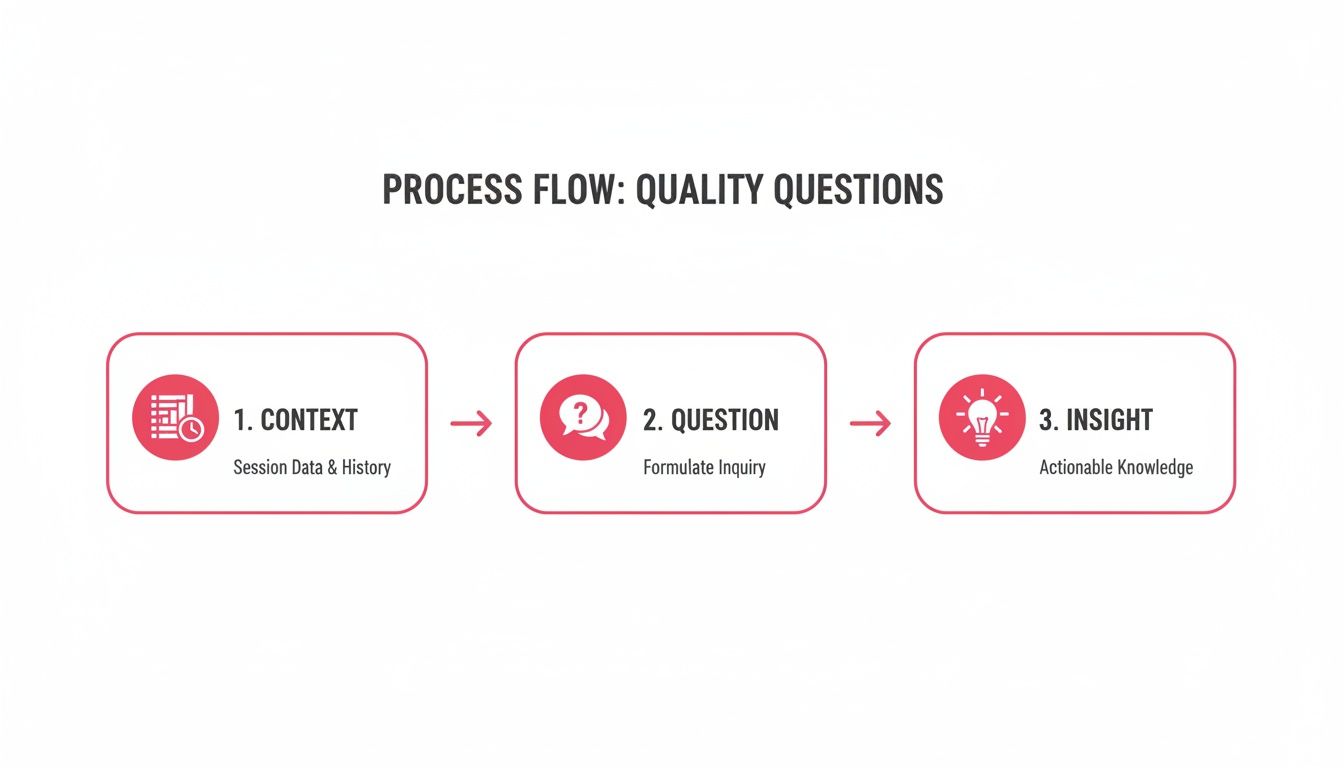
What this really drives home is that the best insights come from marrying what a user says with what they were doing the moment they said it.
From Manual Tagging to AI-Powered Clustering
Not long ago, product managers lived in spreadsheets, painstakingly applying tags like "bug," "feature request," or "UI/UX issue" to feedback. That was fine when you only had a handful of responses, but it completely falls apart at scale.
Today, the smart money is on semantic clustering. This is where AI groups similar feedback based on what it actually means, not just matching keywords.
For example, comments like "I can't find the export button," "Where did the CSV download go?" and "How do I get my data out of the app?" all get automatically bundled into a theme like "Difficulty with Data Export." This instantly shows you what the high-frequency issues are, without a human having to manually connect the dots.
This AI-first approach is becoming the new standard. Some forecasts for 2025 are pretty wild, predicting AI will autonomously handle 80% of issues and be part of 95% of all customer interactions. Platforms like FeatureBot are already using this tech to create dashboards that don't just show what people are saying, but how often they’re saying it.
Weighting Feedback by Revenue, Not Just Votes
Here’s one of the most common traps product teams fall into: treating all feedback as equal. A public voting board might show 100 upvotes for a minor cosmetic tweak, while a critical integration requested by your three biggest customers has only three votes. If you blindly follow the votes, you’re optimizing for popular opinion instead of business impact. That's a huge mistake, especially in B2B SaaS.
A much smarter way to operate is to weight feedback by customer revenue (MRR). This directly ties every request to its potential financial impact.
Let’s look at a real-world scenario:
Feature A: Requested by 50 free-tier users. Total MRR impact: $0.
Feature B: Requested by 2 enterprise clients. Total MRR impact: $15,000.
All of a sudden, the priority is obvious. Feature B is the clear winner because it supports your most valuable customers, reduces churn risk, and strengthens those key relationships. This discipline ensures your engineering team is always working on things that actually move the needle. When you’re looking at tools for this, it’s worth comparing how different platforms handle this kind of prioritization, as you can see in this overview of Canny alternatives.
The most successful product teams don't just ask, "What do our users want?" They ask, "What do our most valuable users need?" Weighting feedback by MRR provides a clear, data-driven answer to that question every single time.
Building a Dashboard of Voices, Not Just Votes
The last piece of the puzzle is visualizing all this feedback in a way that tells a story. A static list of feature requests doesn't give you much. A dynamic dashboard, on the other hand, can surface trends, flag at-risk accounts, and help your team get ahead of problems.
The goal here is to create a single source of truth that shows you "voices, not just votes." This means every piece of feedback is tied to a real person, a real company.
Instead of seeing "15 votes for dark mode," you should see the logos of the 15 companies that asked for it, along with their MRR, their current plan, and maybe even their recent support ticket history.
This level of detail completely changes how a team interacts with feedback. It's no longer some abstract request on a list; it’s a direct line to a customer who's feeling a specific pain. It humanizes the data and adds an urgency that a simple vote count never will. When your product team can see exactly who they're building for, they build with more empathy and a much clearer sense of the "why" behind their work.
Closing the Loop to Build Customer Loyalty
So, you've collected a ton of customer feedback. What now? Letting it sit in a spreadsheet is one of the biggest mistakes you can make. In fact, it's often worse than not asking for feedback at all—it signals to your customers that you asked, but you weren't actually listening.
The final, and most important, part of any feedback strategy is turning those insights into action and letting people know you did it.
This is what we call "closing the loop." It’s how you transform a simple data-gathering exercise into a powerful engine for customer loyalty. It’s the move that separates companies that just hear customers from those that build real, lasting relationships with them.
When customers see their suggestions lead to actual improvements, it validates the time they took to give you feedback and makes them feel like a true partner in building your product.
From Insights to Action with Smart Integrations
To really get value out of feedback, you have to get it in front of the right people, right away. This means getting it out of a spreadsheet and into the tools your teams already live in every day. Manually copying and pasting is a recipe for disaster—it’s slow, full of errors, and just doesn't scale.
The key is to set up an automated workflow that pipes feedback to the right teams in real time.
Integrating your feedback tool with platforms like Slack, GitHub, and Zapier is a total game-changer. It makes sure every piece of feedback gets seen, triaged, and assigned to someone, so nothing ever falls through the cracks.
Real-Time Visibility with Slack: We set up a dedicated
#customer-feedbackchannel where every new submission gets posted instantly. This gives the product, engineering, and success teams a live pulse on what customers are thinking and feeling.Seamless Engineering Workflow with GitHub: You can automatically create a GitHub issue directly from a bug report or a validated feature request. The feedback lands right in the engineering backlog, complete with all the session context you captured. This saves everyone a ton of time.
Custom Workflows with Zapier: For everything else, a tool like Zapier lets you connect your feedback platform to pretty much any other app. You can create custom alerts or even update records in your CRM based on specific feedback triggers.
This kind of automation means insights don't just get collected; they're immediately on the path to becoming real product improvements.
Feedback Integration Workflow Examples
To give you a better idea, here's a look at how these integrations can create a smooth handoff from the moment a customer submits feedback to when your team takes action.
| Trigger (Feedback Event) | Tool | Action/Workflow | Team Beneficiary |
|---|---|---|---|
| User submits a "bug report" | GitHub | An issue is automatically created in the engineering backlog with all session data attached. | Engineering |
| A high-MRR customer submits a feature request | Slack | A real-time notification is sent to a private channel for key account managers. | Customer Success |
| A user gives a negative NPS score with a comment | Zapier | A new task is created in your help desk software for a support manager to follow up personally. | Support |
| A new theme emerges with over 10 similar requests | Slack | An alert is posted in the main product channel to notify the product manager of a growing trend. | Product |
These are just a few examples, but they show how you can route crucial information to the exact person who needs to see it, right when they need to see it.
Balancing Quick Wins with High-Impact Features
Once you have a steady stream of feedback flowing into your daily workflows, the next big question is what to work on first. Not all feedback is created equal. You need a solid framework to help you prioritize, making sure you’re tackling the right mix of issues.
I like to think of a product roadmap as a balanced portfolio. You're making investments in three key areas:
Quick Wins: These are the small, low-effort fixes that deliver immediate value. Think minor UI tweaks or simple bug fixes that solve a common annoyance. Shipping these regularly sends a clear message to customers: you're listening and constantly making things better.
High-Impact Features: These are the bigger, more strategic projects that align with your long-term vision and solve major customer problems. They usually stem from powerful, recurring themes in your feedback and are often weighted by customer revenue or strategic importance.
Essential Bug Fixes: Some issues are just critical. These are the bugs that are actively harming the user experience or causing instability. They have to be prioritized to maintain customer trust and keep the product healthy.
A healthy product roadmap isn't just about the big, flashy launches. It's a balanced approach that consistently removes pain points (bugs), delivers immediate value (quick wins), and invests in long-term growth (high-impact features).
The Power of a Personal Follow-Up
This last step is my favorite, and it’s where the real magic happens. Personally reach out and notify users when a feature they asked for goes live. This one simple action can create a customer for life. It’s the ultimate proof that you not only heard them but that their input was valuable enough to act on.
I once worked with a SaaS startup that used this exact tactic to cut churn. They identified a specific feature that several at-risk accounts had been asking for, fast-tracked its development, and then sent a personal note to each of those customers the day it was released. The response was incredible. They turned frustrated users into some of their biggest fans and saved thousands in monthly recurring revenue.
This doesn't have to be some complex, automated campaign. A simple email from a product manager or founder that says, "Hey, remember that idea you had for us? We just shipped it," is one of the most powerful retention tools you'll ever have.
Common Questions About Customer Feedback
Even with a perfect system on paper, a few practical questions always pop up once you start listening to customers in the wild. Let's tackle some of the most common ones we see SaaS teams grapple with when they get serious about customer feedback.
We've covered the mechanics of how to collect feedback, but these questions get into the subtle, strategic decisions that separate a noisy system from one that delivers real insight.
How Often Should We Ask for Customer Feedback?
This is a classic, but the real answer isn't about setting a calendar reminder. It's about timing. The best way to approach this is to ditch arbitrary, time-based prompts (like asking every 30 days) and switch to event-based triggers. This simple change ties your request directly to a user's actual experience, making the feedback way more relevant and cutting down on survey fatigue.
Think about these moments as golden opportunities to check in:
Right after a user tries a new feature for the first time: Their initial impressions are pure gold, completely unfiltered. The experience is fresh in their mind.
When a user successfully completes a key workflow: Maybe they just exported their first report or invited their third teammate. That's a moment of success worth capturing.
If a user bails on a process midway through: A gentle, non-intrusive prompt here can uncover friction points you never knew existed.
By anchoring your requests to specific actions, you get feedback when it's most potent. It also shows the user you’re paying attention to their journey, not just spamming them. For a deeper dive into crafting these strategies, our team regularly shares insights on the FeatureBot blog.
The goal isn't to ask for feedback constantly; it's to ask for it at the perfect moment. One piece of well-timed, contextual feedback is worth a hundred generic responses from a mass email survey.
What Is the Difference Between Qualitative and Quantitative Feedback?
Getting a handle on these two types of feedback is essential for building a complete picture. They aren't competing against each other; they're two sides of the same coin, working together to tell you the full story. Any great feedback system will capture both.
Quantitative data is the what. It’s the numbers—the hard, measurable data points that reveal trends at scale.
- You'll see this in: A CSAT score of 4/5, an NPS rating of 8, or a 75% completion rate for your onboarding flow.
Qualitative feedback is the why. This is the rich, descriptive context that breathes life into the numbers. It’s the human voice behind the data.
- You'll find this in: A user's open-ended comment explaining their low rating, a detailed feature request, or a support ticket transcript where a customer describes their frustration.
A high CSAT score (quantitative) is fantastic, but a comment explaining why it was high (qualitative) gives your team specific actions to double down on. On the flip side, a sudden drop in your NPS is alarming, but it’s the open-ended comments that tell you exactly where the fire is and how to put it out.
How Should We Handle Feedback We Cannot Act On?
This is one of the toughest, but most critical, parts of managing customer feedback. You're going to get requests you can't—or won't—build. How you navigate these moments will define your relationship with your customers. The key is simple: transparency is everything.
The absolute worst thing you can do is ignore the request. Don't ghost them. Instead, respond honestly and explain why it's not on the roadmap right now.
Maybe the request clashes with your long-term product vision, or perhaps it would require a massive technical lift that just isn't feasible. Whatever the reason, customers appreciate hearing the truth. A thoughtful "no, and here's why" builds far more trust than radio silence or a vague "we'll add it to the list." It shows you respect their time and that you’re listening, even when the answer isn't what they hoped for.
Ready to turn customer feedback into your biggest growth driver? FeatureBot helps you capture, organize, and act on user requests with an AI-powered widget that replaces static forms with smart conversations. See who asked for what, prioritize by MRR impact, and close the loop to build loyalty. Get started for Free today.
Ready to capture better feedback?
FeatureBot helps you collect, organize, and prioritize user feedback with AI-powered conversations.
Get Started Free