How to Collect Feedback from Customers A Modern Playbook
So you want to collect customer feedback. That's a great start. But it's not just about slapping a survey link in an email and calling it a day. The real work is about choosing the right channels, asking the right questions, and then finding the gold—the actionable patterns—hidden inside all those responses.
We're going to move past the generic stuff and look at how to use in-app prompts, one-on-one interviews, and even social media chatter to get the full story of what your users are actually experiencing.
Diagnosing Your Broken Feedback Process
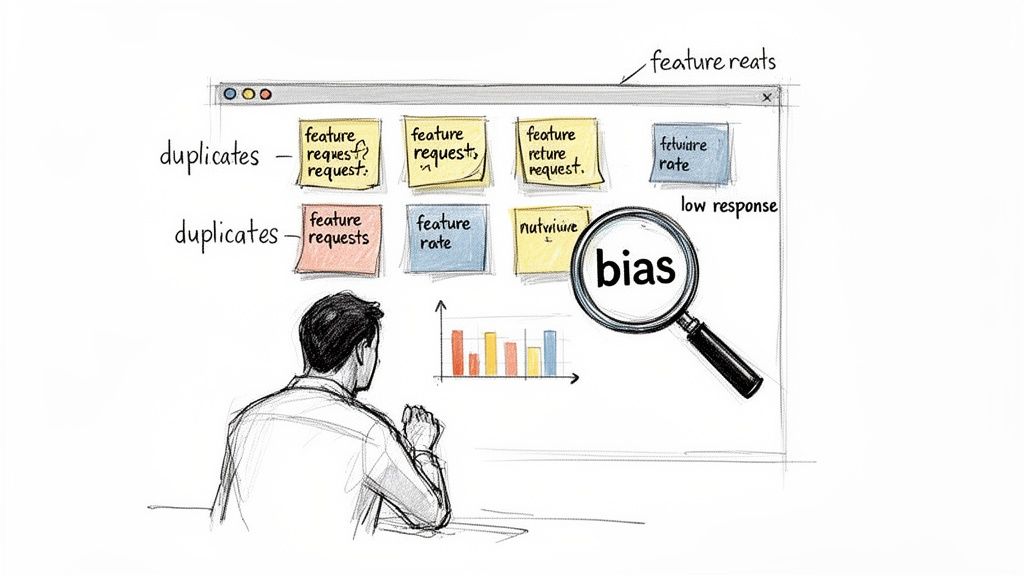
Let's be honest, most product teams know feedback is important. The issue isn't a lack of awareness; it’s a broken process that creates a ton of noise and very little signal. Your feedback dashboard might be overflowing, but the insights are nowhere to be found.
If you’re staring at a spreadsheet full of duplicate feature requests, vague comments, and survey scores that don't tell you anything, your collection method is failing you. This isn’t about just gathering data; it's about gathering the right data.
Moving Beyond Obvious Problems
Too many SaaS teams are stuck in a feedback rut, using the same tired methods that might have worked a decade ago but just don't cut it anymore.
Does any of this sound painfully familiar?
- Abysmal Survey Response Rates: You blast out hundreds of email surveys and get crickets. The few replies you do get are from your most loyal fans or your most furious detractors, giving you a completely skewed view.
- The Loudest Voices Win: Your product roadmap is being held hostage by a handful of power users or a big-name client, while the quiet majority of your customers get ignored.
- Drowning in Manual Work: Your team wastes hours every week trying to manually tag and sort through a messy pile of unstructured comments from support tickets, emails, and sales calls. It’s a tedious, error-prone nightmare.
- Insights are MIA: You have a mountain of feedback, but you can’t figure out why users are asking for something. You’re missing the context, which makes smart prioritization nearly impossible.
The real problem is that most old-school feedback channels separate the "what" from the "why." A user asks for a feature, but you completely miss the crucial backstory—their workflow, the frustrating moment that triggered the request, or the actual problem they were trying to solve.
Why Your Current Methods Fail
Relying on email surveys or raw vote counts is a surefire way to build the wrong product. Email surveys are disconnected from the actual product experience and have terrible engagement. By the time a user gets around to opening your email, they’ve already forgotten the frustration that sparked their feedback in the first place.
And don't get me started on just counting votes for feature requests. It's a dangerous game that treats all feedback as equal. This completely ignores critical signals like a user's subscription plan, their MRR, or their strategic value to your business. This is exactly how you end up building a niche feature for a user on a Free plan while a high-value customer is quietly churning.
Before you can build a system that works, you have to be honest about what's broken in your current one. For more ideas on connecting with users, check out our guide on improving customer communication. Getting this first step right is the foundation for moving from just collecting feedback to truly understanding it.
Now, let's get into how to build a modern system that actually captures rich, contextual insights.
Choosing the Right Feedback Channels for Your SaaS
Picking the right channels to get customer feedback isn't just a box to check—it’s a deeply strategic decision. If you get it wrong, you’ll spend a ton of time and energy collecting noise instead of the specific, actionable insights that actually move your product forward. It’s the difference between fishing in an empty pond and casting your net exactly where the fish are biting.
SaaS companies have a boatload of options, from "always-on" in-app widgets to deep-dive user interviews. The secret is knowing that different channels are built for different jobs. You wouldn't use a quick pop-up survey to unpack a user's deep-seated frustrations, and you definitely wouldn't schedule a 45-minute interview just to ask about a button color.
Active vs. Passive Feedback: Know the Difference
First things first, let's get the terminology straight. Your feedback strategy needs to balance two distinct approaches: active and passive collection.
Active Channels: This is when you're directly asking for feedback. Think email surveys, user interviews, or prompts from a conversational AI. You’re essentially tapping the user on the shoulder and asking, "Hey, what do you think about this?"
Passive Channels: These channels are always there, waiting for users to share their thoughts whenever the mood strikes. A permanent feedback button in your app, customer support tickets, and social media mentions are all classic examples.
A healthy feedback system uses both. Passive channels give you a steady, unfiltered stream of what’s on your users' minds. Active channels let you zoom in on specific topics when you need to understand the "why" behind the "what."
Match Your Channels to Your Company Stage
The channels you lean on should also change as your company grows. An early-stage startup trying to find product-market fit has completely different needs than a mature platform with thousands of customers, including a large base of free users.
If you're an early-stage startup, your entire world revolves around getting rich, qualitative data to make sure you're building something people actually want. That means you should be all-in on:
- User Interviews: There is simply no substitute for a one-on-one conversation to truly understand your users' goals, pains, and motivations.
- Customer Support Tickets: Your first users are a goldmine of insights. Every single support ticket is a feedback session in disguise—treat it that way.
On the other hand, a mature SaaS platform has to manage feedback at scale. This calls for channels that are efficient and can deliver a mix of quantitative and qualitative data.
- In-App Widgets: These are perfect for capturing contextual feedback right when the user is experiencing something, without yanking them out of your product. This is especially valuable for getting a pulse from your free plan users, who are notoriously hard to reach via email.
- Email Surveys: They have their drawbacks, but don't count them out. Email is still a powerful way to gather targeted feedback from specific segments, like customers who just signed up or those who recently churned.
Collecting feedback across multiple channels is no longer a "nice-to-have." Research shows that 81% of people are more likely to make another purchase after good customer service, and a staggering 70% of the buying experience comes down to how the customer feels they were treated. But be warned: email surveys can be a struggle, with 15.8% of all emails getting lost or flagged as spam. You can find more customer service statistics on 123formbuilder.com.
The goal isn't to use every channel you can think of. It's to build a smart system where the right kind of feedback is captured at the perfect moment, giving your product team the precise insights they need to build a better product.
A Comparative Look at SaaS Feedback Channels
So, how do you decide what to use? Let's break down the most common channels for a SaaS business. The right mix always depends on your goals, team size, and product maturity. The trick is to weigh the richness of the data you'll get against the effort it takes to collect it.
This table gives you a quick, practical comparison to help you choose the right tools for the job.
Comparison of Customer Feedback Channels for SaaS
This table compares various feedback channels based on key attributes to help product teams select the most effective methods for their goals.
| Feedback Channel | Best For | Response Rate | Data Richness | Effort to Implement |
|---|---|---|---|---|
| In-App Widgets | Contextual, in-the-moment feedback on specific features or workflows. | High | Medium | Low |
| Email Surveys | Segmented feedback on user satisfaction, onboarding, or churn reasons. | Low to Medium | Medium | Medium |
| User Interviews | Deep discovery, persona validation, and understanding complex user problems. | Very High | Very High | High |
| Support Tickets | Identifying bugs, common friction points, and immediate user frustrations. | N/A (Passive) | High | Low |
| Social Media | Unsolicited, candid opinions and tracking brand sentiment. | N/A (Passive) | Low to Medium | Medium |
| AI Prompts | Conversational, interactive feedback that digs for the "why" automatically. | High | High | Low |
Ultimately, choosing your channels is about being intentional. Start with a couple that align with your immediate goals, master them, and then expand your toolkit as your needs evolve.
Crafting Questions That Elicit Actionable Insights
The feedback channels you set up are just the pipeline. What truly matters is what flows through them, and the quality of that feedback hinges almost entirely on the questions you ask.
Throwing out a lazy "How can we improve?" is a recipe for an equally lazy answer like "Make it better." To get insights your team can actually build on, you have to dig deeper. It's about designing a conversation that feels natural, not like a robotic interrogation, and gets to the core "why" behind what a user is saying.
The Problem with Vague Questions
Generic questions force your users to do your job. You're asking them to diagnose a problem and prescribe a solution, which is a huge ask. Your goal is to uncover the underlying pain point so your team can design the right solution.
Think about the difference here:
- Bad Question: "Do you have any feedback for us?" This usually gets you crickets or a polite "Looks good."
- Good Question: "If you could change just one thing about this feature to make your daily work easier, what would it be?"
The second question is specific. It’s contextual. It prompts the user to think about their actual workflow, and that's where the gold is buried.
Avoiding Leading and Biased Language
It's incredibly easy to frame a question in a way that nudges users toward the answer you want to hear, not the one you need to hear. This confirmation bias is the enemy of genuine feedback.
Imagine you just launched a new feature.
- Leading Question: "How much do you love our new dashboard?" This just fishes for compliments and pressures the user to agree.
- Neutral Question: "What are your initial thoughts on the new dashboard?" This opens the door for honest, unfiltered opinions—the good, the bad, and the ugly.
To truly gather meaningful information, it's essential to understand the principles behind crafting effective questions. Moving from biased prompts to neutral inquiries is critical for collecting feedback that reflects reality. For a deeper dive, there are excellent guides that explain how to ask better questions and transform your conversations with users.
Real-World Examples for Different Scenarios
The best questions are timed perfectly and tailored to that specific moment in the user’s journey. Let’s look at a few common SaaS scenarios.
Scenario 1: Post-Onboarding Feedback
- Vague: "How was your onboarding experience?"
- Specific: "Was there anything you expected to find during setup that you couldn't locate easily?"
Scenario 2: Feature Discovery Feedback
- Vague: "Did you like the new reporting feature?"
- Specific: "What problem were you hoping to solve when you first tried out the new reporting feature?"
Scenario 3: Churn Analysis
- Vague: "Why did you cancel your account?"
- Specific: "What was the main challenge you ran into that ultimately led you to look for another solution?"
Each of the "specific" questions shifts the focus to the user's goals, expectations, and real-world struggles. They turn simple yes/no answers into rich, qualitative stories full of context. That's the kind of detail your team needs to build a product people can't live without.
How to Organize and Prioritize Customer Feedback
So, you’ve set up your channels and the customer feedback is rolling in. That’s the easy part. The real challenge is turning that firehose of comments, tickets, and survey responses into something you can actually use without losing your mind.
Without a solid system, you’re staring down a mountain of duplicate requests, vague ideas, and conflicting opinions. The goal isn’t just to collect feedback; it’s to wrangle that raw input into a clean, prioritized backlog that your team can confidently build from. This is where most product teams get stuck, drowning in spreadsheets and losing hours to manual sorting. It’s slow, biased, and often leads to building features based on noise instead of a clear signal.
From Manual Tagging to Automated Clustering
The old-school way of doing this was painful. You’d dump everything into a massive spreadsheet and spend your Monday morning manually tagging each entry with things like "bug," "feature-request," or "dashboard-UI." It was tedious, subjective, and a terrible use of a product manager’s time.
Thankfully, we’ve moved past that. Modern systems use AI-powered semantic clustering to do the heavy lifting. This technology automatically groups similar feedback, even when it’s phrased differently. For example, requests like “I want to export my data,” “Can I get a CSV download?” and “Need to pull reports for my manager” all get bundled into a single, clear theme. You instantly see the demand without having to connect the dots yourself.
This automation frees your team from soul-crushing admin work, letting them focus on what really matters: understanding the customer's underlying problem. We get into the weeds on these methods in our guide to effective customer feedback analysis.
Enriching Feedback with Context
A feature request in a vacuum is almost useless. To make it actionable, you need the full story. Context is what transforms a simple comment into a powerful insight. Without it, you’re just guessing at the "why" behind the "what."
The most impactful feedback isn't just what a user said, but the full context surrounding their comment. Knowing their subscription plan, what page they were on, and their session history gives you a complete picture of their experience.
A great feedback system automatically grabs and attaches this critical data to every submission. Think about what you could do with this information at your fingertips:
- User Session Data: What was the user doing right before they sent their feedback? Which browser were they using? Were there any console errors? This is gold for engineers, helping them replicate bugs in minutes, not days.
- Customer Segment: Is this request from a brand-new user on a free plan or a power user at a major enterprise account? This helps you gauge whether you’re solving a niche problem or something that affects a huge chunk of your user base.
- Revenue Data: What’s the Monthly Recurring Revenue (MRR) tied to this user or their company? This single piece of data is a game-changer for prioritization.
The flow from a vague idea to an actionable insight, enriched by this kind of context, is a process every product team should aim for.
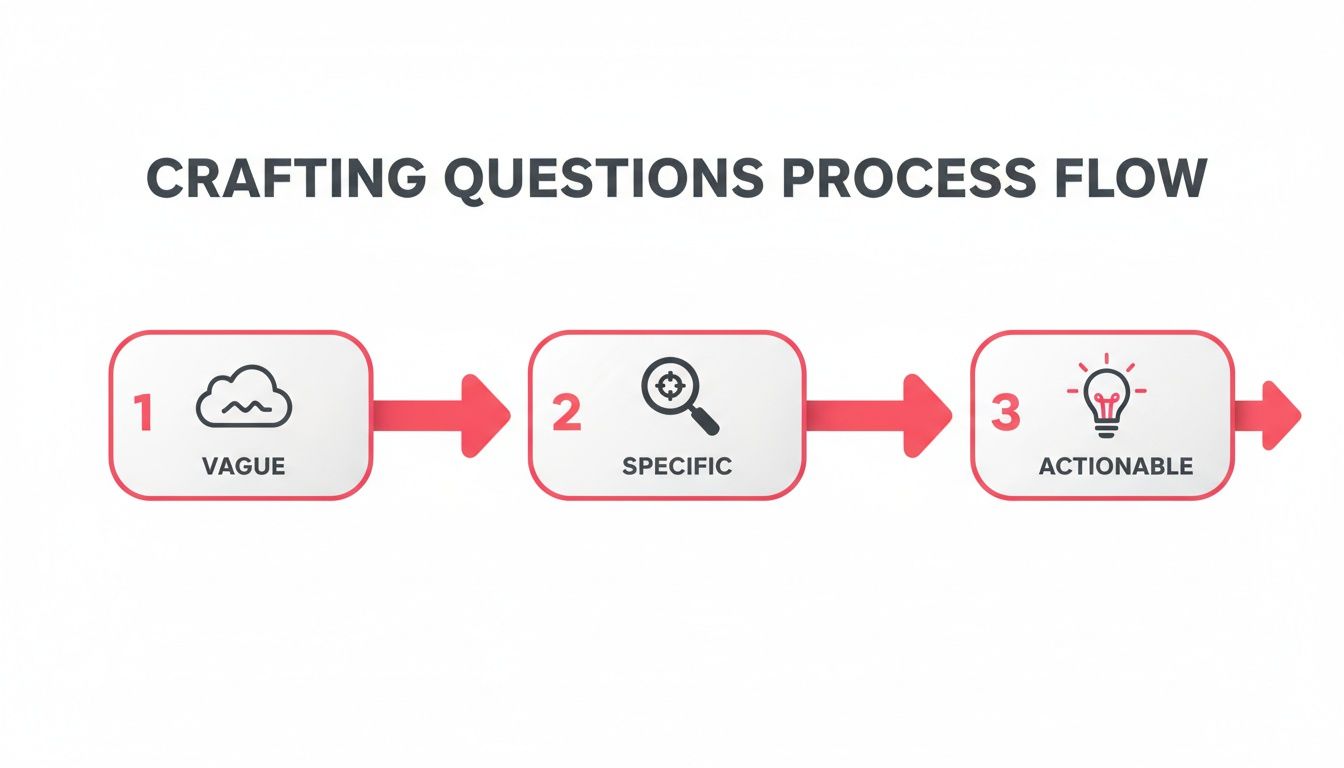
As this shows, raw user comments are just the starting point. The real magic happens when you refine them into concrete ideas your team can build with confidence.
Prioritization Frameworks Beyond Vote Counting
One of the most common traps product teams fall into is prioritizing based on simple vote counts. It seems democratic, but it’s a deeply flawed way to build a roadmap. This approach treats every vote as equal, which is rarely the case. A feature requested by 100 free plan users shouldn't automatically win out over a critical need from your top five enterprise customers.
A much smarter method is to weigh feedback by its potential impact on the business.
Revenue-Weighted Prioritization
This framework connects your roadmap directly to your bottom line. Instead of just counting votes, you prioritize features based on the total MRR of the customers asking for them. If one feature is requested by three enterprise clients worth a combined $15,000 in MRR, it naturally gets more attention than another feature requested by 50 users on your $10/month plan.
This immediately shifts the conversation from "What do most people want?" to "What will have the biggest impact on our business?"
Getting this right has never been more important. Customer expectations are through the roof—a recent study found 87% of support teams believe service standards are higher than ever. And with 61% of customers willing to switch to a competitor after just one bad experience, smart, data-driven prioritization isn’t just a nice-to-have; it’s essential for survival.
By combining automated organization, rich context, and intelligent prioritization, you can finally stop wrestling with a chaotic mess of feedback and start using it as your company’s most valuable strategic asset.
Closing the Feedback Loop to Build Customer Loyalty
Collecting feedback is one thing, but what you do next is what truly matters. The real magic—the part that turns a casual user into a die-hard fan—happens when you show them you were actually listening. If you don't "close the loop," you're sending a silent message that their time and insights weren't valuable. That’s the quickest way to kill any chance of them giving you feedback again.
Closing the feedback loop simply means getting back to your users about the actions you’ve taken because of their ideas. It’s the final, critical piece of the puzzle. It proves their voice directly impacts your roadmap and makes them far more likely to share their thoughts in the future.
A Practical Workflow for Communicating Updates
You need a repeatable process for letting customers know when their feedback is making progress. This can't be an afterthought; it has to be baked right into your product development workflow. The idea is to give them timely updates at key moments, making the whole process feel less like a black box and more like a conversation.
A solid communication workflow really comes down to three key touchpoints:
Acknowledged and Considered: As soon as a user hits "submit," they should get an automated confirmation. But the really important step comes next: a personal (or at least semi-automated) follow-up letting them know a real human on the product team is actually reviewing their suggestion. It shows you’re taking them seriously from the get-go.
In Development: This is the update that gets people excited. An email that says, "Great news! We're starting to build the feature you asked for," creates an incredible amount of goodwill. It makes the user feel like an insider who’s part of the journey.
Shipped and Live: This is the victory lap. When the feature goes live, send a celebratory announcement to everyone who requested it. This is your chance to thank them personally for their contribution and invite them to be the first to try out the new functionality they helped bring to life.
One of the most powerful things you can say to a customer is, “We heard you, and we built this because of you.” That single message transforms the dynamic from a simple transaction into a genuine partnership, building a kind of loyalty that no marketing campaign can ever buy.
Automating Communications to Build Loyalty at Scale
Obviously, you can't manually track every request and send individual emails as your company grows. That would be a nightmare. The trick is to use tools that plug into your development pipeline to automate these updates without making them sound robotic.
By connecting your feedback platform to tools like GitHub or Zapier, you can trigger notifications automatically based on the development status of a feature. For example, when a developer drags a ticket from the backlog to "In Progress," that action can automatically send an email to every single customer who upvoted or requested that feature.
Here’s a simple way to get that set up:
- Link Feedback to Dev Tickets: Make sure every piece of user feedback is directly linked to a corresponding ticket in your project management tool, whether it's GitHub, Jira, or Linear.
- Use Webhooks or Integrations: Set up automations that watch for status changes on those tickets. When a status changes to "In Progress" or "Done," a webhook or integration fires off a signal.
- Trigger Templated Emails: That signal can then trigger a personalized email or an in-app notification through your CRM. The system pulls in the user's name and the specific feature details, so the message feels like it was written just for them.
An automated system like this ensures no one falls through the cracks and every user who took the time to give feedback feels seen and heard. Even for startups, the Free plan on many feedback tools offers the basic integrations you need to build this powerful loop from day one. When you prove that feedback leads directly to a better product, you’re not just building features—you’re building a community of advocates who are genuinely invested in your success.
Building Your Modern Feedback Tech Stack
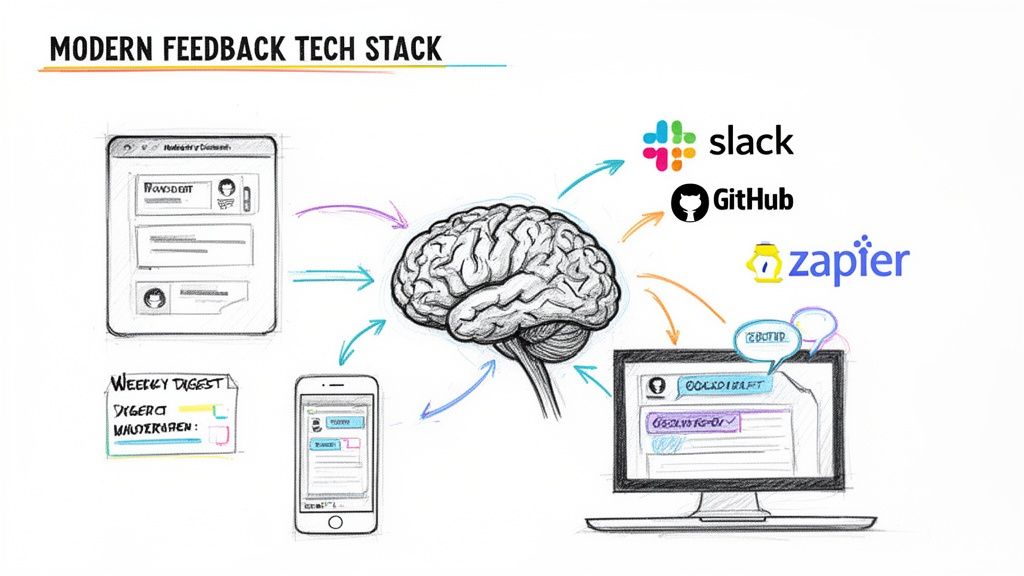
If you're still manually sorting through feedback, you're setting yourself up for burnout and missed opportunities. The right tech stack automates the grunt work, freeing you up to focus on what actually matters: building a product customers love. Think of it less as a collection of tools and more as an integrated system that turns messy, unstructured comments into a clear, actionable backlog.
This is where modern, AI-powered platforms are a total game-changer. Instead of clunky, static forms that feel like a chore, tools like FeatureBot use a simple widget to start a real conversation. When a user drops a comment, an AI assistant asks intelligent follow-up questions to uncover the crucial "why" behind the request. It’s a much more natural experience for the user and gives you far richer insights.
Automating the Entire Feedback Lifecycle
The real magic happens when your stack can handle the entire feedback process automatically, from the moment a user types their thought to the final analysis. This creates a seamless flow of information that doesn't require a dedicated person to manage it all day.
Here are the key capabilities you should be looking for:
- Automatic Context Capture: The system should instantly grab session data with every submission—browser, OS, current page, you name it. This is a lifesaver for engineers trying to replicate bugs and for PMs trying to understand the user's journey.
- AI-Powered Clustering: A huge time-saver. The platform should automatically group duplicate or semantically similar requests. This instantly surfaces popular themes and keeps your backlog from becoming a cluttered mess of redundant entries.
- Weekly AI Digests: Find a tool that delivers summarized insights right to your inbox. These digests can highlight emerging trends, pinpoint top requests, and even recommend next steps, keeping your team aligned without having to live in yet another dashboard.
Integrating Feedback into Your Existing Workflows
A feedback tool should slot right into your existing process, not force you to build a new one from scratch. Seamless integrations aren't just a nice-to-have; they're essential for turning insights into action quickly.
Your feedback system should act as a central hub that pushes crucial information to the tools your team already uses every day. This ensures insights are visible and actionable, not siloed away in a separate platform.
For most SaaS companies, these are the non-negotiable integrations:
- Slack: Get real-time pings for new feedback. It lets your team respond immediately and keeps a constant pulse on customer sentiment.
- GitHub or Jira: Create development tickets directly from feedback submissions. This beautifully links customer requests to the actual engineering work.
- Zapier: This is your Swiss Army knife. Connect your feedback platform to thousands of other apps to create custom workflows, like updating a CRM or notifying customer success.
If you’re doing a lot of qualitative interviews, using AI meeting assistant tools is another smart move to capture and analyze customer input without hours of transcription. The good news is that customers are ready for this shift. Recent data shows that 79% of respondents are comfortable using generative AI for support, and 73% of consumers believe it can improve their experience.
Ultimately, building the right tech stack is about choosing solutions that work together to create an intelligent feedback ecosystem. You can check out a bunch of solid options in our roundup of the best customer feedback tools. Many platforms (including ours) offer a Free plan so you can get started building a powerful, automated system without a big up-front investment.
Burning Questions About Customer Feedback
When you start getting serious about customer feedback, the same questions tend to pop up again and again. Here are a few of the big ones we see from SaaS teams, along with some straight-to-the-point advice.
How Often Should We Be Asking For Feedback?
This is all about finding the right rhythm. You don't want to bombard people, but you also can't afford to be in the dark.
The key is to blend passive and active methods. Keep an "always-on" channel open, like an in-app feedback widget, so users can give you their thoughts whenever inspiration strikes. For your more direct asks, like a survey or an email prompt, be strategic. Tie them to specific milestones in the user journey—right after they finish onboarding, for instance, or after they've resolved a ticket with your support team. These are the moments when their experience is fresh and their insights are gold.
What’s the Best Way to Handle Negative Feedback?
It's tempting to get defensive, but negative feedback is actually a massive opportunity. Seeing it as a gift is the first step.
Your first move should be to respond quickly. Acknowledge their frustration and genuinely thank them for taking the time to share. Then, put on your detective hat. Dig past the surface-level complaint to understand the real problem. Are they frustrated with a specific feature, or is the entire workflow confusing? Once you have a plan, make sure to close the loop. Let them know what you're doing about their issue. You’d be surprised how often this single act can turn a frustrated user into one of your biggest fans.
How Can a Small Startup Team Possibly Manage All This?
When you’re a small team, you can’t just throw more people at the problem. You have to be smart about your systems from day one.
Automation and integration are your best friends here. Find a single tool to act as your feedback hub and stick with it. Make sure it pipes new feedback directly into your main communication channel, like a dedicated Slack channel, so nothing gets missed. The other critical piece is ruthless prioritization. You simply can't act on everything, so you have to get laser-focused on the feedback that will genuinely move the needle for your product and your customers.
Ready to turn customer feedback into your biggest growth lever? FeatureBot helps you capture, organize, and act on user requests with an AI-powered platform designed for product teams who ship. Get started for free at https://featurebot.com.
Ready to capture better feedback?
FeatureBot helps you collect, organize, and prioritize user feedback with AI-powered conversations.
Get Started Free