Improving Customer Communication A Product Team's Playbook
To truly improve customer communication, we need to stop thinking in terms of reactive, outdated methods like annual surveys. The real magic happens when we shift to proactive, in-app conversations. It's about capturing feedback in the moment—right when a user feels a flash of frustration or a wave of delight—and turning what used to be a static data point into a real-time dialogue that actually helps build better products.
Why Traditional Feedback Methods Are Failing Product Teams
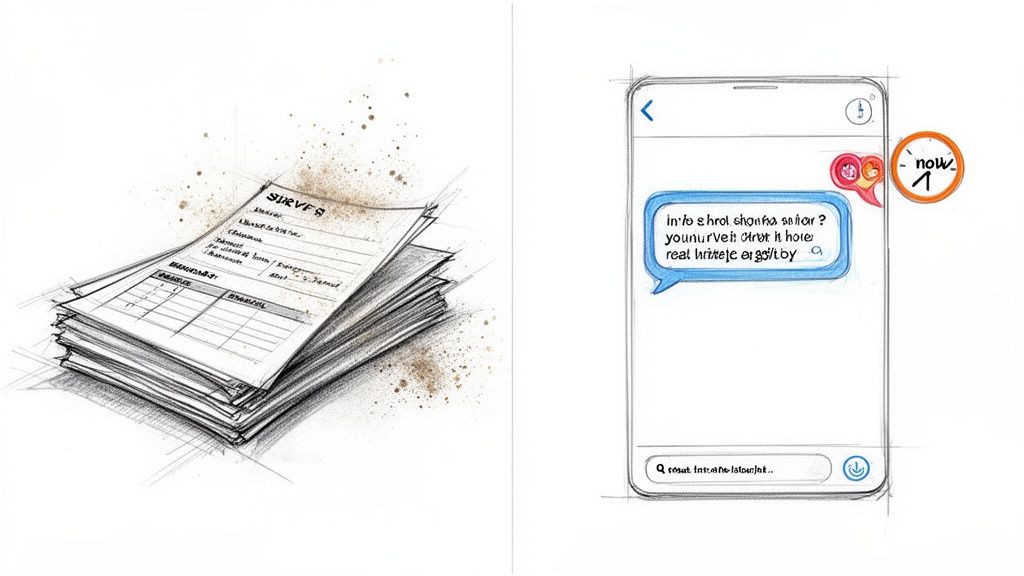
Let’s be honest for a second. Annual surveys and static "Contact Us" forms feel like relics from a bygone era. They give us stale, out-of-context information long after the moment of truth has passed, leaving product teams to guess at the why behind the feedback.
This lag is a killer for modern, agile teams that need immediate insights to iterate quickly. By the time you’ve managed to collect, analyze, and finally act on that survey data, both your product and your users' needs have already moved on.
The Problem With Delayed and Disconnected Data
The fundamental flaw with old-school methods is the chasm between a user's experience and their chance to share it. Asking a customer to recall a minor frustration they had weeks ago is like asking them to remember what they ate for lunch last Tuesday—the details are fuzzy and, more importantly, the emotional context is completely gone.
This approach creates a few major headaches for product teams:
- Low-Quality Insights: The feedback is completely stripped of context. You don't know what the user was doing, what they saw on their screen, or what they were trying to accomplish.
- High User Friction: It forces users to leave your app, open their email, and click through a separate page. This adds so many steps that only the most extremely frustrated or delighted customers will ever bother.
- Delayed Action: The insights arrive far too late to prevent churn or fix a critical bug before it snowballs and affects hundreds of other users.
The most powerful insights don't come from a scheduled survey; they come from an unsolicited comment made seconds after a user discovers a new feature they love or hits a roadblock they hate. Capturing that immediate reaction is the key.
A Comparison Of Feedback Collection Methods
The difference between these approaches isn't just a matter of timing; it's a fundamental difference in quality and actionability. Here’s a quick breakdown of how they stack up.
| Attribute | Traditional Methods (Surveys, Forms) | Modern Methods (In-App Conversational AI) |
|---|---|---|
| Timing | Delayed, often weeks or months after the experience. | Real-time, captures feedback in the moment. |
| Context | Lacks user session data; low context. | Rich with screen, user, and event context. |
| User Effort | High friction, requires leaving the product. | Effortless, happens directly within the app. |
| Response Rate | Typically very low (1-5%). | High engagement due to convenience and relevance. |
| Insight Quality | General, often vague and backward-looking. | Specific and actionable, tied to a real experience. |
Clearly, sticking with traditional methods means you're operating with a significant handicap. Modern tools don't just collect more feedback; they collect better feedback.
The Shift Toward Integrated Communication
The market is already voting with its wallet, moving decisively away from fragmented tools. This trend is obvious when you look at the massive enterprise shift toward consolidated platforms that manage the entire feedback lifecycle.
The global Customer Communication Management (CCM) market is projected to more than double from USD 2.31 billion in 2025 to USD 5.29 billion by 2032. Even more telling, integrated solutions are expected to account for 62% of all spending. You can explore more about these CCM market statistics and see for yourself why the future is unified.
Ultimately, improving customer communication isn't about sending more surveys. It’s about building a continuous, helpful dialogue. It means meeting users where they already are—directly inside your product—and making it completely effortless for them to share what's on their mind. This proactive, conversational approach turns feedback from a painful chore into a natural part of the user experience, giving your team the rich, real-time insights you need to build products people actually love to use.
Capture High-Quality Feedback Directly In Your Product
The best feedback comes in the moment, right when your users are in the thick of it. When you force them to hunt down a separate feedback page or wrestle with a clunky form, you're creating friction. And that friction means you’re mostly hearing from the loudest, most frustrated (or most delighted) users, while missing out on a goldmine of nuanced insights from everyone else.
The secret to better customer communication is simple: bring the conversation to them. By embedding a lightweight, conversational widget right inside your app, giving feedback becomes a natural, effortless part of the experience. You’re meeting users exactly where they are, encouraging them to share what’s on their mind, as it happens.
Craft Prompts That Invite Real Conversations
The quality of the feedback you get is a direct reflection of the questions you ask. Let’s be honest, a vague prompt like "Have feedback?" is just asking for a one-word answer like "no" or "it's good." Our goal is to get past those surface-level responses and dig into what the user is really experiencing.
To get there, you need to craft prompts that are both specific and open-ended. Think contextually. Instead of a generic catch-all, try something more targeted:
- For a new feature: "What was your first impression of the new reporting dashboard?"
- For a complex workflow: "Was there anything confusing about setting up your first project?"
- After a specific action: "How easy was it to export your data just now?"
These kinds of questions work because they're tied to something the user just did or saw. It shows you’re paying attention to their journey and it invites a much more thoughtful, detailed response.
Use AI to Deepen the Dialogue
When a user shares an initial thought, the conversation has only just begun. This is where AI-powered follow-up questions can be a game-changer. They can turn a simple comment into a rich, multi-layered insight without creating any extra work for your team or more friction for the user.
Let's say a user leaves a comment like, "The new export feature is slow." An AI tool can automatically probe deeper: "Thanks for letting us know. Could you tell us which type of report you were exporting so we can investigate?" That one simple, automated follow-up captures critical context that would have otherwise been lost forever.
The real magic of in-app feedback isn't just snagging the initial comment. It's the ability to have an intelligent, automated conversation that uncovers the 'why' behind the what. This is how you turn a vague complaint into a detailed, actionable bug report.
Here’s a look at how an in-product feedback widget can appear seamlessly within your UI.
Notice how it’s designed to feel like a natural part of the product, not some annoying pop-up that interrupts their flow.
This seamless integration is what makes it possible to gather honest, in-the-moment feedback. We cover even more strategies in our guide on how to collect customer feedback. By moving the conversation inside your product, you're not just collecting data; you're creating a continuous dialogue that gives you the context-rich insights needed to build a better product and a stronger relationship with your customers.
Turn Customer Feedback From Noise Into Actionable Insights
If your feedback inbox feels like pure chaos, you're not alone. We've all been there—drowning in duplicate requests, vague comments, and one-off complaints. Product managers often get stuck playing "whack-a-mole," wasting hours manually tagging and sorting feedback, just trying to connect the dots. This manual grind isn't just slow; it's a massive roadblock.
The real problem? Customers rarely use the same words to describe the same need. One person might say, "I need to export this report," while another asks, "where's the CSV download button?" A third might just type "data export." They all want the same thing, but trying to group these manually is a nightmare.
From Raw Feedback to Clear Themes
This is where semantic clustering, powered by AI, completely changes the game. Instead of just matching keywords, this technology gets the intent behind the words. It automatically groups feedback with similar meanings into clear, distinct themes, no matter how differently they’re phrased.
Suddenly, that messy inbox transforms into a clean, prioritized list of what your users are actually asking for. You can see at a glance that "export functionality" is a major theme, backed by dozens of individual comments, without having to do any of the manual grunt work.
The whole process, from a user's initial thought to a genuine insight for your team, can look something like this.
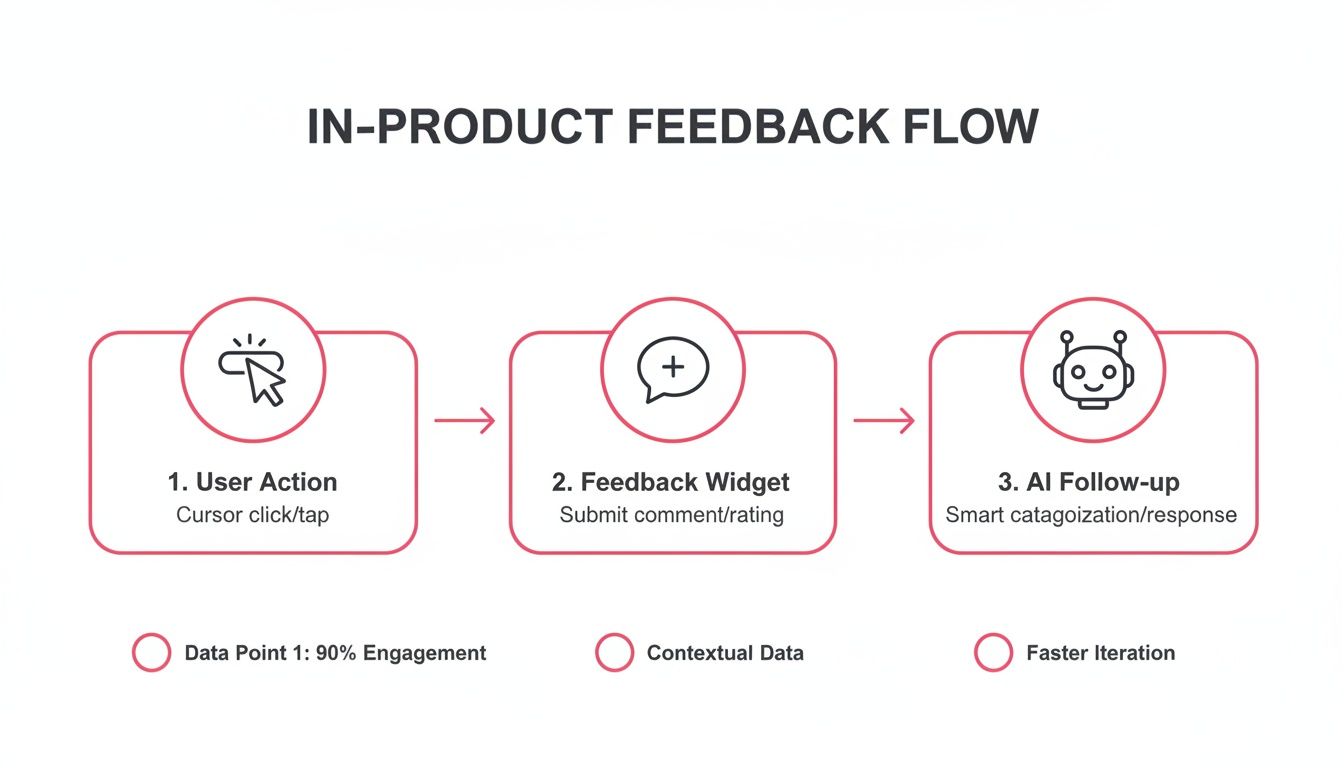
This shows how a simple user action can trigger a feedback widget and an intelligent follow-up, capturing rich, contextual data right when it matters most.
By letting a machine handle the initial sorting, you free up your team to focus on high-impact strategy. You stop asking, "What are people saying?" and start asking, "Why is this theme so important to our users right now?" For a closer look at this whole workflow, check out our guide on effective customer feedback analysis.
Shifting from manual tagging to semantic clustering is the difference between trying to assemble a puzzle in the dark and having a machine sort all the edge pieces for you first. It doesn’t solve the puzzle, but it makes finding the solution exponentially faster.
Spotting Trends Before They Become Problems
Maybe the biggest win here is the ability to spot emerging trends in real time. Because feedback gets clustered the moment it comes in, you can see issues bubbling to the surface long before they become widespread problems that lead to churn.
Here's a scenario I've seen play out:
- Week 1: A single user flags a minor bug with a new integration. A one-off ticket is created.
- Week 2: Three more users report similar, but slightly different, issues with that same integration. If you're doing this by hand, these probably end up as separate, unrelated tickets.
- Week 3: Semantic clustering flags "Integration X Failure" as a fast-growing theme, noting a 400% increase in related comments.
This kind of early warning system gives your engineering team a heads-up to fix the root cause proactively—before it explodes and impacts a huge chunk of your user base. It turns feedback from a backward-looking chore into a forward-looking strategic asset.
Prioritize Your Roadmap Based On Revenue Impact
Let's be honest: not all customer feedback is created equal. A feature request from ten users on your free plan just doesn't carry the same business weight as a similar request from three of your biggest enterprise customers. If you're just counting votes, your roadmap quickly becomes a popularity contest instead of a strategic tool for growth.
To really get this right, you have to connect feedback to its financial impact. When you link feature requests directly to your CRM or billing data, you can finally see the monthly recurring revenue (MRR) tied to each suggestion. This one shift moves you from guessing what’s important to knowing what will actually drive the business forward.
Attaching Monetary Value to Feedback
The guiding principle is simple: weight feedback by customer value. This isn't about ignoring users on lower-tier plans. It’s about having a clear, objective way to measure the potential return on every dollar you spend on development.
The first step is to enrich each piece of feedback with key business metrics. Think of it like adding context to a conversation. You’ll want to pull in data like:
- Monthly Recurring Revenue (MRR): The most direct measure of a customer’s financial value to your business.
- Account Health Score: A great leading indicator of potential churn or a prime opportunity for expansion.
- Customer Lifetime Value (CLV): A projection of the total revenue you can expect from an account over its entire lifecycle.
Once you integrate this data, your perspective changes dramatically. You can suddenly see that a specific bug isn’t just affecting five random users—it’s impacting five users who represent a combined $25,000 in ARR. That context changes everything.
A Real-World Prioritization Scenario
Imagine a product manager, Sarah, trying to decide between two highly requested features for her B2B SaaS platform. In the old system, both features had a similar number of votes, leaving her in a classic prioritization stalemate.
But once she connected the feedback to revenue data, the story became much clearer:
| Feature Request | Raw Votes | Associated MRR | Key Customer Profile |
|---|---|---|---|
| New Dashboard Widgets | 35 | $1,200 | Mostly individual users and small teams. |
| Advanced API Access | 28 | $18,500 | Enterprise clients, including three at-risk accounts. |
The choice is now obvious. While more people voted for the dashboard widgets, the advanced API access is absolutely critical for retaining high-value, at-risk accounts. Prioritizing the API isn’t just about shipping a new feature; it's a strategic move to prevent major churn and lock down significant revenue.
Building a roadmap isn't about appeasing the most users; it's about making the smartest investments for the business. When you can tie a development decision directly to protecting or growing MRR, you're no longer guessing—you're executing a revenue-driven strategy.
This data-driven approach is a cornerstone of effective planning. If you want to dive deeper into building a powerful development plan, it's worth exploring some essential product roadmap best practices.
This methodology completely transforms your planning process. Product decisions become less about heated internal debates and more about objective financial impact. It equips you to confidently answer the question, "What should we build next?" with a data-backed response that aligns directly with the company's bottom line. When you prioritize by revenue, you ensure your engineering efforts are always focused on what truly matters most.
Close The Loop To Build Unbreakable Customer Loyalty
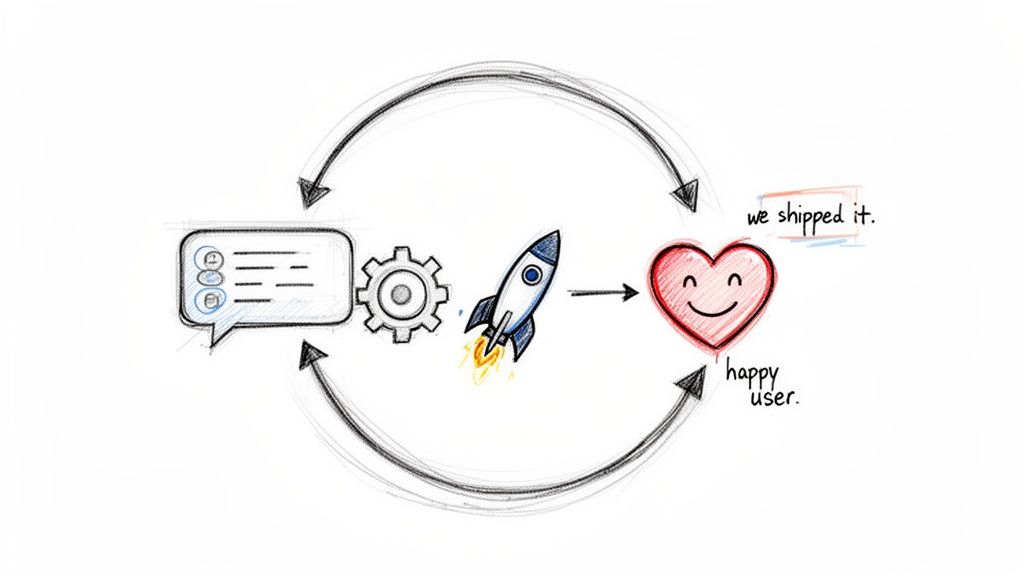
Collecting and prioritizing feedback is just the start. If a customer takes the time to share an idea and then hears crickets, you haven't just missed an opportunity—you've broken their trust. The real magic in improving customer communication happens when you close the loop. It's the simple, powerful act of letting users know you not only heard them but actually did something about it.
This follow-up is one of the most effective—and most overlooked—ways to build real, lasting loyalty. Think about it: 86% of customers say they’d leave a company after a single bad experience. Feeling ignored is a surefire way to get there. Closing the loop, on the other hand, can turn a casual user into a passionate advocate and is one of your best defenses against churn.
Automate Your Response Workflows
Trying to manually keep track of who asked for what and then remembering to ping them months later when a feature ships? That's a recipe for failure, especially as you grow. This is where you absolutely need automated workflows. By connecting your feedback system to the tools your team lives in every day, you can make sure no request ever gets lost.
Here’s what that looks like in practice:
- A user submits a feature request from inside your app.
- The feedback instantly pops up in a dedicated
#feedbackchannel in Slack, so the product team sees it right away. - At the same time, an issue is created in GitHub or a ticket is opened in Jira, linking that customer's voice directly to the engineering backlog.
This setup gets the right information in front of the right people the moment it comes in, all without adding more manual work to anyone's plate.
The goal isn't just about collecting feedback faster. It's about shortening the time between a customer's suggestion and your team's acknowledgment. When the routing is instant and automated, you're showing them their voice is a live, critical part of your development process.
Send "We Shipped It" Notifications That Delight
Honestly, this is the best part. The most impactful moment in the entire feedback cycle is when you get to tell a customer, "Hey, that thing you asked for? It's live." This one touchpoint proves they have a real say in where your product is going. It makes them feel less like a user and more like a partner.
You can automate this by linking the original user feedback to your development tickets. When a ticket gets moved to "Done" or "Shipped," it can trigger a personalized email that goes out to every single person who requested that feature.
Here’s a simple template I've seen work wonders. It’s personal, direct, and effective:
Subject: Good news! We've shipped a feature you asked for.
Hi [Customer Name],
A while back, you suggested we add [Brief Feature Description]. We thought it was a great idea, and I wanted to personally let you know that it's now live!
You can check it out here: [Link to Feature]
Thanks again for helping us make our product better. We couldn't do it without you.
Best,
The [Your Company] Team
This small gesture has a massive ROI. It turns a simple transaction into a genuine relationship, creating the kind of loyalty that no competitor can just copy. By consistently closing the loop, you build a community of customers who are truly invested in your success because they know you’re invested in theirs.
Got Questions? We've Got Answers
When product and customer teams start thinking about new ways to handle customer communication, a few key questions almost always come up. Here are the answers to the ones we hear most often.
How Can We Encourage More Feedback Without Annoying Our Users?
The trick is to stop interrupting people. Forget those disruptive, full-screen pop-ups that kill a user's workflow.
Instead, think about using contextual, non-intrusive prompts. A subtle, always-on feedback widget can feel like a natural part of your product. From there, you can trigger conversational prompts based on what a user is actually doing—like when they explore a new feature for the first time or spend a while on a specific screen. This approach makes giving feedback feel like a helpful, optional chat, not a mandatory survey.
How Can a Small Team Manage All This Feedback Without Getting Overwhelmed?
Automation is your best friend here, especially for a lean team. You need a platform that uses AI to automatically cluster similar pieces of feedback. This alone eliminates the soul-crushing manual work of finding and tagging duplicates.
The next step is to integrate that feedback tool directly into your existing workflow. For instance, you can pipe new insights straight into a dedicated Slack channel or have it automatically create tickets in Jira. This ensures feedback gets to the right people without forcing your team to check yet another tool every day.
We consistently see small teams get the biggest immediate wins from this. Automation hands them back hours every single week, letting them focus on actual analysis instead of just organizing data.
Do You Offer a Free Trial or a Free Plan?
We don't offer a free trial but we do have a Free plan to get started.
Ready to turn all that customer noise into clear, revenue-driven insights? With FeatureBot, you can capture, analyze, and act on feedback without the guesswork. Start for free on featurebot.com and discover what your customers are really trying to tell you.
Ready to capture better feedback?
FeatureBot helps you collect, organize, and prioritize user feedback with AI-powered conversations.
Get Started Free