Master ux research interview questions to uncover user needs

Crafting the right UX research interview questions is the difference between collecting vague opinions and uncovering actionable insights that shape successful products. Too often, teams ask leading questions or focus on surface-level feedback, resulting in a roadmap built on costly assumptions rather than genuine user needs. This guide moves beyond generic templates to provide a strategic arsenal of powerful question types, categorized by purpose, from open-ended discovery to validating a user's willingness to adopt a new solution. Mastering this skill begins with a fundamental understanding of how to ask better questions in general, ensuring every interview yields profound insights.
This article breaks down not just what to ask, but why and when to ask it. We will explore ten specific types of questions that get to the heart of user motivations, validate real-world problems, and uncover the context behind user behaviors. For each category, you’ll find:
- Practical examples and scripts you can adapt immediately.
- Strategic follow-up probes to dig deeper than initial responses.
- Clear guidance on how to analyze the rich qualitative data you gather.
You'll also learn how to capture and cluster this feedback efficiently using tools like FeatureBot, turning raw interview notes into structured, actionable data for your entire team. Whether you're a seasoned researcher fine-tuning your process or a founder conducting scrappy customer discovery, these techniques will help you build products people truly need and are willing to invest in. This isn't just a list; it's a framework for having more meaningful conversations that directly drive product decisions and de-risk your development process.
1. The Open-Ended Discovery Question
The open-ended discovery question is the cornerstone of effective user research, designed to elicit rich, unprompted narratives from participants. Instead of guiding users toward a specific answer, this type of question creates space for them to share their genuine experiences, mental models, and pain points. It's a foundational technique in the UX researcher's toolkit, often phrased as "Tell me about..." or "Walk me through..." to encourage detailed storytelling.
This approach is invaluable during the initial stages of product discovery or when exploring a problem space. For instance, instead of asking a product manager, "Which of these five prioritization methods do you use?", you would ask, "Walk me through how you currently decide which user feedback to act on." This avoids imposing your own assumptions and can reveal surprising workarounds, frustrations, and unmet needs that more structured questions would completely miss.
When to Use This Question
This question is most powerful at the beginning of an interview or research project when your goal is broad exploration. Use it to understand existing behaviors, map out a user's current workflow, or identify the core problems your product could solve. It's less effective for validating specific UI elements but essential for ensuring you're building the right thing in the first place.
Actionable Tips for Implementation
- Practice Active Listening: Your primary role is to listen, not talk. Resist the urge to interrupt or suggest solutions. Use simple verbal cues like "I see" or "mm-hmm" to encourage them to continue.
- Use Follow-up Probes: Have a list of simple, neutral follow-ups ready. Phrases like "Can you tell me more about that?" or "What was that experience like?" are excellent for digging deeper without leading the witness.
- Record and Transcribe: Capturing the conversation verbatim is crucial for later analysis. Once transcribed, you can easily pull out key quotes and organize findings. To centralize these insights, you can find a comprehensive guide on using a UX research repository to manage and share data effectively.
- Observe Non-Verbal Cues: Pay attention to pauses, changes in tone, or body language. These often signal moments of frustration or delight that provide context beyond their words.
2. The Problem Validation Question
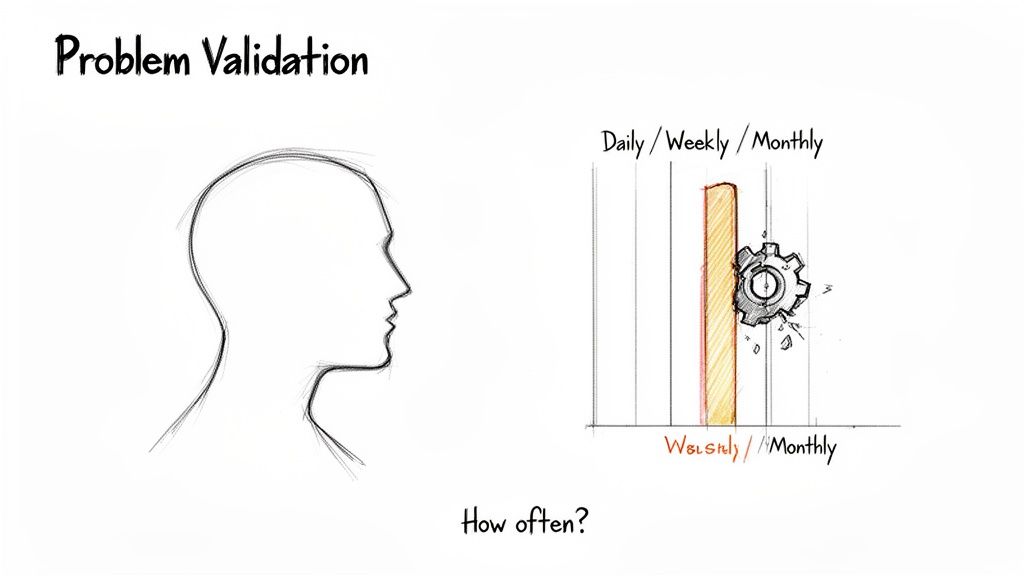
The problem validation question is a critical tool for ensuring your team invests resources in solving issues that genuinely matter to users. Its purpose is to move beyond assumptions and confirm whether a perceived problem exists, how frequently it occurs, and how severe its impact is. This type of question cuts directly to the core of a user's pain, often phrased as, "How often do you encounter [problem]?" or "Describe the last time you tried to [task]."
This method, central to frameworks like the Lean Product Process and Jobs to be Done, prevents teams from building solutions in search of a problem. For example, instead of asking a product manager if they want revenue-weighted prioritization, a better validation question would be, "How many hours per week do you currently spend organizing and de-duplicating feature requests from different sources?" This question quantifies the pain, making it easier to justify a solution like an automated feedback management system.
When to Use This Question
Use problem validation questions early in the discovery phase, before any code is written. They are essential when you have a hypothesis about a user pain point but need evidence to confirm its validity and business value. This is the perfect time to investigate if a problem is a minor annoyance or a significant roadblock that users would actively seek a solution for.
Actionable Tips for Implementation
- Request Specific Examples: Ask participants to recall a recent, specific instance of the problem. General statements can be misleading, but a concrete story reveals true context and emotion.
- Use Frequency Scales: Quantify the problem by asking how often it occurs (e.g., daily, weekly, monthly). This helps in prioritizing which problems to solve first based on their recurrence.
- Probe for Impact: Follow up with questions like, "How does this issue affect your overall workflow?" or "What is the consequence of not solving this?" This uncovers the real-world impact on efficiency, cost, or satisfaction.
- Triangulate Your Findings: Validate the problem across different user roles. A pain point for a customer success manager might manifest differently for a product leader or an engineer. A comprehensive guide on how to collect customer feedback can help you structure this multi-channel approach.
3. The Behavioral Observation Question
The behavioral observation question is a powerful technique designed to uncover what users actually do, rather than what they say they do. This method moves beyond self-reported behavior by asking participants to demonstrate their processes in real-time. It is often phrased as "Can you show me how you..." or "Walk me through the last time you..." to observe their actions directly, bridging the critical gap between stated intentions and actual behavior.
Users often misremember details or describe idealized workflows, but observation reveals the truth. For example, instead of asking a support manager how they track bugs, you would ask them to "show me your screen and walk me through how you logged the last three customer bug reports." This might reveal a messy workaround involving manual spreadsheets, Slack messages, and email threads that a verbal description would never capture, providing rich context for potential solutions.
When to Use This Question
This question is ideal when you need to understand a complex workflow, validate existing processes, or identify opportunities for improvement based on real-world behavior. Use it during contextual inquiry or usability testing to see how users interact with their tools and environments. It is essential for discovering unofficial processes, pain points, and workarounds that users might not even recognize as problems themselves.
Actionable Tips for Implementation
- Request Real Examples: Always ask participants to show you a recent, specific instance rather than a hypothetical scenario. This grounds the observation in reality.
- Utilize Screen-Sharing Tools: For remote interviews, tools like Zoom or Google Meet are invaluable for observing a user's digital environment and workflow in real-time.
- Observe Their Actual Systems: Pay close attention to the specific software, tools, and even physical documents they use. Note any "hacks" or unofficial processes they've created.
- Ask "Why?" to Uncover Constraints: When you see an unusual step, ask, "Can you tell me why you do it that way?" This helps reveal the underlying reasons and system limitations driving their behavior.
- Document and Cluster Findings: Capture screenshots and detailed notes of the observed workflow. Tools designed for this purpose, like those discussed on the FeatureBot blog, can help you centralize and analyze these observational insights. Many offer a free plan to get started.
4. The Motivation and Goals Question
While discovery questions uncover what users do, motivation and goals questions reveal the crucial why behind their actions. These types of ux research interview questions are designed to dig past surface-level behaviors and expose the core drivers, desires, and objectives that influence user decisions. They are rooted in frameworks like Jobs to be Done, focusing on the ultimate outcome a user is trying to achieve.
This approach is critical for aligning your product's value proposition with what users genuinely care about. For example, instead of just asking a product manager how they collect feedback, a motivation question would be, "What are you ultimately trying to accomplish by centralizing user feedback?" The answer might reveal a desire to increase customer retention, justify roadmap decisions to leadership, or simply build team confidence. Understanding this core motivation is the key to creating a truly indispensable solution.
When to Use This Question
This question is most effective after you have established a baseline understanding of a user's workflow. Once you know what they are doing, use this question to probe deeper into their reasons. It is particularly valuable for strategic research initiatives, informing product positioning, identifying high-impact features, and ensuring your roadmap addresses fundamental user needs rather than just superficial requests.
Actionable Tips for Implementation
- Apply the "5 Whys" Technique: Don't stop at the first answer. Gently ask "Why is that important to you?" multiple times to peel back the layers and uncover the root motivation.
- Explore Consequences: Ask about the impact of failure. Questions like "What happens if you aren't able to achieve this goal?" can reveal significant pain points and the true value of a potential solution.
- Distinguish Stated vs. Revealed Preferences: Pay attention to what users do, not just what they say. Their actions and past decisions often provide a more accurate picture of their true priorities and motivations.
- Connect to Metrics: For B2B users, understand the professional metrics they are measured on. Ask, "Which KPIs are you responsible for, and how does this task contribute to them?" This helps frame your product's value in a business context.
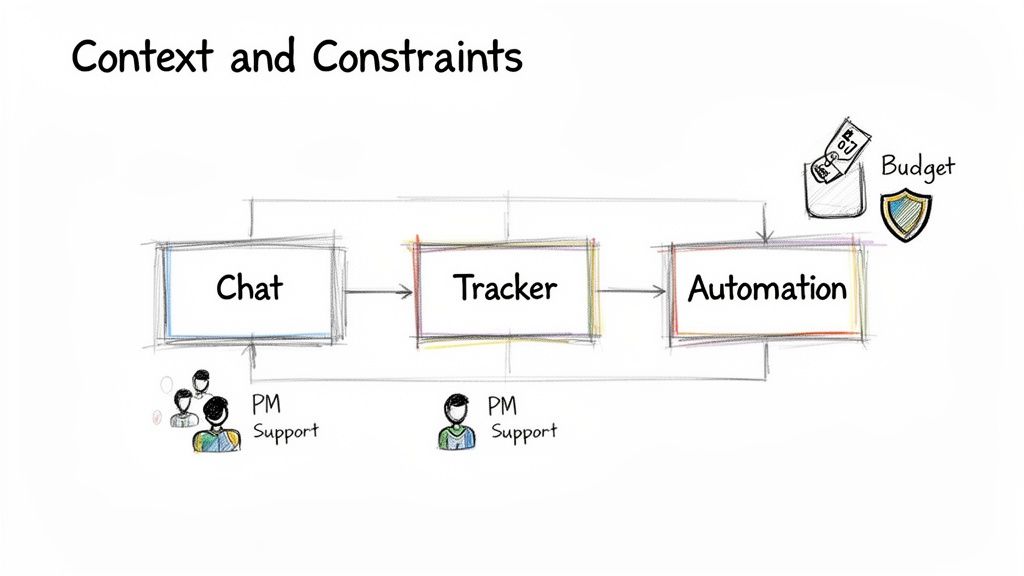
5. The Context and Constraints Question
A user's behavior is never isolated; it is shaped by their environment, the tools they use, and the constraints they operate within. The context and constraints question is designed to map this ecosystem, revealing the hidden forces that influence decisions and workflows. Instead of focusing solely on a user's direct interaction with a problem, this type of question uncovers the surrounding systems, team structures, and limitations that dictate why certain solutions succeed or fail in the real world.
This approach moves beyond individual actions to understand the bigger picture. For a product like FeatureBot, simply knowing a product manager wants to prioritize feedback is not enough. Asking, "What tools does your team currently use for development, communication, and automation?" reveals a workflow involving GitHub, Slack, and Zapier. This insight immediately highlights critical integration priorities and surfaces the real-world environment where your product must thrive.
When to Use This Question
These UX research interview questions are essential during discovery and problem validation phases, especially for B2B products. Use them to understand the technological, social, and organizational landscape your users navigate daily. This questioning is crucial for identifying integration opportunities, understanding purchasing dynamics, and ensuring your proposed solution is compatible with existing workflows and limitations, such as budget or security protocols.
Actionable Tips for Implementation
- Map the Tool Ecosystem: Don't just list tools; ask how they connect. Create a simple systems map during the interview to visualize the user's current software stack and identify gaps or opportunities for integration.
- Clarify Roles and Responsibilities: Ask questions like, "Who else is involved in this process?" or "Who makes the final decision on adopting a new tool?" This helps identify key stakeholders, influencers, and potential blockers.
- Probe for Hidden Constraints: Users won't always volunteer their limitations. Ask directly about budget, timelines, security requirements, or internal political challenges that might impact their ability to adopt a new solution.
- Connect Context to Value: Frame your product's value within their existing constraints. For instance, if a team has a limited budget, a free-to-start tool like FeatureBot's Free plan becomes a more compelling entry point than a product requiring an expensive upfront commitment.
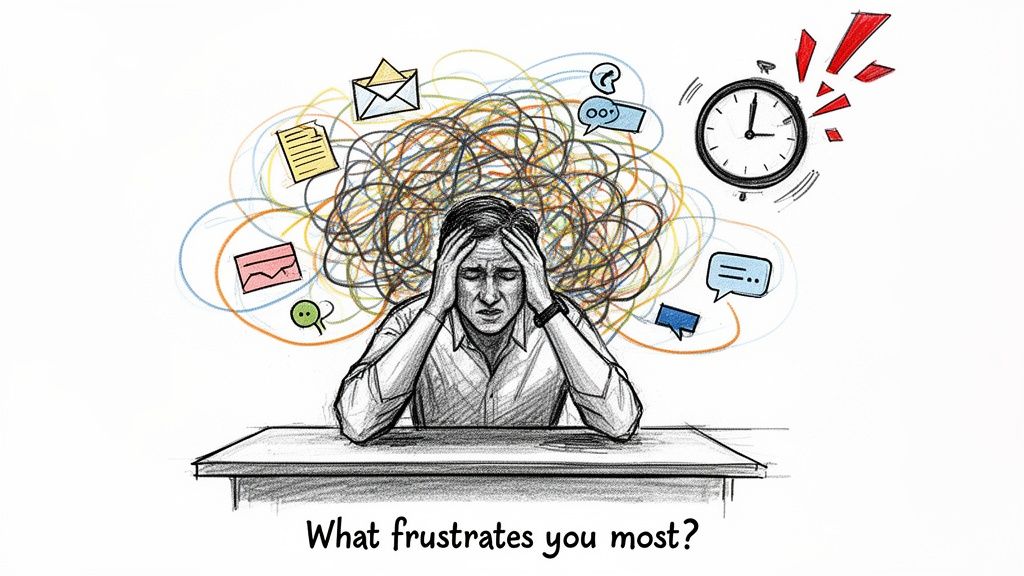
6. The Frustration and Pain Point Question
While open-ended discovery questions uncover the user's entire workflow, the frustration and pain point question is a precision tool designed to pinpoint its weakest links. It directly asks participants to identify the most annoying, inefficient, or broken parts of their current process. This technique is laser-focused on revealing the emotional drivers and urgent problems that make a new solution not just a "nice-to-have," but a "must-have."
This type of question cuts through the noise to identify high-value opportunities. For instance, instead of asking a support manager how they handle customer feedback, you might ask, "What's the most frustrating part of tracking customer feature requests?" This phrasing encourages them to vent, revealing deep-seated issues. They might express frustration about manually merging duplicate requests from different channels or not being able to quickly see if an engineering ticket already exists for a customer's issue.
When to Use This Question
Use this question after you have a general understanding of the user's context, often following an open-ended discovery question. It is incredibly effective for problem validation and identifying the most compelling value propositions for your product. It helps you zero in on the specific moments where a user's existing tools or processes fail them, providing a clear target for your solution.
Actionable Tips for Implementation
- Dig Deeper with Probes: When a user shares a frustration, don't just note it down. Use follow-ups like "Tell me more about the last time that happened" or "What was the impact of that?" to understand the context and consequences.
- Quantify the Pain: Ask about frequency and impact. Questions like "How often does this happen?" and "How much time does this cost you each week?" help you gauge the severity of the problem and build a business case for solving it.
- Explore Past Solutions: Ask what, if anything, they've done to try and solve this problem themselves. This reveals how motivated they are and what they value in a solution.
- Document Emotional Intensity: Pay close attention to the user's tone and language. Words like "hate," "annoying," or "impossible" signal a high-priority problem. Documenting this emotional data is crucial for prioritizing which pain points to address first.
7. The Comparison and Alternative Question
The comparison and alternative question is designed to uncover a user's existing ecosystem of solutions and workarounds. By asking about competitors, makeshift tools, and abandoned approaches, researchers can map the competitive landscape directly from the user's perspective. This line of inquiry reveals what solutions already exist, what gaps they leave, and why users choose one approach over another.
This technique is crucial for understanding your product's true positioning and value proposition. For instance, a product manager might currently use a dedicated tool like Canny for feedback management. Asking, "What other tools or approaches have you tried for managing user feedback?" could reveal they previously used a manual system of spreadsheets and Slack threads. This uncovers the pain points that drove them to seek a dedicated solution and what they value most in their current tool.
When to Use This Question
This type of question is essential during competitive analysis, product positioning research, and when defining your unique value proposition. Use it to understand switching costs, identify key feature gaps in the market, and learn the "jobs" users are "hiring" different products to do. It helps ensure your solution is not just different, but demonstrably better at solving a problem that users are actively trying to fix.
Actionable Tips for Implementation
- Dig into Abandoned Solutions: Don't just ask what they use now. Ask about tools they've tried and why they stopped using them. This often reveals critical usability flaws or missing features in competitor products.
- Probe on Switching Costs: Ask questions like, "What would it take for you to switch away from your current solution?" This helps you understand the inertia you need to overcome and highlights the most "sticky" features of existing tools.
- Understand the "Why" Behind Their Choice: Follow up with, "Why did you end up choosing [Current Tool] over the others you looked at?" The answer can reveal if the decision was based on price, features, integrations, or ease of use.
- Map Out Makeshift Systems: Many users combine multiple tools (e.g., email, Notion, Slack) to create a custom workflow. Ask them to walk you through this process to identify opportunities for a more integrated solution.
8. The Success Metrics and Measurement Question
The success metrics and measurement question uncovers what users truly value by asking them how they define and track success in their own context. Instead of assuming what benefits matter, this line of inquiry directly asks what outcomes they are responsible for achieving. Phrased as "How do you know if [a process] is working well?" or "What would a successful outcome look like for you?", these questions reveal the key performance indicators (KPIs) that drive user behavior and decision-making.
This technique is essential for aligning your product’s value proposition with the user's professional goals. For example, when interviewing a product manager, you might learn they measure success not just by user adoption but by the percentage of implemented requests that demonstrably increase retention. This insight is far more valuable than simply knowing they want to "listen to users"; it tells you exactly how they prove their work's impact to their stakeholders, helping you frame your product's ROI.
When to Use This Question
This type of question is most effective during discovery research and when developing a business case for your product. Use it to understand the "why" behind user actions and to identify the specific metrics your product needs to influence to be considered successful. It helps bridge the gap between user needs and business objectives, ensuring your solution provides measurable value.
Actionable Tips for Implementation
- Distinguish Current vs. Ideal Metrics: Ask what they measure now versus what they wish they could measure. This often reveals gaps in their current tooling and major opportunities for your product.
- Map the Reporting Chain: Ask who sees these metrics and how they are used in decision-making. This helps you understand the organizational impact and identify key stakeholders you need to win over.
- Investigate Their Tools: Inquire about the tools they currently use for tracking and reporting. Understanding their existing data ecosystem is crucial for integration and positioning your solution effectively.
- Quantify the Cost of Measurement: Ask about the time and effort it takes to gather and report on these metrics. Highlighting how your product can automate or simplify this process is a powerful selling point.
9. The Willingness to Change and Adoption Question
This question type assesses a user's readiness to switch from their current tools or processes to a new solution. It moves beyond identifying a problem to understanding the real-world friction and motivation involved in adoption. Instead of just confirming a pain point exists, these questions probe the inertia, organizational hurdles, and perceived value required to trigger a change in behavior.
This approach is critical for forecasting product adoption and de-risking your go-to-market strategy. A team might despise their current workflow, but if the perceived effort to switch is too high, they will stick with the familiar pain. By asking a product manager, "What would need to be true for you to consolidate all your user feedback into a new tool?", you uncover the specific value propositions, integrations, and support systems necessary to win them over. This question reveals the difference between a "nice-to-have" and a "must-have" solution.
When to Use This Question
Use this question after you have validated a significant pain point and are exploring solution concepts. It's ideal for gauging market readiness and understanding the competitive landscape from the user's perspective. This line of inquiry is essential for pricing discussions, defining an MVP, and identifying key champions or blockers within an organization. It helps you understand if the problem is painful enough to warrant the cost and effort of change.
Actionable Tips for Implementation
- Ask About Past Adoptions: Inquire about previous experiences with new tools. Ask, "Tell me about the last time you adopted a new software tool. What made that successful or unsuccessful?" This reveals their organization's appetite for change and common implementation hurdles.
- Identify the Decision-Makers: Understand the full picture of adoption. Ask, "Who besides yourself would need to be convinced to bring on a new tool like this?" This helps map out the buying committee and internal politics.
- Quantify the Required Value: Encourage participants to be specific about the benefits they would need to see. For a tool like FeatureBot, you might ask, "How much time would this solution need to save your team each week to be worth the switch?"
- Explore Implementation Timelines: Gauge the urgency by asking about their ideal timeline and what factors would speed up or slow down a potential rollout. This helps separate immediate opportunities from long-term prospects.
10. The Follow-Up and Action Question
The follow-up and action question bridges the gap between research and recruitment, transforming a passive interview participant into a potential early adopter or beta tester. Instead of ending a conversation with a simple "thank you," this question gauges genuine interest and creates a clear path for future engagement. It validates that the problems discussed are significant enough for the user to want a solution, moving from theoretical pain to tangible intent.
This technique is a critical component of customer development and lean startup methodologies. After a product manager describes their struggles with analyzing qualitative feedback, you might ask, "Would you be interested in trying a solution that automates the clustering of this feedback?" Their answer provides a strong signal about problem-solution fit and helps you start building a pipeline of highly engaged users who are invested in your product's success.
When to Use This Question
This question is best used at the conclusion of an interview, after you've built rapport and thoroughly understood the participant's challenges. It's particularly powerful when you have an early-stage concept, a private beta, or a demo you can offer. Use it to build a waitlist, recruit for a pilot program, or simply to get permission to keep someone informed about your progress.
Actionable Tips for Implementation
- Be Clear on the "What's Next": Clearly state what you are offering and what you expect from them. For example, specify if it's a two-week beta program, a 15-minute product demo, or an early access list.
- Offer Communication Choices: Don't assume everyone prefers email. Ask how they would like to be contacted, offering options like Slack, a calendar link for a demo, or a simple email follow-up.
- Segment Your Follow-Ups: When conducting research for a tool like FeatureBot, segment your follow-up list based on criteria like company size, tool stack, or problem urgency. This allows for more targeted communication later on.
- Provide an Easy Way to Start: If you have a product available, make the next step simple. For instance, you can direct them to a free plan to get started, removing friction from the adoption process.
- Set Expectations: Be transparent about the timeline. Let them know if you'll be in touch next week or next quarter. This respects their time and maintains a professional relationship, which is vital for effective qualitative data analysis in the long run.
10 UX Research Interview Questions Comparison
| Question | 🔄 Implementation complexity | ⚡ Resource requirements & speed | 📊 Expected outcomes | ⭐ Key advantages | 💡 Ideal use cases / tips |
|---|---|---|---|---|---|
| The Open-Ended Discovery Question | Moderate — needs skilled interviewer to guide conversation | Low setup; moderate session time; high analysis effort | Deep qualitative insights; uncovers unknowns (⭐⭐⭐) | Rich context and user language | Early discovery, uncover mental models; use probes and record sessions |
| The Problem Validation Question | Low — structured, repeatable questions | Moderate — multiple respondents for reliable frequency data | Clear severity/frequency signals for prioritization (⭐⭐⭐) | Focuses investment on real problems | Pre-investment validation; ask for recent examples and frequency scales |
| The Behavioral Observation Question | High — requires observation/screen-share expertise | High — more time, recordings, and tools | Accurate view of real workflows and workarounds (⭐⭐⭐) | Reveals hidden processes and true pain points | Process mapping, integration design; use live demos or recordings |
| The Motivation and Goals Question | Moderate — requires probing to get to root causes | Low–moderate — conversational, repeat interviews to find patterns | Clarifies what users truly value; aligns priorities (⭐⭐) | Informs positioning and root-cause decisions | Use 5 Whys; distinguish stated vs. revealed motivations |
| The Context and Constraints Question | Moderate — mapping ecosystems and stakeholders | Moderate — time to document tools, roles, and limits | Identifies feasibility and integration requirements (⭐⭐) | Prevents incompatible recommendations; surfaces constraints | Create systems maps; ask about budget, security, and decision-makers |
| The Frustration and Pain Point Question | Low — direct questioning, emotionally charged | Low — quick to surface high‑impact issues | Highlights urgent, adoption‑driving problems (⭐⭐⭐) | Finds high-ROI opportunities and quick wins | Quantify frequency/impact; ask what they've tried to fix it |
| The Comparison and Alternative Question | Low — comparative, straightforward | Low — interview and competitor probing | Maps competitive gaps and switching barriers (⭐⭐) | Informs positioning and feature differentiation | Ask tools tried, reasons for switching, and real switching costs |
| The Success Metrics and Measurement Question | Moderate — needs alignment on metrics and access to data | Moderate — may require access to analytics/tools | Defines ROI and reporting needs; supports buy‑in (⭐⭐⭐) | Guides dashboarding and measurable value propositions | Ask current vs desired metrics; identify decision audiences |
| The Willingness to Change and Adoption Question | Moderate — explores organizational readiness | Moderate — interviews across roles for validity | Predicts adoption likelihood and onboarding needs (⭐⭐) | Informs GTM and change management strategy | Probe past adoption experiences; identify champions and blockers |
| The Follow-Up and Action Question | Low — direct transition to next steps | Low — capture contacts and commitments | Converts research into prospects and pilots (⭐⭐) | Bridges research to sales and testing | Offer clear follow-up options; set expectations and timelines |
From Questions to Actions: Turning Interviews into a Smarter Roadmap
We've explored a comprehensive toolkit of powerful UX research interview questions, from open-ended discovery prompts to specific behavioral inquiries. You now have the frameworks to validate problems, uncover motivations, and pinpoint user pain points with precision. Mastering the art of asking is the foundational step, but the true transformation happens when you convert conversational data into strategic product decisions.
The journey doesn't end when the interview recording stops. In fact, that's where the most critical work begins. The real challenge is translating hours of raw, unstructured transcripts into a clear, actionable roadmap. Without a systematic approach, even the most insightful user quotes can get lost in a sea of spreadsheets and forgotten documents, their potential impact fading away.
From Raw Data to Actionable Insights
The core value of conducting interviews lies in your ability to synthesize the findings. This involves identifying recurring themes, clustering similar feedback, and connecting disparate comments to reveal underlying user needs. Manually sifting through this data is not only time-consuming but also prone to bias and human error. Key insights can easily be overlooked.
Once you've gathered your responses using well-crafted UX research interview questions, the next crucial step is to effectively make sense of the information. For teams looking to deepen their synthesis skills, learning how to properly analyze interview data is a critical competency that turns qualitative feedback into a strategic advantage. It’s about moving beyond what was said to understand what it truly means for your product.
Bridging the Gap Between Feedback and Features
The ultimate goal is to build a product that resonates deeply with your users. To do this, you need a reliable bridge between their feedback and your development cycle. This is where modern tooling becomes indispensable, especially for fast-moving SaaS and startup teams.
A dedicated feedback management platform can automate the heavy lifting. Instead of manually tagging and sorting interview notes, imagine a system that uses AI to semantically cluster similar feedback from multiple sources. This immediately surfaces high-priority themes you might have missed. By capturing the full context of a user’s request, including their journey and other relevant data, you eliminate guesswork and understand the why behind the what.
This data-driven approach transforms prioritization. Instead of relying on gut feelings or the "loudest voice in the room," you can weigh feedback with critical business metrics.
Key Takeaway: Prioritization becomes strategic when you can filter feedback based on signals like customer revenue (MRR) or user segment. This ensures your engineering efforts are consistently focused on the work that delivers the highest impact for your most valuable customers.
Stop letting valuable insights die in a spreadsheet. The questions in this guide are your key to unlocking a wealth of user knowledge. By pairing them with a structured system to capture, analyze, and act on that knowledge, you create a continuous feedback loop that powers smarter, more confident product development. You’re not just conducting interviews; you’re building a user-centric engine for growth.
Ready to turn your user interviews into a high-impact roadmap? FeatureBot centralizes your user feedback, uses AI to surface key insights, and connects it directly to your development workflow. Start our Free plan today and see how easy it is to build what your users truly need.
Ready to capture better feedback?
FeatureBot helps you collect, organize, and prioritize user feedback with AI-powered conversations.
Get Started Free