The 12 Best Customer Feedback Software Tools for 2026
In a market where product features are quickly replicated, the most durable competitive advantage is understanding your customers better than anyone else. The era of building based on assumptions is over; companies that win today are the ones that listen, adapt, and build what users truly need. Yet, this valuable feedback is often a chaotic mess, scattered across support tickets, Slack channels, sales call notes, and social media mentions. Finding the signal in this noise is a monumental challenge for any product, engineering, or customer success team.
This is where the best customer feedback software becomes essential. These platforms are designed to solve this exact problem: they help you centralize feedback from disparate sources, use AI to identify meaningful trends, and create a structured process for prioritizing what to build next. Moving from a reactive support queue to a proactive product roadmap requires the right toolkit. To truly leverage these insights, understanding and implementing effective Voice of the Customer programs is essential. For a deeper dive into this framework, this guide on mastering Voice of the Customer programs provides an excellent foundation.
In this comprehensive guide, we cut through the marketing jargon to give you a clear, actionable comparison of the top feedback management tools available. We've analyzed each platform based on critical criteria like integration capabilities (especially with tools like Slack, GitHub, and Zapier), ideal use cases, pricing structures, and unique features. You'll find in-depth reviews, screenshots, and direct links for each option, helping you confidently select the right software to transform customer conversations into your most powerful growth engine.
1. FeatureBot
FeatureBot emerges as a powerful contender for the best customer feedback software, specifically engineered for product-led SaaS teams. It moves beyond simple voting systems to create a more intelligent, context-rich feedback loop. Its core strength lies in its AI-powered, conversational widget that engages users directly on your site or app. Instead of a static form, the widget asks clarifying follow-up questions, transforming terse suggestions into detailed, actionable insights.
This approach ensures that when a user submits feedback, product managers receive the "why" behind the request, not just the "what". The platform then automatically enriches every submission with crucial context, including the user's session details, page journey, and any console errors. This eliminates the need for time-consuming back-and-forth communication to diagnose issues or understand user behavior.
Why FeatureBot Stands Out
FeatureBot distinguishes itself through its sophisticated AI-driven analysis and developer-centric integrations. Submissions are not just collected; they are automatically organized using semantic clustering to group similar requests, which one user reported reduced their duplicate feedback by 80%.
Perhaps its most strategic feature is revenue-weighted prioritization. By connecting feedback to customer MRR, it allows teams to prioritize requests that have the greatest impact on the bottom line, moving beyond vanity metrics like raw upvote counts. For engineering teams, the GitHub integration is a significant workflow accelerator. It can automatically create new issues from feedback and even leverage AI Code Gen to generate PR-ready code, drastically shortening the cycle from feedback to shipped feature.
Best For: SaaS founders, product managers, and engineering teams seeking to embed deep customer context directly into their development workflow and prioritize based on revenue impact.
| Feature Highlights | Practical Benefit |
|---|---|
| Conversational AI Widget | Gathers richer, more detailed feedback with automated follow-ups. |
| Semantic Clustering | Automatically groups duplicate requests, saving hours of manual triage. |
| Revenue-Weighted Signals | Aligns product roadmap decisions with financial goals and key accounts. |
| GitHub + AI Code Gen | Creates a seamless path from customer request to pull request. |
Pricing: FeatureBot offers a free-forever plan to get started. Paid plans begin with the Starter tier at $13/month and scale up to Growth and Scale plans for teams needing higher limits and advanced features. All paid plans include a 60-day money-back guarantee.
Pros:
- AI-driven conversational widget dramatically improves feedback quality.
- Semantic clustering and revenue-weighting provide clear, data-backed prioritization.
- Full session context attached to every submission speeds up root-cause analysis.
- Deep integrations with developer tools like GitHub (including AI code generation) streamline workflows.
Cons:
- The starter plan's limit of 100 voices per month may be restrictive for high-traffic products.
- Advanced features like unlimited voices and custom domains are reserved for higher-tier plans.
- AI clustering, while powerful, may occasionally misinterpret nuanced or edge-case feedback.
2. Qualtrics – XM for Customer Experience
Qualtrics positions itself not just as a feedback tool, but as a comprehensive Experience Management (XM) platform. It's an enterprise-grade solution designed to capture and analyze the voice-of-the-customer (VoC) across every conceivable touchpoint, from website interactions and mobile app usage to contact center calls. This makes it one of the best customer feedback software options for large organizations needing a single, unified system to manage all experience data.
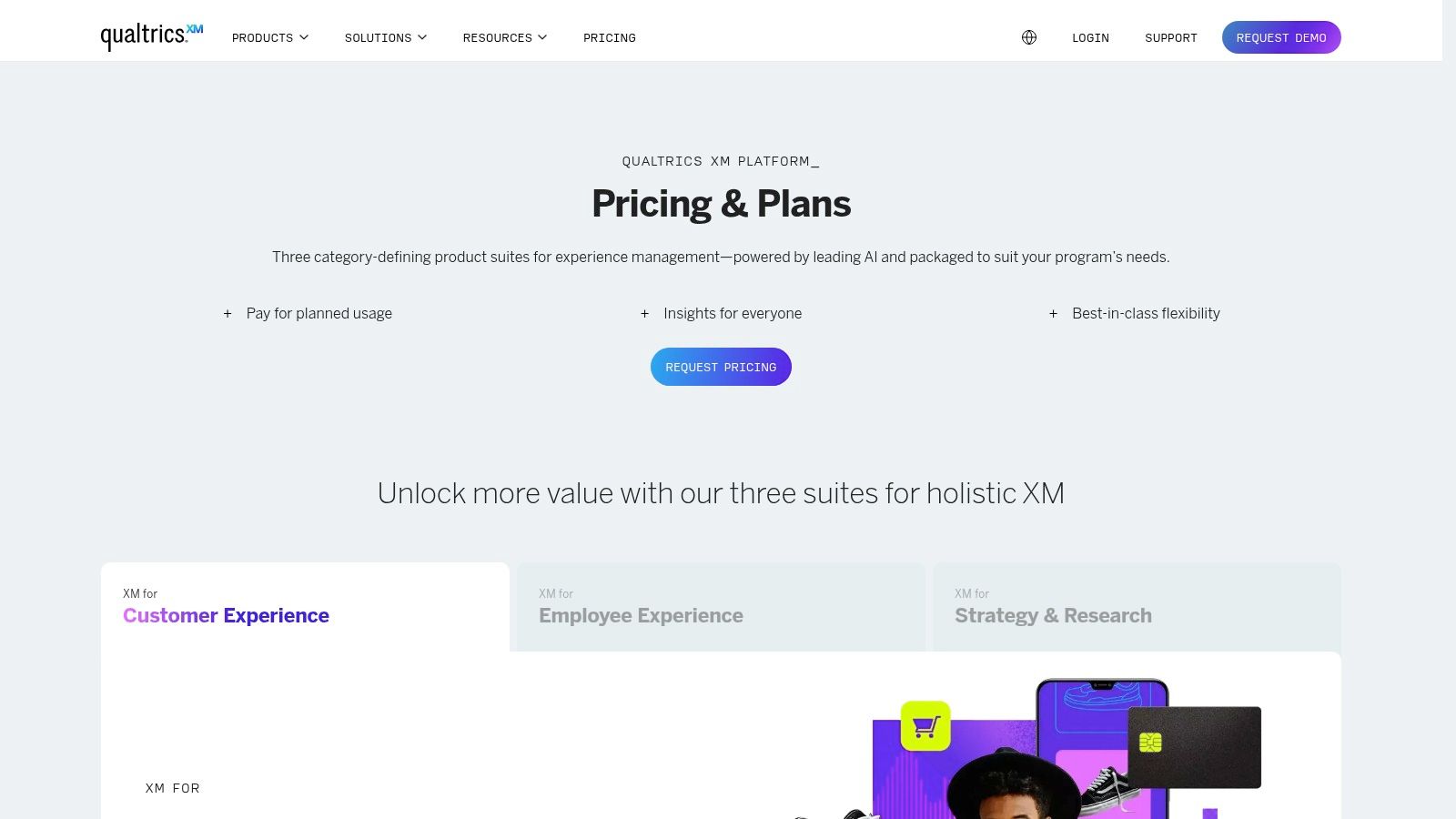
Its primary strength lies in its powerful analytics and AI capabilities, which can parse vast amounts of unstructured feedback through advanced text and sentiment analysis. This allows teams to move beyond simple survey scores and uncover deep insights, trends, and root causes of customer behavior. The platform also excels at creating automated workflows, enabling teams to act on feedback in real time by triggering alerts, creating support tickets, or initiating follow-up surveys. For businesses managing complex data pipelines, understanding Qualtrics integration details with analytics governance tools is a critical step for ensuring data quality.
Pricing & Key Details
- Best For: Large enterprises and organizations requiring a holistic, end-to-end Voice of Customer (VoC) program with deep analytical capabilities and robust security.
- Pricing: Qualtrics offers a free plan to get started. Paid plans are quote-based and tied to usage (interactions), requiring direct contact with their sales team.
- Pros: Its enterprise-level security, extensive integrations, and powerful AI-driven analytics are unmatched for complex needs.
- Cons: The platform's complexity often necessitates a dedicated administrator. Pricing can be a significant investment, making it less suitable for small teams or startups.
3. Medallia – Enterprise Customer Experience Management
Medallia is a market-leading customer experience (CX) management platform tailored for large, complex enterprises, particularly in regulated industries like finance, healthcare, and hospitality. It excels at capturing real-time feedback signals from a vast array of sources, including surveys, web analytics, mobile apps, social media, and contact center interactions. This holistic approach makes it one of the best customer feedback software choices for organizations that need to manage a comprehensive Voice of the Customer (VoC) program at scale.
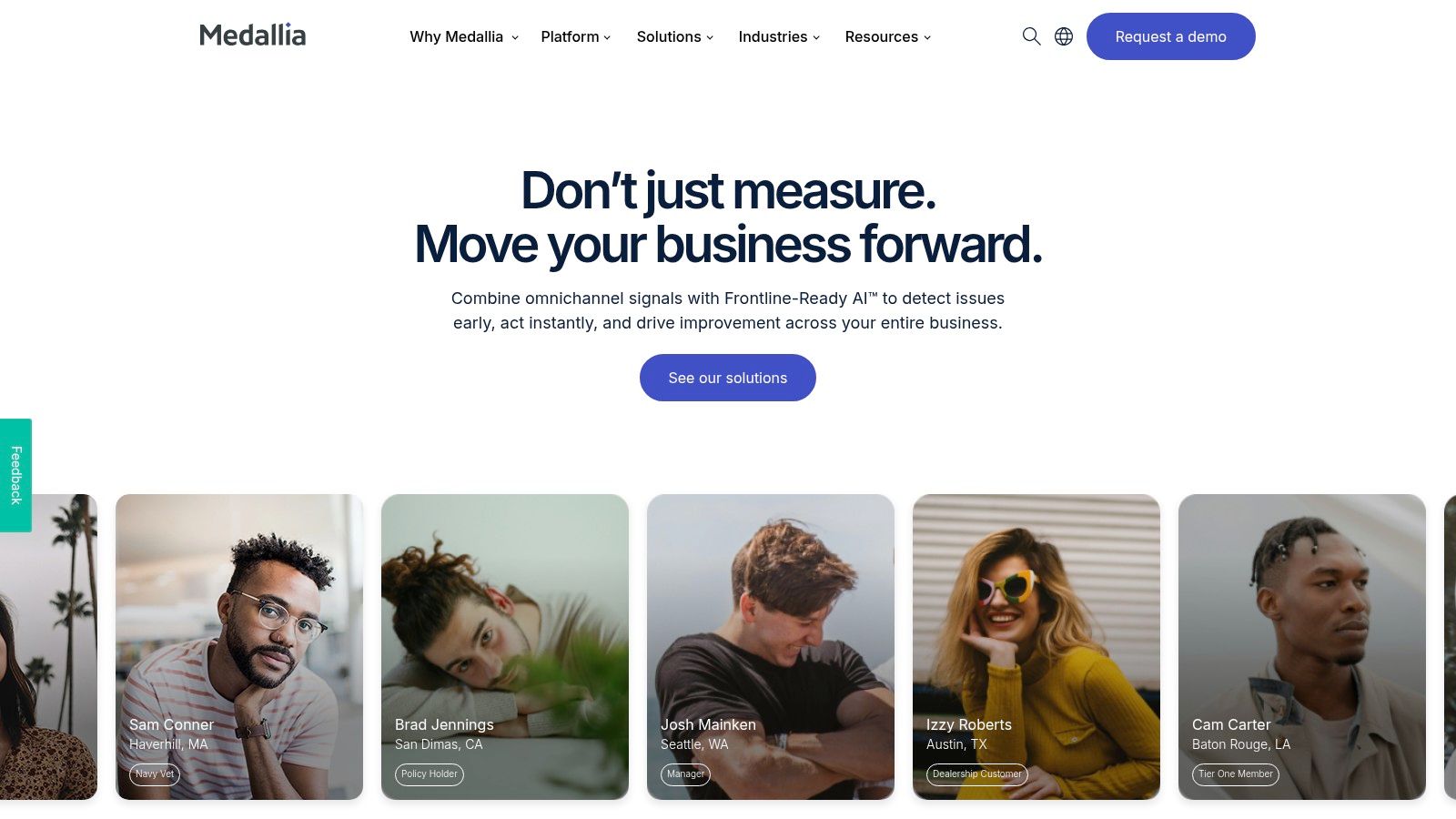
The platform's core strength is its robust, closed-loop feedback system and case management capabilities. Medallia empowers front-line teams with role-based dashboards and real-time alerts, enabling them to follow up on customer issues and close the loop directly. This operational focus is complemented by powerful journey analytics and text analysis, helping leadership identify systemic issues and opportunities for improvement across the entire customer lifecycle. Organizations considering such a system can learn more about what a customer feedback management platform entails to understand its full potential. Medallia's focus on enterprise-grade governance and security ensures data integrity for global operations.
Pricing & Key Details
- Best For: Global enterprises and multi-location businesses that require a scalable, secure, and operational CX platform for managing large-scale VoC programs.
- Pricing: Pricing is entirely quote-based and tailored to the specific needs, scale, and complexity of the organization. Contact Medallia's sales team for a custom quote.
- Pros: Unmatched scalability for massive programs, deep analytics and text mining, and a strong focus on operationalizing feedback with closed-loop case management.
- Cons: The significant investment and longer deployment timelines can make it prohibitive for smaller companies. The platform's complexity often requires dedicated resources to manage.
4. SurveyMonkey
As one of the most recognized names in online surveys, SurveyMonkey offers a versatile and highly accessible platform for capturing customer feedback. It excels at rapid deployment, allowing teams to create and distribute surveys for NPS, CSAT, or market research in minutes. Its widespread adoption means many respondents are already familiar with the interface, which can help improve response rates and data quality. It's a go-to choice for teams needing a reliable, straightforward tool without the steep learning curve of enterprise systems.
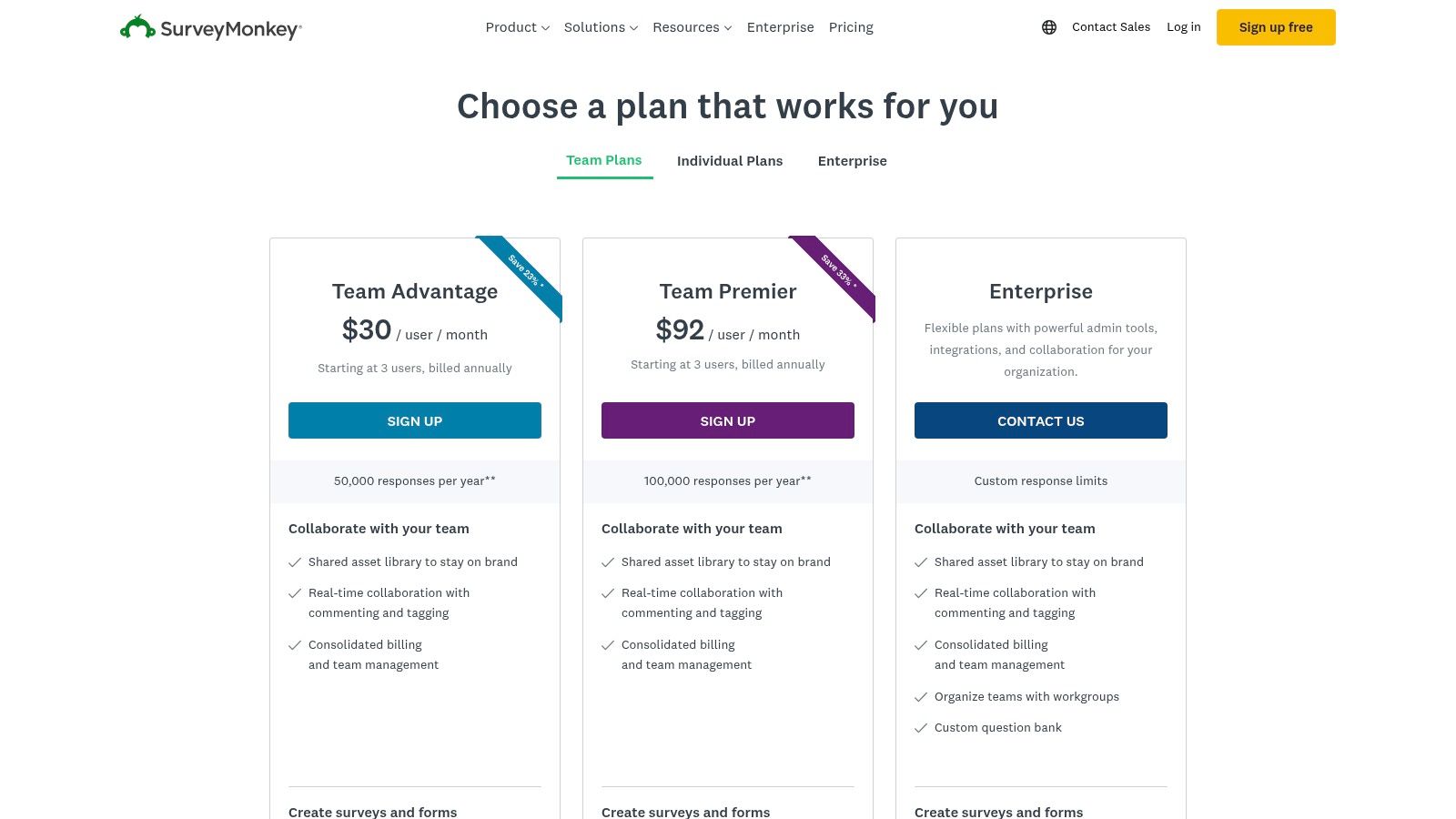
The platform’s core strength is its vast library of over 500 expert-designed templates and an AI-powered survey builder, which guides users to ask the right questions using features like skip logic. Distribution is a key focus, with multichannel collectors available via web links, email, QR codes, and website embeds. While it's one of the best customer feedback software options for quick insights, it’s important to understand how to leverage its features effectively; learning more about the best ways to collect customer feedback can maximize the value you get from the tool. Its large integration library further extends its utility, connecting feedback data to CRMs, marketing automation platforms, and collaboration tools.
Pricing & Key Details
- Best For: Teams of all sizes needing a fast, user-friendly tool for a wide range of survey types, from quick polls to in-depth customer satisfaction studies.
- Pricing: SurveyMonkey offers a free plan to get started. Paid plans include Team Advantage at $25/user/month and Team Premier at $75/user/month (billed annually), with enterprise options available.
- Pros: Its familiar UI and extensive template library enable extremely fast survey creation and deployment, lowering the time-to-value for new projects.
- Cons: Response limits are tied to specific plans and can lead to overage fees. Access to advanced analytics, branding controls, and security features requires higher-tier subscriptions.
5. Hotjar (Voice of Customer)
Hotjar uniquely blends qualitative and quantitative data by combining product experience insights with direct user feedback. It allows teams to connect the "what" (behavioral analytics like heatmaps and session recordings) with the "why" (feedback from surveys and widgets) in a single platform. This integrated approach makes it one of the best customer feedback software options for product managers, UX designers, and marketers who need to visualize user behavior and immediately ask for feedback to understand the context behind their actions.
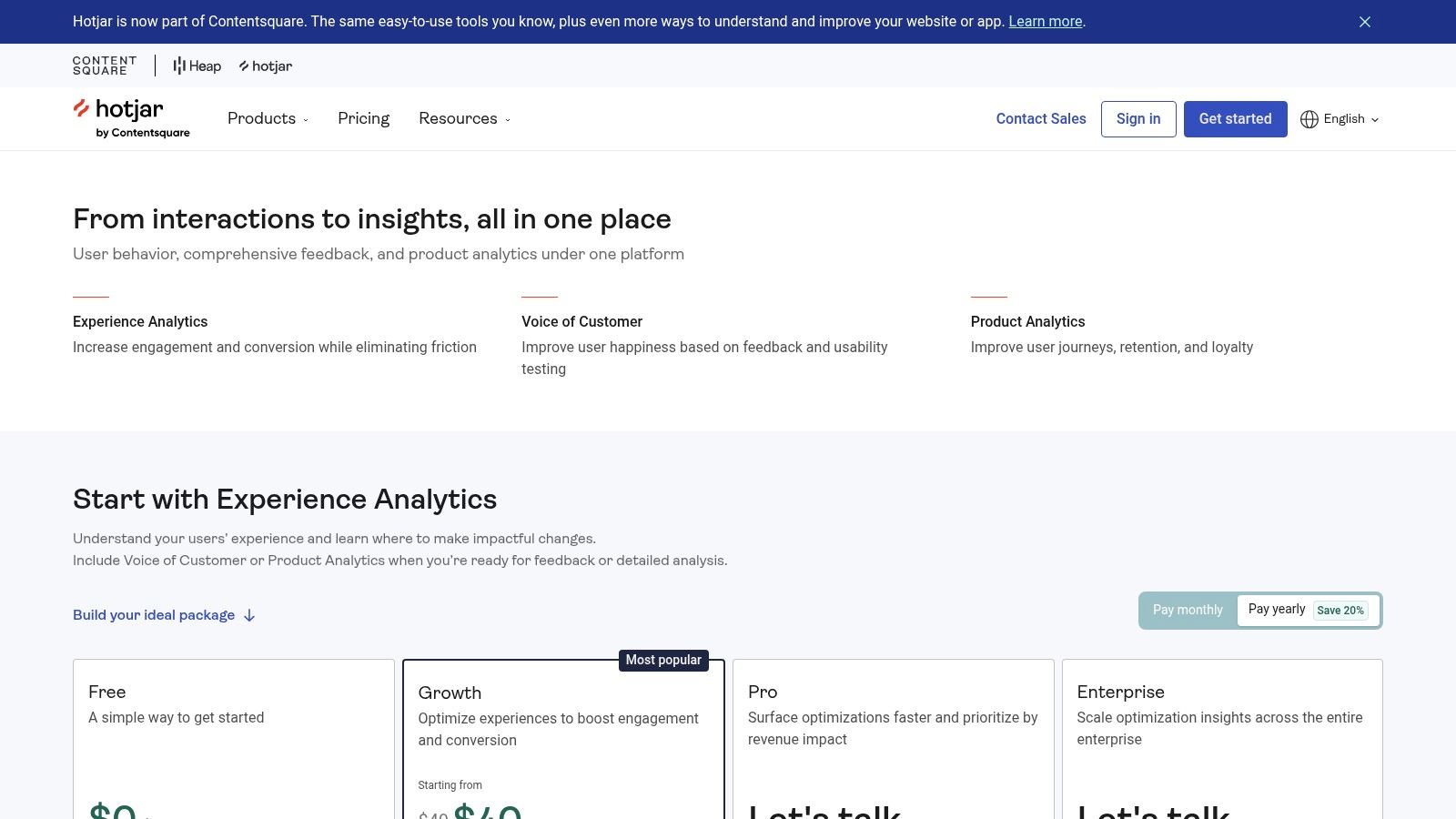
The platform’s strength is its ability to provide a holistic view of the user experience. You can watch a session replay where a user struggles with a feature and then deploy a targeted survey on that same page to gather immediate input. Hotjar offers a suite of tools including unlimited heatmaps, VoC surveys, feedback widgets, and even AI-assisted user interviews. With integrations for tools like Google Analytics, Mixpanel, and Jira, teams can easily share insights and create a continuous loop between user behavior, direct feedback, and product development cycles.
Pricing & Key Details
- Best For: Product, UX, and marketing teams in web-first SaaS and e-commerce businesses that need to combine behavioral analytics with qualitative feedback in one interface.
- Pricing: Hotjar has a free plan to get started. Paid plans are self-serve and transparently priced, starting with the "Plus" plan at $32/month.
- Pros: It combines behavioral data (heatmaps, replays) and feedback in a single tool, offering a more complete picture of the user experience. Its generous free tier and clear pricing are great for growing teams.
- Cons: The number of VoC survey responses is limited based on the plan, and organizations with advanced research operations might need to supplement it with more specialized tools.
6. Delighted (by Qualtrics)
Acquired by Qualtrics, Delighted offers a streamlined, self-serve approach to collecting customer feedback, making it an excellent choice for teams that need to get started quickly. It focuses on core customer experience metrics using pre-built templates for Net Promoter Score (NPS), Customer Satisfaction (CSAT), Customer Effort Score (CES), and Product-Market Fit (PMF) surveys. This simplicity is its greatest strength, allowing users to deploy surveys via email, web links, or in-app snippets in minutes, not days.
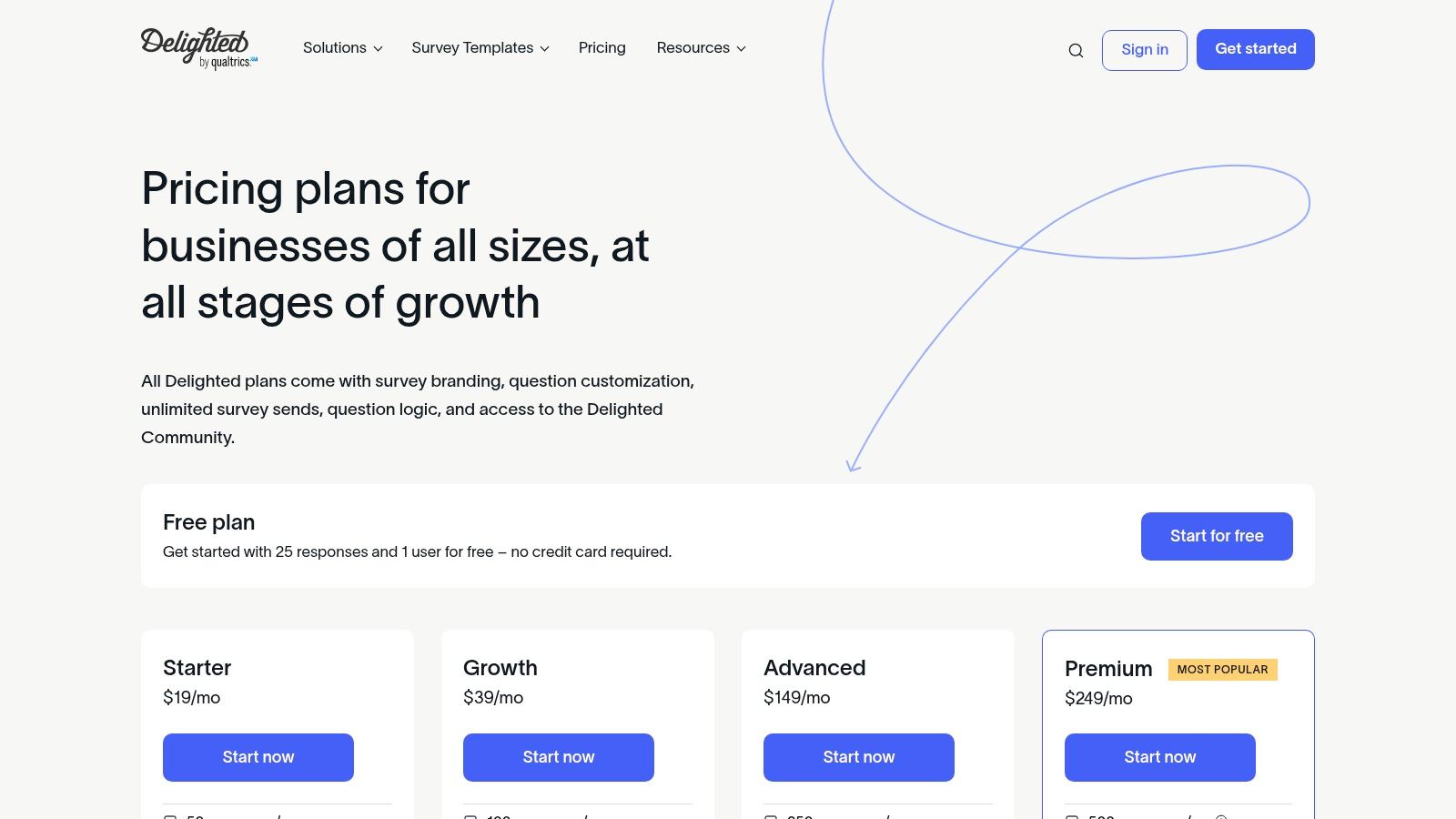
Delighted is engineered for speed and clarity, translating feedback into easily digestible dashboards and reports. Features like Autopilot automate survey scheduling and reminders, ensuring a steady stream of customer insights without constant manual effort. While it may not have the deep, enterprise-level analytics of its parent company, its direct integrations with tools like Slack, Shopify, and Zendesk make it a powerful yet accessible piece of the best customer feedback software stack. It effectively closes the feedback loop for small to mid-sized businesses that prioritize action over exhaustive analysis.
Pricing & Key Details
- Best For: Startups and SMBs needing a fast, easy-to-use solution for key CX metrics like NPS and CSAT with clear, actionable reporting.
- Pricing: Delighted offers a Free plan to get started. Paid plans begin at $224/month and scale with the number of survey responses and premium features.
- Pros: Extremely fast setup with a clean interface and straightforward pricing. The reporting dashboard provides quick insights without a steep learning curve.
- Cons: Survey response limits are tied to pricing tiers. Advanced analytics are limited, and key integrations like Salesforce and HubSpot are gated behind higher-priced plans.
7. Pendo – Feedback (Pendo Listen)
For product teams already embedded in the Pendo ecosystem, Pendo Listen offers a tightly integrated solution for capturing customer ideas directly within your application. It moves beyond simple feedback collection by linking user suggestions to Pendo's powerful product analytics, session replays, and in-app guides. This unified approach allows teams to not only see what users are requesting but also to understand the in-product behavior and context behind that feedback, making it an excellent customer feedback software choice for data-driven product decisions.
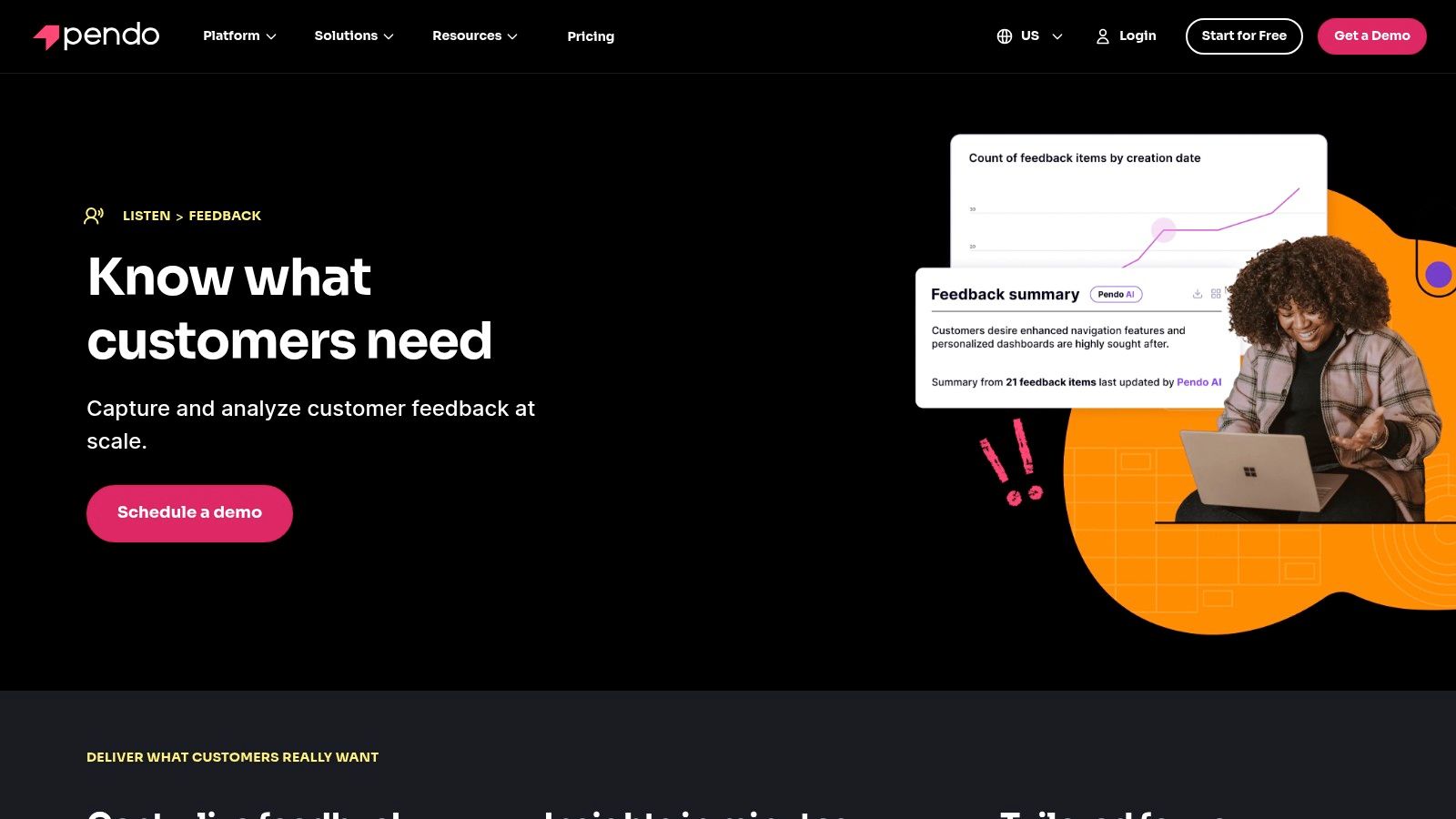
Pendo's key differentiator is its ability to enrich feedback with account-level data, such as contract value, allowing product managers to prioritize feature requests based on their potential revenue impact. Users can submit ideas, vote on existing suggestions, and view a public roadmap through an in-app widget. This creates a transparent feedback loop that closes the gap between user needs and development priorities. Understanding how to connect qualitative requests with quantitative data is a core part of effective customer feedback analysis, a process Pendo aims to streamline within its platform.
Pricing & Key Details
- Best For: Product-led organizations already using Pendo for product analytics who want to consolidate their feedback collection and prioritization workflows into a single platform.
- Pricing: Pendo offers a Free plan to get started. Paid plans for its full suite, including Feedback, are quote-based and require contacting their sales team.
- Pros: Native integration with Pendo's analytics and guides provides deep contextual user data. Prioritization based on customer value helps align development with business goals.
- Cons: Pricing can be enterprise-focused and may be prohibitive for smaller companies. Teams must migrate from the legacy "Classic Feedback" to the newer "Listen" module.
8. Canny
Canny is a customer feedback management platform designed for transparency, allowing companies to collect, prioritize, and track feature requests in a public or private space. It centralizes feedback through dedicated boards, where users can submit ideas, vote on existing ones, and follow their progress. This makes it an excellent choice for SaaS companies and product teams who want to build a transparent product development process and openly communicate with their user base.
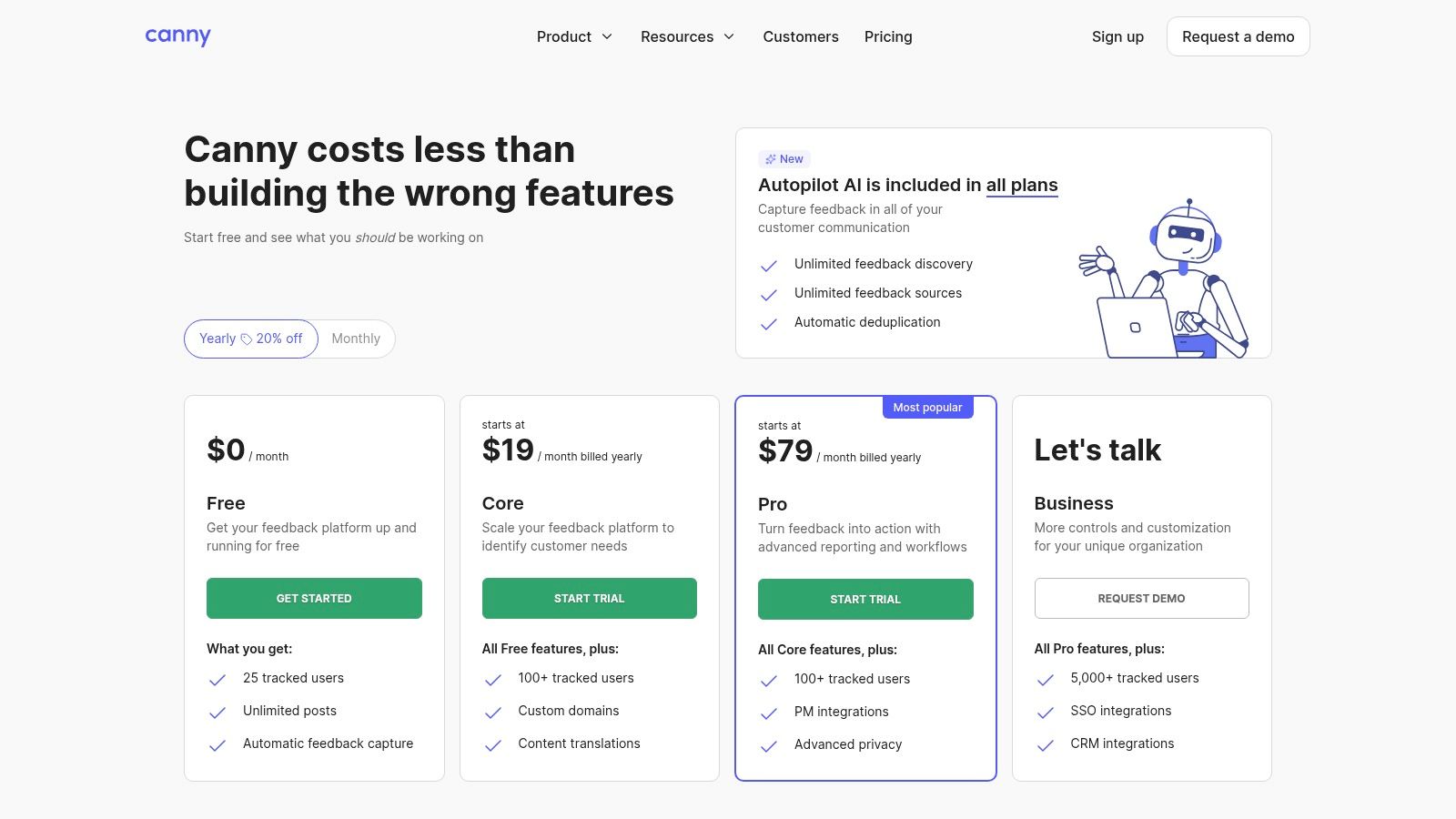
The platform's key strength is its simple yet effective workflow for closing the feedback loop. When a feature's status changes on the public roadmap, everyone who requested or voted for it is automatically notified via email, keeping users engaged and informed. Its AI-assisted features help product managers by automatically capturing feedback from various sources and deduplicating similar requests, which keeps the feedback board organized and actionable. This combination of public-facing communication and internal organization makes Canny one of the best customer feedback software tools for fostering community and user loyalty.
Pricing & Key Details
- Best For: SaaS startups and mid-market product teams looking to create a transparent, community-driven feedback loop with a public roadmap.
- Pricing: Canny offers a Free plan to get started. Paid plans start at $99/month for the Starter plan and $399/month for the Growth plan, with custom pricing for Business tiers.
- Pros: Its transparent model builds community trust, and the automated status updates make it easy to close the loop with users. The free plan is very generous.
- Cons: Relying heavily on voting can introduce a feature-vote bias if not managed carefully. Large enterprises may find its governance controls less robust than enterprise-focused solutions.
9. UserVoice
UserVoice is an enterprise-grade product feedback management platform designed for organizations that need to collect, manage, and prioritize user suggestions at scale. It excels at creating a centralized system of record for feedback, combining inputs from a dedicated portal, in-app widgets, and integrations with tools like Salesforce and Zendesk. This makes it one of the best customer feedback software choices for product teams in larger companies looking to implement a rigorous, data-driven prioritization process.
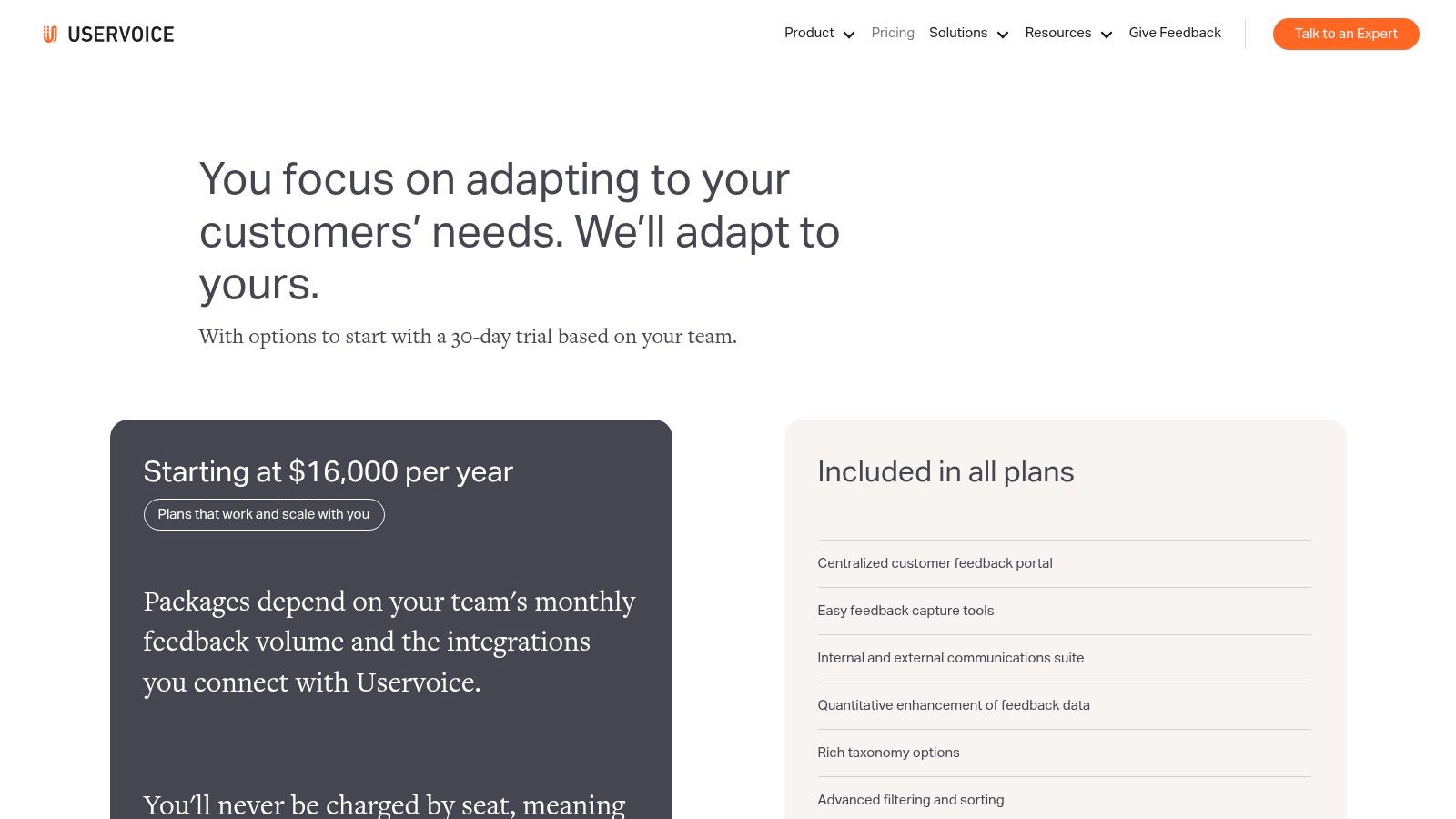
The platform’s core strength lies in its advanced data governance and analysis capabilities. UserVoice uses AI-powered theme detection and intelligent deduplication to clean and organize high volumes of unstructured feedback, preventing duplicate ideas from cluttering the system. It connects this qualitative data with quantitative metrics, allowing product managers to segment feedback by customer attributes like revenue or user cohort. This provides clear, actionable reports on which ideas will have the most significant business impact, streamlining roadmap decisions.
Pricing & Key Details
- Best For: Enterprise product teams and B2B SaaS companies that require a robust, scalable system for managing high-volume feedback with advanced segmentation and reporting.
- Pricing: UserVoice pricing starts with a free plan. Paid plans are premium, with published tiers historically ranging from $899 to $1,499 per month or starting at $16,000 annually, requiring a sales consultation.
- Pros: Powerful deduplication and data enrichment features keep feedback organized. The platform supports broad internal access, which encourages company-wide collaboration on product ideas.
- Cons: The premium price point and complexity make it less suitable for startups and small businesses. Effective implementation often benefits from a formal onboarding process.
10. HubSpot – Service Hub (Feedback Surveys)
HubSpot’s Service Hub is more than a ticketing system; it’s an integrated customer service platform where feedback collection is natively embedded within a unified CRM. This makes it one of the best customer feedback software choices for businesses already using or planning to adopt the HubSpot ecosystem. The platform allows you to deploy standard CSAT, NPS, and CES surveys directly through email, web pages, or chat, ensuring feedback is captured at key moments in the customer journey.
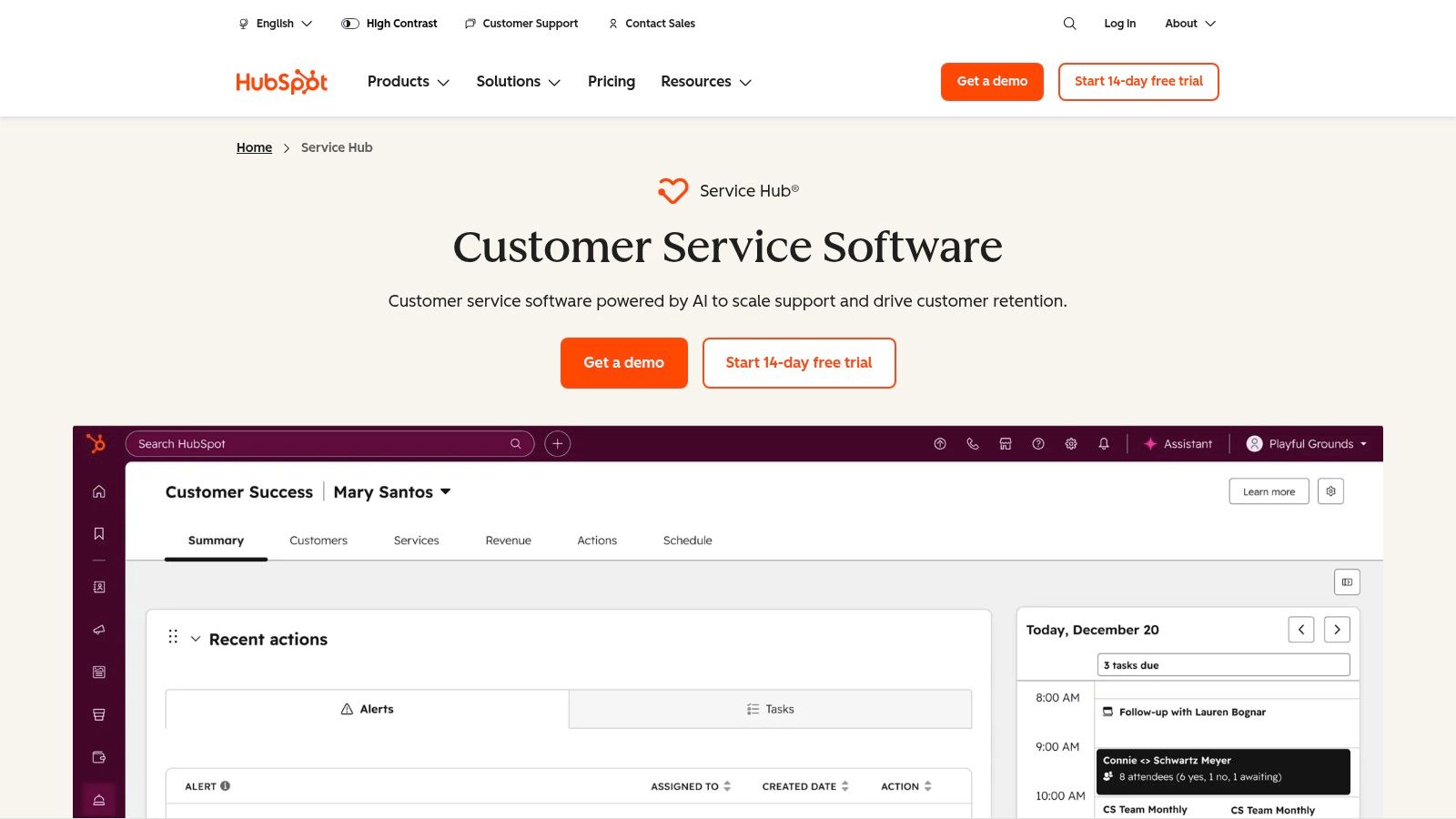
The primary advantage is that all survey responses are automatically linked to customer profiles in the HubSpot CRM. This provides a 360-degree view of the customer, allowing support, sales, and marketing teams to understand feedback within the context of the entire relationship history. You can leverage this data to trigger automation workflows, such as creating a follow-up task for a detractor or sending a thank you message to a promoter. This tight integration simplifies operations by eliminating the need for separate tools and complex data syncing.
Pricing & Key Details
- Best For: Businesses invested in the HubSpot ecosystem that want to centralize customer service, support, and feedback management within a single CRM platform.
- Pricing: HubSpot offers a Free plan to get started with basic tools. Paid Service Hub plans start at $450/month (billed annually) for 5 paid users, with pricing increasing for higher tiers.
- Pros: The all-in-one platform design significantly reduces integration overhead. It offers clear, seat-based packaging that provides a scalable growth path.
- Cons: The model is built on seat-based pricing and annual contracts, so it's important to monitor renewal terms. Advanced AI and ticket routing features are reserved for the more expensive tiers.
11. G2 – Software Marketplace (Customer Experience/Feedback categories)
While not a feedback tool itself, G2 is an indispensable resource for researching and comparing the best customer feedback software on the market. It serves as a comprehensive software marketplace where businesses can leverage verified peer reviews, detailed product profiles, and side-by-side vendor comparisons. Instead of collecting feedback from your customers, you use G2 to analyze the feedback of other software buyers, making it a crucial first step in the procurement process.
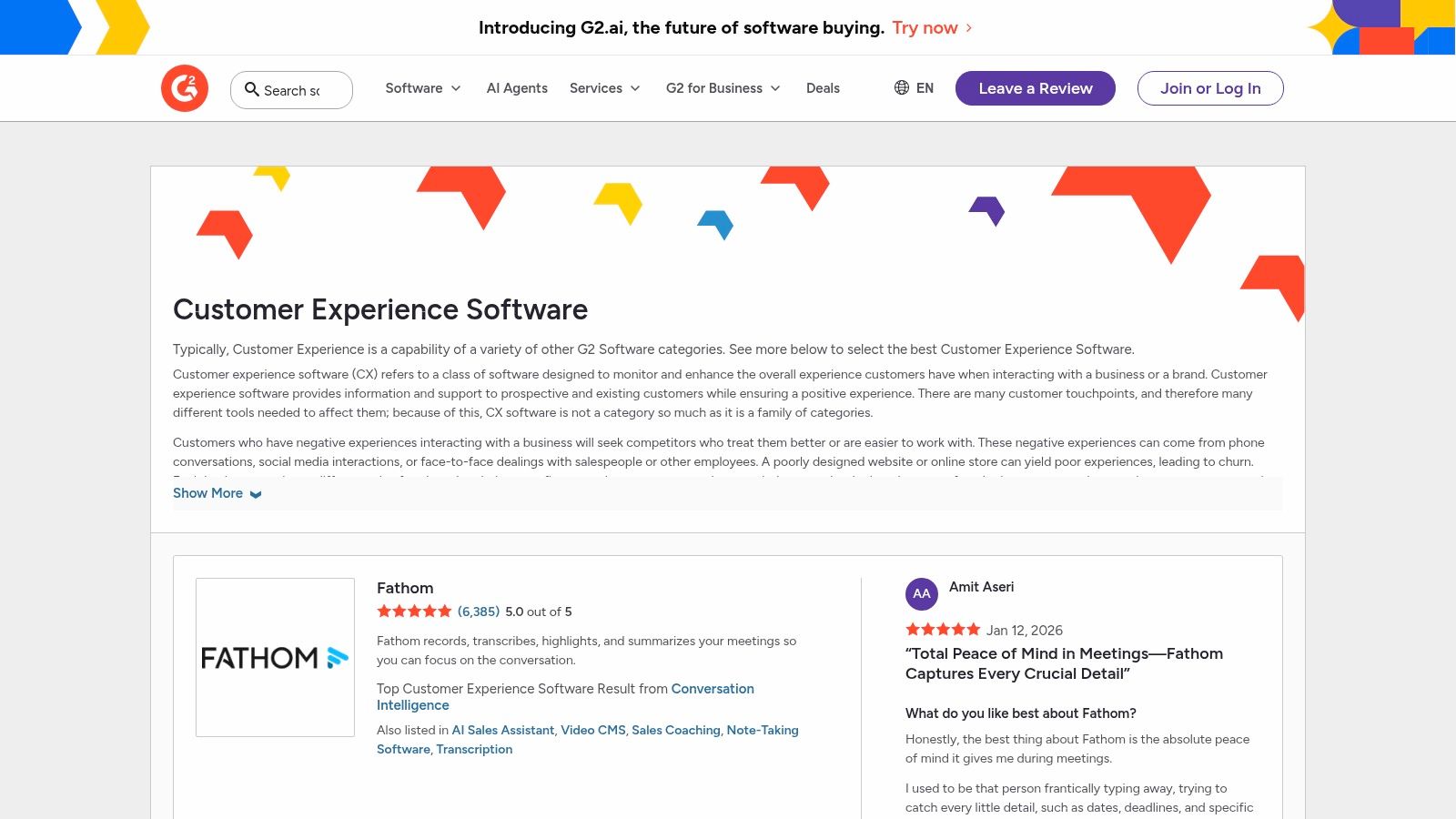
The platform’s real value lies in its structured data, particularly the G2 Grid reports for categories like Customer Feedback and Experience Management. These grids visually map out vendors based on market presence and user satisfaction scores, providing a quick overview of industry leaders, contenders, and niche players. This allows product managers and customer success teams to quickly shortlist tools that fit their scale and user requirements before diving into demos or trials. For practical use, filter reviews by company size and role to find feedback from users with similar challenges.
Pricing & Key Details
- Best For: Teams in the discovery and evaluation phase of their buying journey, seeking to compare vendors using verified user reviews and data-driven market reports.
- Pricing: Free to browse reviews and compare software. Vendors pay for enhanced profiles and marketing services.
- Pros: Extensive coverage of vendors with a high volume of recent, verified reviews. The Grid reports and comparison features make shortlisting easy.
- Cons: Sponsored placements can influence visibility, so it's wise to look beyond the top results. Some reviews may lack deep technical detail, requiring further validation.
12. Capterra – Category Directory (Customer Satisfaction/Feedback)
Capterra isn’t a software tool itself, but rather a comprehensive directory that serves as an invaluable starting point for research. It lists hundreds of customer satisfaction and feedback tools, allowing teams to discover and compare a vast range of options that might otherwise go unnoticed. This makes it an essential resource for any team beginning its search for the best customer feedback software, providing a broad market overview in one place.
The platform's strength is its robust filtering system. Users can narrow down the extensive list by features, pricing models (including free trials or free plans), deployment type, and business size. This allows product managers and founders to quickly create a shortlist of relevant vendors that fit their specific technical and budgetary requirements. Each listing provides a snapshot of the software, user reviews, and direct links to vendor websites, streamlining the initial evaluation process.
Pricing & Key Details
- Best For: Teams in the initial discovery and research phase who want to compare a wide variety of tools and read peer reviews before creating a vendor shortlist.
- Pricing: Free to use for software buyers. Vendors pay for placement and lead generation.
- Pros: The extensive, filterable directory provides a broad market view. Transparent user reviews and clear notes on sponsored listings help build trust.
- Cons: The sheer number of options can be overwhelming, and sponsored placements may influence the default ordering of results. The quality and quantity of reviews can vary significantly between products.
Top 12 Customer Feedback Tools — Feature & Comparison
| Product | Core features | UX & Quality | Value & Pricing | Target & USP |
|---|---|---|---|---|
| FeatureBot 🏆 | AI conversational widget; semantic clustering; revenue-weighted signals; full context (page, session, errors) | 4.5★ — rich verbatims; real-time dashboard | 💰 Free plan; Starter $13/mo → Scale/enterprise | 👥 Founders, PMs, CSMs, engineers; ✨ AI follow-ups, GitHub auto-issues |
| Qualtrics – XM for Customer Experience | Enterprise XM suites; omnichannel surveys; advanced text & sentiment analytics | 4★ — powerful analytics; enterprise UX | 💰 Quote-based (enterprise) | 👥 Large orgs & CX teams; ✨ End-to-end VoC + compliance |
| Medallia | Real-time signal capture; case management; journey analytics | 4★ — enterprise-grade, governance-focused | 💰 Quote-based (premium) | 👥 Regulated & multi-location programs; ✨ Deep governance & implementation |
| SurveyMonkey | 500+ templates; AI survey builder; multichannel collectors | 4★ — fast to launch; familiar UI | 💰 Tiered plans with response limits | 👥 SMBs, researchers; ✨ Large template library for quick surveys |
| Hotjar (Voice of Customer) | Session replay, heatmaps, funnels + in-product VoC widgets | 4★ — behavior + feedback in one UI | 💰 Generous free tier; self-serve pricing | 👥 Web-first SaaS & e‑commerce; ✨ Combine analytics + feedback |
| Delighted (by Qualtrics) | NPS/CSAT/CES templates; autopilot email; 35+ integrations | 4★ — very fast setup, clean reports | 💰 Low-entry plans; response caps by tier | 👥 Startups & SMBs; ✨ Quick NPS/CSAT deployment |
| Pendo – Feedback (Pendo Listen) | In-app suggestions/voting; revenue metadata; ties to Pendo analytics | 4★ — integrated for Pendo customers | 💰 Sales-led (enterprise) | 👥 Product-led teams using Pendo; ✨ Native analytics + feedback link |
| Canny | Feedback boards, public roadmap, AI-assisted dedupe | 4★ — transparent & easy public comms | 💰 Free → affordable self-serve tiers | 👥 SaaS startups & mid-market; ✨ Public roadmaps + simple workflows |
| UserVoice | Centralized portal, AI idea insights, deep integrations | 4★ — built for high-volume governance | 💰 Premium pricing (~$899–$1,499/mo or enterprise) | 👥 Large enterprises; ✨ Robust deduplication & taxonomy |
| HubSpot – Service Hub (Feedback Surveys) | Embedded CSAT/NPS/CES; ticketing; automation & CRM linkage | 4★ — unified CRM + feedback | 💰 Seat-based, annual contracts | 👥 Support teams & CRM-centric orgs; ✨ All-in-one service + feedback |
| G2 – Software Marketplace | Category pages, peer reviews, satisfaction & presence grids | 4★ — broad vendor coverage | 💰 Free to browse; sponsored placements | 👥 Buyers & procurement teams; ✨ Verified reviews & side-by-side comparison |
| Capterra – Category Directory | Directory with filters, buyer guides, vendor links | 4★ — discoverability across price points | 💰 Free to use; sponsored ordering exists | 👥 Researchers & evaluators; ✨ Large searchable directory |
Stop Guessing, Start Listening
Navigating the landscape of customer feedback software can feel overwhelming, but the journey is essential. We've explored a wide range of powerful platforms, from enterprise-grade experience management suites like Qualtrics and Medallia to versatile survey tools like SurveyMonkey and specialized product feedback managers like Canny and Pendo. Each tool offers a unique approach to the same core challenge: transforming raw, scattered user comments into a strategic, actionable asset.
The central takeaway is this: there is no single "best customer feedback software" that universally fits every organization. The ideal solution is deeply contextual, hinging on your team's specific maturity, primary objectives, existing tech stack, and budget. Your goal isn't to find a perfect tool; it's to find the right tool for your current stage of growth and the specific problems you need to solve right now.
From Raw Data to Strategic Roadmap
The true power of these platforms isn't just in collecting feedback, it's in what you do with it. Effective implementation turns a noisy suggestion box into a clear, prioritized product roadmap. It bridges the gap between your customer support, product, and engineering teams, creating a unified view of the user experience.
Think of it as moving through stages of feedback maturity:
- Collection: Simply gathering feedback from various channels (surveys, in-app widgets, support tickets).
- Centralization: Bringing all that disparate data into a single, searchable system of record.
- Analysis & Prioritization: Identifying trends, segmenting feedback by user type, and using data to decide what to build next.
- Closing the Loop: Communicating updates back to the users who provided the initial feedback, building loyalty and encouraging future engagement.
Your chosen software must support the stage you're in and help you advance to the next. A startup trying to find product-market fit has vastly different needs than an enterprise company managing the experiences of millions of customers.
Making Your Final Decision
As you prepare to choose, revisit the buying criteria checklist from earlier in this article. Don't get distracted by a long list of features you may never use. Instead, focus on the core workflows that will deliver the most value to your team.
Ask these critical questions:
- Where does our most valuable feedback live right now? Does the tool integrate seamlessly with those sources, like Slack, email, or Intercom?
- Who needs access to this information? Will it be siloed within the product team, or does it need to be accessible to support, sales, and leadership?
- How much friction will this add to our current process? The best customer feedback software should reduce manual work, not create more of it. Look for automation and workflow integrations (e.g., with GitHub, Jira, or Zapier).
- What is the primary outcome we're trying to achieve? Are we trying to reduce churn, prioritize a backlog, validate a new feature idea, or improve our NPS score? Match the tool's core strength to your primary goal.
For modern, agile teams, especially in the SaaS space, speed and integration are paramount. The ability to capture an idea from a Slack conversation, link it to an existing feature request, and push it into the engineering backlog without cumbersome administrative steps is a game-changer. This is where tools built for the modern, fast-moving product development lifecycle, like FeatureBot, truly shine. They cut through the complexity and focus directly on connecting customer needs to engineering output.
Ultimately, investing in the right platform is an investment in your customers' voices. It’s a commitment to building a product that doesn’t just solve a problem but evolves with the people who use it every day. Stop guessing what your users want and start building a systematic process for listening, understanding, and acting.
Ready to turn scattered feedback into your biggest growth lever? FeatureBot is designed for modern product teams who live in Slack and need a fast, integrated way to centralize feedback and build a customer-driven roadmap. Start capturing, organizing, and prioritizing user insights in minutes with our Free plan.
Ready to capture better feedback?
FeatureBot helps you collect, organize, and prioritize user feedback with AI-powered conversations.
Get Started Free