How to reduce customer churn: A Proven Guide to Retaining SaaS Customers
If you want to get a real handle on customer churn, you have to stop guessing. It's time to figure out precisely who is leaving, when they're leaving, and what that's actually costing your business.
This all starts with a three-step process: measure the right metrics, segment that data for clarity, and then analyze it to find the real reasons people are canceling. This foundation is the difference between throwing random retention tactics at the wall and building a targeted strategy that actually moves the needle.
Stop Guessing and Get Your Churn Metrics Right
You can't fix a problem you can't measure. For too many SaaS companies, "churn" is just a scary number that tells them something's wrong, but not what or why. To get control, you have to stop treating churn as a single, generic metric and start breaking it down into its component parts. That means looking beyond a simple customer count to understand the real revenue impact behind every cancellation.
This simple flow shows you where to begin. First, you measure. Then, you segment. Finally, you analyze.
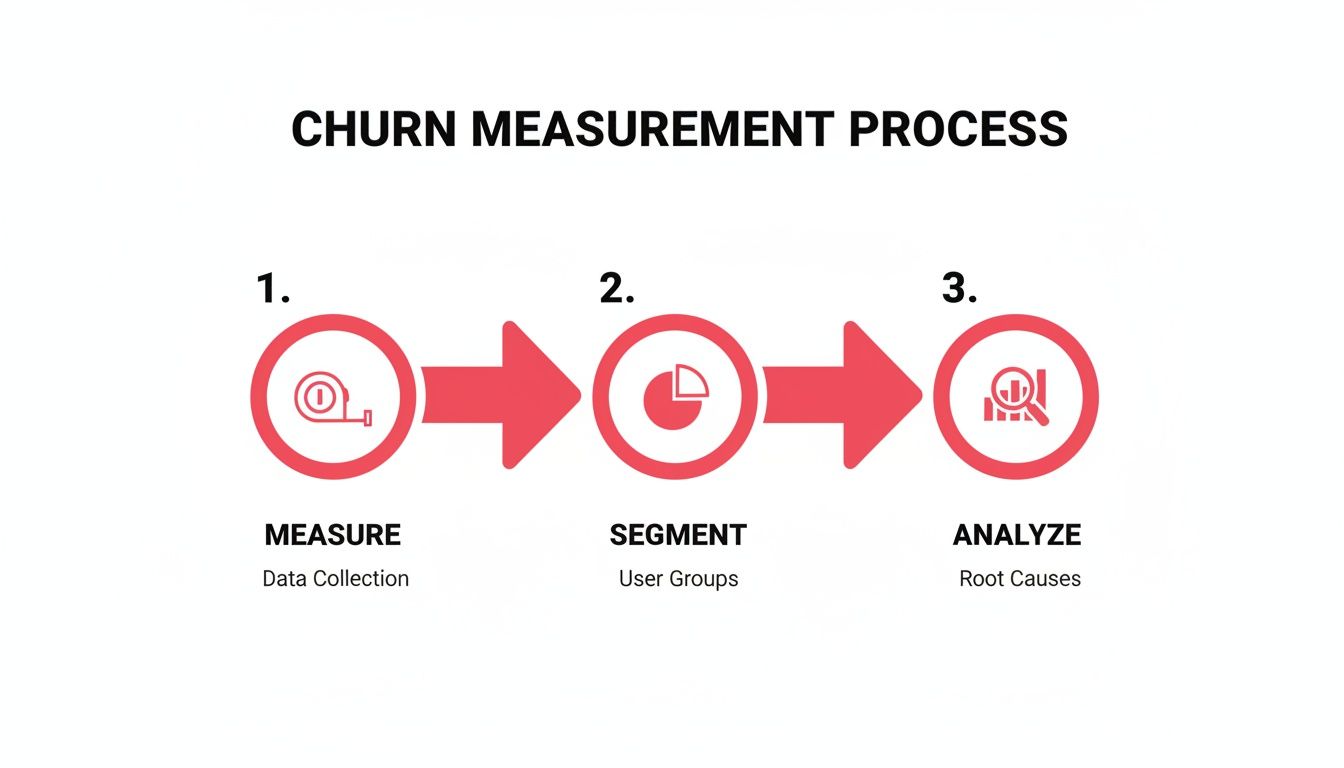
The big takeaway here? A single, blended churn rate is basically useless. The real story—the one you can act on—is buried in your customer segments.
To get to the bottom of churn, you need a dashboard that gives you more than just a surface-level view. Below are the essential metrics every SaaS team should be tracking.
Key Churn Metrics Your SaaS Must Track
| Metric | What It Measures | Why It Matters for SaaS |
|---|---|---|
| Customer Churn Rate | The percentage of customers who cancel their subscriptions in a given period. (Customers Lost / Total Customers) | This is your baseline. It tells you the raw volume of customers leaving, but it can be misleading without revenue context. |
| Revenue Churn (MRR Churn) | The percentage of monthly recurring revenue (MRR) lost from cancellations and downgrades. (MRR Lost / Total MRR) | This is the metric your CFO cares about. It shows the true financial damage churn is causing and helps you prioritize high-value customers. |
| Net Revenue Churn | The net percentage of MRR lost, accounting for expansion revenue from existing customers. (MRR Lost - Expansion MRR) / Total MRR | The holy grail. A negative net revenue churn means your existing customers are growing faster than your lost revenue, making you more resilient. |
| Customer Lifetime Value (LTV) | The total revenue you can expect from a single customer account over its lifetime. (ARPA / Customer Churn Rate) | LTV tells you how much you can afford to spend to acquire a new customer (CAC) and still be profitable. Reducing churn directly increases LTV. |
Tracking these metrics together gives you a far more complete and actionable picture of your business's health than just looking at a single customer churn percentage.
Beyond Customer Count to Revenue Impact
The first and most critical distinction you need to make is between Customer Churn (often called Logo Churn) and Revenue Churn (MRR Churn). One tells you how many logos you lost; the other tells you how much money walked out the door.
Why is this so important? Imagine losing ten small startups on your basic plan and one enterprise client in the same month. Your customer churn might spike, but the MRR lost from that single enterprise account could be 10x more damaging to your bottom line.
Without tracking both, you might pour all your retention efforts into saving low-value accounts while your most profitable customers are quietly slipping away.
The Power of Segmenting Your Churn Data
Once you’re tracking both customer and revenue churn, the real magic happens when you start segmenting that data. A company-wide churn rate hides the most important stories. You need to slice your data to get real answers.
The goal is to go from saying, "Our churn is 5%," to saying, "Our churn for new customers on the Pro plan who didn't complete onboarding is 25%, but it’s only 2% for customers who've been with us for over a year."
See the difference? One is a number; the other is a diagnosis.
Start by segmenting your churn data by these common categories:
- Customer Cohort: Group customers by the month or quarter they signed up. This helps you spot trends. For instance, a high churn rate in the "January 2024 cohort" could point to a buggy feature you shipped that month or a bad-fit marketing campaign.
- Pricing Plan: Are people on your entry-level plan churning more than your premium tiers? High churn on a basic plan might mean you have a value perception problem. High churn on an enterprise plan is a five-alarm fire.
- Customer Persona or Industry: If you serve different types of users (e.g., marketers vs. developers), segmenting by persona can show you which groups are getting the most—or least—value from your product.
This level of detail is what turns raw data into a clear story about your customer lifecycle. It gives you the insights you need to stop reacting and start building a powerful, data-driven retention strategy.
Diagnose the Real Reasons Customers Are Leaving
Knowing your churn numbers is just the starting line. The real work begins when you uncover the "why" behind those metrics. To actually make a dent in customer churn, you have to move past assumptions and diagnose the specific, tangible reasons people are walking away. This means blending hard data with real human insights.
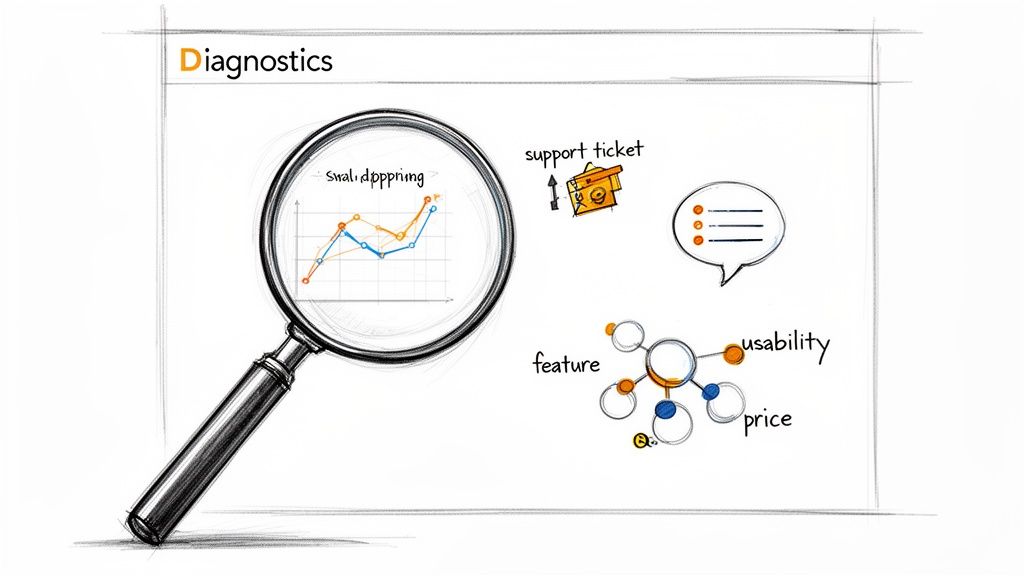
Think of yourself as a churn detective. Your first clues are buried in your product analytics. By digging into user behavior patterns in the weeks just before they cancel, you can spot the red flags that signal a customer is at risk.
These warning signs are often subtle, but they're powerful predictors of disengagement. It's far more effective to act on them proactively than to try and win back someone who has already made up their mind to leave.
Uncover Clues in User Behavior
Before most customers hit the cancel button, their behavior changes. They stop using the features that once brought them value, or their login frequency drops off a cliff. Spotting these patterns is the first step toward building a predictive churn model.
Keep an eye out for these key behavioral shifts in your at-risk segments:
- Decreased Feature Adoption: Are customers suddenly ignoring core features they used to rely on? This is a huge sign they're no longer getting the value they signed up for.
- Reduced Login Frequency: A sharp drop in logins is one of the most reliable churn indicators. When a daily user becomes a weekly user, something is definitely wrong.
- Spikes in Support Tickets: While talking to support can be a good thing, a sudden flood of tickets from one account often signals deep-seated frustration, especially if the issues aren't getting resolved.
- Ignoring Key Workflows: If a customer abandons the primary workflow that defines your product's purpose, you can bet they're already looking at alternatives.
These data points tell you what is happening. But to get the full story, you have to pair this quantitative data with direct, qualitative feedback.
Go Straight to the Source with Direct Feedback
Analytics can show you a customer is ghosting you, but it can't explain that they’re leaving because of a frustrating UI bug or a missing integration. For that, you have to ask.
The most dangerous feedback is silence. Research shows that only 1 in 26 unhappy customers actually complain. The other 25 just leave. Your job is to make it incredibly easy for them to speak up before they walk out the door.
Here are a couple of battle-tested ways to get that crucial "why" data:
- In-App Microsurveys: Don't wait for an annual survey. Use targeted, contextual pop-ups. For instance, if a user keeps visiting the billing page without upgrading, you could trigger a simple survey asking, "What's holding you back from upgrading today?"
- Targeted Exit Interviews: When a high-value customer cancels, that automated email isn't going to cut it. Pick up the phone. A 15-minute conversation can yield more actionable insight than a hundred survey responses. Ask open-ended questions like, "What was the one thing you hoped our product would do that it didn't?"
Getting this information effectively is a skill. For a deeper dive, check out our guide on how to collect customer feedback that your team can put into practice right away.
Turn Unstructured Feedback into Actionable Insights
Collecting feedback is only half the battle. The real work is turning a mountain of survey responses, interview notes, and support tickets into a clear, prioritized action plan. This is where modern tools can be a game-changer.
Manually tagging and sorting feedback in spreadsheets is brutally slow and prone to human bias. An AI-powered tool like FeatureBot can automatically cluster similar feedback through semantic matching. This process instantly surfaces the dominant themes driving churn, whether it's a specific missing feature, a widespread usability issue, or confusion around your pricing.
By organizing these insights automatically, you can finally move from anecdotal evidence to a data-backed understanding of why customers are leaving. This allows you to fix the root causes of churn—not just the symptoms—and build a product your customers can't imagine living without.
Design an Onboarding Experience That Prevents Early Churn
The fight against churn starts the second a new user signs up. I’ve seen it time and again: a clunky, confusing, or just plain underwhelming first impression is one of the fastest ways to lose a customer before they ever get a taste of what your product can do.
Your goal isn't just to give them a tour. It's to guide them straight to that first "aha!" moment—that little spark of understanding where they see how your tool solves their problem.
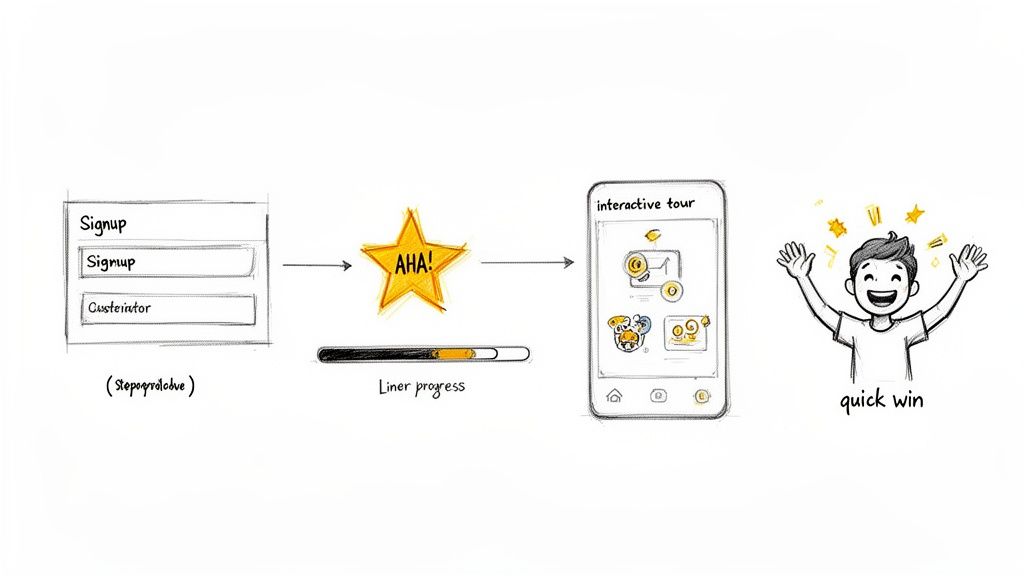
This initial experience truly sets the tone for everything that follows. A bad start is more than just a missed opportunity; it’s a direct cause of churn. In fact, poor onboarding alone is responsible for 23% of all customer churn. When you combine that with weak relationships and poor service, that number skyrockets to a staggering 53%. For more data on this, check out the state of SaaS retention on churnkey.co.
Guide Users to Quick Wins
Let's be real: new users don't sign up to learn every nook and cranny of your platform on day one. They have a specific pain point, and they’re hoping you’re the cure. Your onboarding needs to get them to that cure, fast.
The trick is to focus on activation, not just education. Activation is that magic moment when a new user successfully performs a core action that delivers real value. For a project management tool, maybe it’s creating a task and assigning it. For an analytics platform, it’s installing a tracking snippet and seeing the first bits of data roll in.
Your onboarding flow should be a direct, uncluttered path to this first quick win. Resist the temptation to show off every single feature. Instead, pinpoint the one or two actions that correlate most strongly with long-term retention and build your entire initial experience around them.
This intense focus on early value is a cornerstone of a healthy customer lifecycle. It makes an immediate impact on a user's perception of your product's worth, which is absolutely critical for increasing customer lifetime value and stopping that early-stage churn in its tracks.
Personalize the Onboarding Path
A one-size-fits-all onboarding experience is a recipe for failure. Why? Because a marketer using your CRM has entirely different goals than a sales manager. Personalized onboarding paths tackle this head-on by tailoring the experience to a user’s role or what they want to achieve.
It can be as simple as asking a question during signup: "What's your main goal for using our product?"
Based on their answer, you can kick off a custom flow that gets right to the point.
- For the marketer: The onboarding could immediately guide them to create lead capture forms and set up their first email campaign.
- For the sales manager: The path might focus on importing contacts and building out their sales pipeline.
This small bit of segmentation makes the entire experience feel more relevant and dramatically boosts the chances of that all-important activation.
Audit Your Current Onboarding Process
Before you can fix your onboarding, you have to know where it’s broken. A quick audit can reveal the friction points and drop-offs that are quietly fueling your churn rate.
Seriously, grab a notepad (or open a doc) and go through your own signup and onboarding process. Pretend you’re a brand-new user who knows nothing.
Use this checklist to spot the problem areas:
- Time to Value (TTV): How many clicks or minutes does it really take to get that first quick win? Is it buried under a pile of unnecessary steps?
- Clarity of Next Steps: After a user completes one action, is it painfully obvious what they should do next? Or do you just dump them on a blank dashboard and hope for the best?
- In-App Guidance: Are you using interactive tooltips or checklists to walk users through key tasks? Or are you forcing them to go hunt down your help docs?
- Celebrating Wins: When a user completes a critical step, do you acknowledge it? A simple "Congratulations, you did it!" can go a long way in building positive momentum.
Answering these questions honestly will give you a clear, actionable roadmap for reducing friction and setting your new users up for success right from the start.
Build Feedback Loops That Drive Product Improvements
Let's be honest: the best ideas for your product roadmap aren't born in a conference room. They're hiding in plain sight, scattered across support tickets, chat logs, and random comments from your users. If you're serious about cutting churn, you have to get systematic about capturing, analyzing, and actually acting on what your customers are telling you.
This means ditching the messy spreadsheets and building a living, breathing feedback loop that directly fuels your product development.
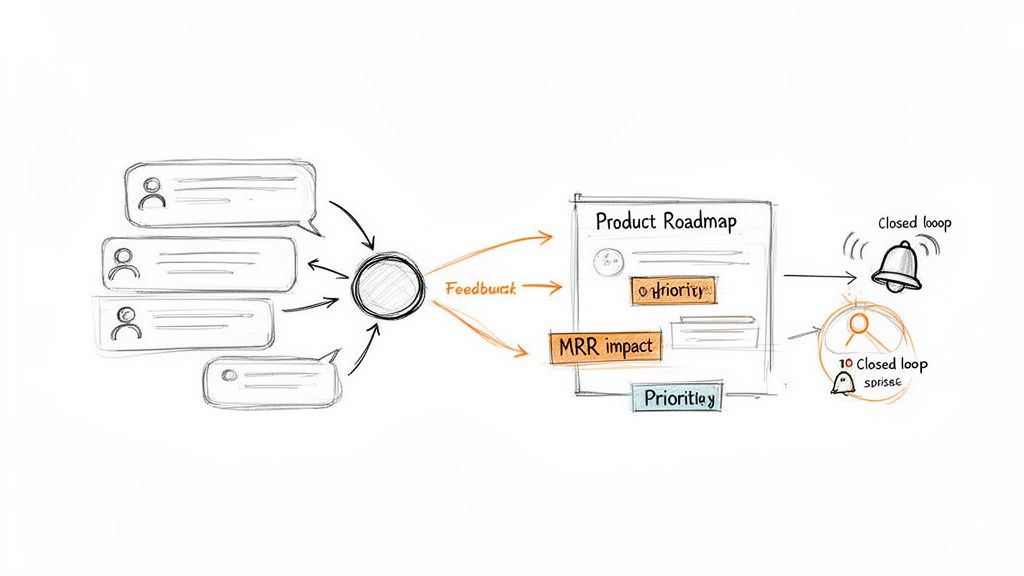
The old way of doing things—manual tagging, endless Trello boards, and siloed conversations—is slow, riddled with bias, and just doesn't scale. It creates a feedback black hole where great insights go to die, leaving customers feeling ignored and your product team flying blind.
Systematize Feedback Collection And Analysis
First things first, you need to make giving feedback ridiculously easy. A simple, one-line widget embedded in your app is infinitely better than making users hunt for a contact form. When someone hits a snag or has a brilliant idea, they should be able to share it right then and there.
But just collecting feedback isn't enough. The real breakthrough happens when you can make sense of it all automatically. Manually sifting through hundreds of comments is a fool's errand. This is where AI-powered tools come in, turning all that unstructured noise into clear, actionable signals your team can use.
A huge mistake I see teams make is treating all feedback equally. Prioritizing features based on raw vote counts is a surefire way to build a bloated product that serves your loudest customers, not your most valuable ones.
A much smarter approach is to weigh feedback by its potential impact on your Monthly Recurring Revenue (MRR). Think about it: a single feature request from an enterprise client could be worth 100x more than a popular idea from users on your free plan. Tying feedback directly to revenue data helps you make roadmap decisions that directly combat revenue churn.
For a deeper dive, check out our complete guide to customer feedback analysis.
Turn Unstructured Noise Into Clear Insights
The reality of user feedback is that it’s messy. You get bug reports, feature ideas, and general complaints all tangled together. A modern, AI-powered system can automatically cluster similar submissions through semantic matching, instantly showing you the most pressing themes.
This changes the game. Your chaotic inbox transforms into a clear dashboard that shows you exactly what's causing the most friction. Instead of relying on gut feelings, your product team gets hard data showing that, for example, a clunky integration is the top reason for support tickets this month.
Here's how the manual way of managing feedback stacks up against a more modern, AI-driven approach.
Manual vs AI-Powered Feedback Management
| Process Step | Manual Method (Spreadsheets/Trello) | AI-Powered Method (FeatureBot) |
|---|---|---|
| Collection | Users email support or fill out a form; CS team manually copies and pastes. | In-app widget captures feedback with context (e.g., user segment, MRR). |
| Triage | Product managers read every entry, manually tag, and categorize. | AI automatically categorizes feedback as bugs, features, or praise. |
| Analysis | Gut-feel prioritization or simple vote counting. Biased and time-consuming. | AI clusters similar requests and links them to revenue impact (MRR). |
| Roadmapping | Manually copy insights into Jira or another tool. No link to original feedback. | Insights sync directly to roadmapping tools with a link back to the source. |
| Closing the Loop | CS team tries to remember who asked for what. Usually gets forgotten. | Automatically notify users when a feature they requested is shipped. |
As you can see, leveraging AI doesn't just save time—it produces far more reliable and impactful insights.
The data backs this up. Enhancing customer experience with real-time feedback dashboards and AI-powered digests can slash churn by up to 15%. This is vital in SaaS, where poor service is a huge driver of churn, yet only 1 in 26 unhappy users ever bother to complain. The other 25 just leave. You can find more on these customer retention stats over at Sprinklr.
Close The Loop To Build Incredible Loyalty
This last part is the most important, and it’s where most companies drop the ball. You absolutely must close the loop.
This means actively notifying users when you ship a feature or fix a bug they reported. It's such a simple act, but the impact on loyalty is massive.
When a customer gets a personal email saying, "Hey, that feature you asked for three months ago is now live," it does two incredibly powerful things:
- It proves you're listening: They feel seen, heard, and genuinely valued.
- It encourages re-engagement: It gives a churned or disengaged user a fantastic reason to log back in and give your product another shot.
This simple act of communication turns customers into advocates. They become part of your product's story, and that's one of the stickiest retention magnets you can create. This entire process—from capture to closing the loop—is what separates companies that just react to churn from those that proactively prevent it.
Unite Your Teams Around a Proactive Retention Strategy
Let’s be honest: churn is a team sport. When a customer walks away, it’s rarely because of one single department’s mistake. It’s almost always the cumulative effect of disconnected experiences—a missed signal here, a frustrating bug there, a poorly communicated feature update. To build a retention machine that actually works, you have to tear down the walls between your teams and get everyone pulling in the same direction.
This isn’t about just having meetings. It’s about moving past the old way of doing things where support just closes tickets, success just chases renewals, and product just ships features. A truly proactive approach means building interconnected workflows so the right information gets to the right person, right when they need it. It’s how you turn customer feedback from a complaint into a company-wide asset.
Automate Workflows to Bridge the Gaps
The only way to make this work at scale is with automation. Trying to manually pass feedback between teams is a recipe for disaster. Important insights get buried in forgotten Slack threads or lost in endless email chains. By integrating your core tools, you can create a seamless flow of information that keeps everyone on the same page.
Think about it this way: a user flags a critical bug using an in-app feedback widget. Instead of that feedback just sitting in a support queue, a smart workflow can fire off a series of actions instantly:
- For Product: An issue pops up in Jira or GitHub, already loaded with the user's session data and technical context. No more back-and-forth.
- For Customer Success: A notification hits a dedicated Slack channel, giving the account manager a heads-up that a high-value customer just hit a major roadblock.
- For Support: A ticket is automatically logged in your help desk, guaranteeing the issue is tracked and the customer gets a quick, informed response.
This simple integration completely changes the game. A reactive support ticket becomes a proactive, cross-functional mission. It ensures that critical problems aren't just solved for one user, but are seen and understood by the very people who can prevent them from happening to anyone else.
Build a Real Voice of the Customer Program
For retention to truly become part of your company's DNA, customer insights can't live in a single dashboard that only a few people look at. A Voice of the Customer (VoC) program is your system for making sure customer feedback is gathered, analyzed, and—most importantly—shared with everyone. The whole point is to make user pains and wins impossible for anyone to ignore, from engineers to marketers.
A VoC program gives every single person in the company, no matter their role, a direct line of sight into the customer experience. When an engineer understands why a bug is so infuriating, they're more motivated to fix it. When a marketer sees the exact words customers use to describe their wins, they write copy that actually connects.
Getting a VoC program off the ground doesn't need to be a massive undertaking. Start by setting up a simple, regular rhythm for sharing what you're hearing from customers.
- Weekly AI Digests: Use a tool like FeatureBot to automatically summarize the biggest feedback themes from the past week. Shoot this digest out to a company-wide email list or Slack channel to keep everyone in the loop.
- Monthly Insight Meetings: Host a quick, cross-team meeting where product and success can highlight key findings, play clips from customer interviews, and talk through how feedback is shaping the roadmap.
- Shared Dashboards: Give every employee access to a live feedback dashboard. This kind of transparency empowers people to dig into the data themselves and see how their work directly impacts the customer.
When customer feedback becomes a shared resource, you shift the burden of retention from a single department to the entire organization. Suddenly, everyone owns a piece of the customer experience. You end up with a cohesive, proactive system where every decision is made with the user top of mind. That unified front is how you learn how to reduce customer churn for good.
Common Questions About Reducing SaaS Churn
Even with a solid game plan, you're bound to run into some tricky questions. Fighting churn is nuanced, and as you shift from just measuring it to actively preventing it, certain challenges always pop up. Here are some of the most common ones we hear from founders and product teams, along with some straight-up, practical answers.
What Is a Good Churn Rate for a SaaS Business?
The honest answer? It depends. A "good" churn rate isn't a single magic number; it's completely relative to your company's stage and who you're selling to.
That said, a generally accepted benchmark for a healthy SaaS business is a monthly customer churn rate between 3% and 5%.
If you're an early-stage startup still nailing down product-market fit, your rate might be higher, and that's okay for a while. On the flip side, if you're an established company serving big enterprise accounts, you should be shooting for 1-2% or even lower. The real goal isn't to hit an arbitrary industry number—it's to see your own rate consistently trending downward.
A critical mistake I see all the time is focusing only on logo churn (the number of customers leaving) while ignoring MRR churn (the revenue leaving). You might have a low customer churn rate, but if your highest-paying accounts are the ones walking out the door, you have a massive problem. Always track both to get the real story.
This distinction is what separates teams that just track metrics from those that actually protect their revenue.
How Can I Predict Which Customers Are About to Churn?
You don't need a crystal ball to predict churn. You just need to learn how to spot the early warning signs of a customer drifting away. Think of it as looking for the leading indicators that a customer's health is taking a nosedive.
Some of the most obvious red flags include:
- A drop in product usage: The customer who used to log in every day is now showing up once a week, or worse, not at all.
- Decreased feature adoption: They've stopped using the key features that made them sign up in the first place.
- A spike in support tickets: A sudden flood of complaints or bug reports is a clear signal of deep frustration.
One of the best ways to get ahead of this is by creating a customer health score. This isn't as complicated as it sounds. It just combines a few key metrics—like login frequency, feature usage, and support interactions—into a simple red, yellow, or green status. This immediately shows your customer success team where to focus their attention.
Contextual feedback tools are also incredibly valuable here. Imagine a user reports a critical bug that’s completely blocking their workflow. That’s a high-risk account, and you've just been alerted. Reaching out proactively based on signals like these is one of the most powerful ways to stop churn in its tracks.
What Is the Difference Between Voluntary and Involuntary Churn?
Getting this right is fundamental because the solutions for each are completely different.
Voluntary churn is what most of us think of when we hear "churn." It's when a customer makes a conscious decision to cancel their subscription. The reasons are usually what you’d expect: they’re unhappy with the product, a competitor made a better offer, or the price is too high. All the strategies in this guide—from better onboarding to building feedback loops—are designed to fight this type of churn.
Involuntary churn, on the other hand, is when a subscription ends because of a failed payment. This is often just a technical snafu—an expired credit card, a bank decline, or outdated billing info. It might seem minor, but involuntary churn can account for a shocking 20-40% of your total churn. It's the "accidental churn" you can—and should—significantly reduce with dunning management tools that automate payment retries and smart customer notifications.
How Do I Get Started With Reducing Churn With Limited Resources?
If you're a lean team or an early-stage founder, the idea of a massive retention program can feel completely overwhelming. Don't let it. The key is to start small and stay focused.
First things first: make sure you're measuring churn accurately. At a minimum, you need to know your customer churn and your MRR churn. No guesswork.
Next, find a simple, low-effort way to get feedback from your users. You don't need a complicated system. A tool with an in-app widget you can install in a few minutes is a perfect starting point.
Finally, just talk to the customers who recently left. A personal, human email asking, "What was the one thing that led you to cancel?" will give you more raw insight than any analytics dashboard ever could. Take that feedback, prioritize whatever impacts the most MRR, and fix the top one or two things. Then, tell the users who complained that you fixed it. This simple loop builds incredible momentum and shows your customers you're actually listening.
Ready to turn customer feedback into your best retention tool? FeatureBot helps you capture, analyze, and act on user insights without the guesswork. Start with our Free plan to see how easy it is to listen to your users, prioritize your roadmap, and reduce customer churn. Get started for free on featurebot.com.
Ready to capture better feedback?
FeatureBot helps you collect, organize, and prioritize user feedback with AI-powered conversations.
Get Started Free