A Practical Guide to User Research Methodology for SaaS Teams
Think of a user research methodology as your game plan for understanding the people who use your product. It’s not just about asking questions; it’s a structured way to gather and analyze insights about your users’ real needs, behaviors, and motivations so you can make decisions based on evidence, not just hunches.
What Is User Research Methodology and Why It Matters
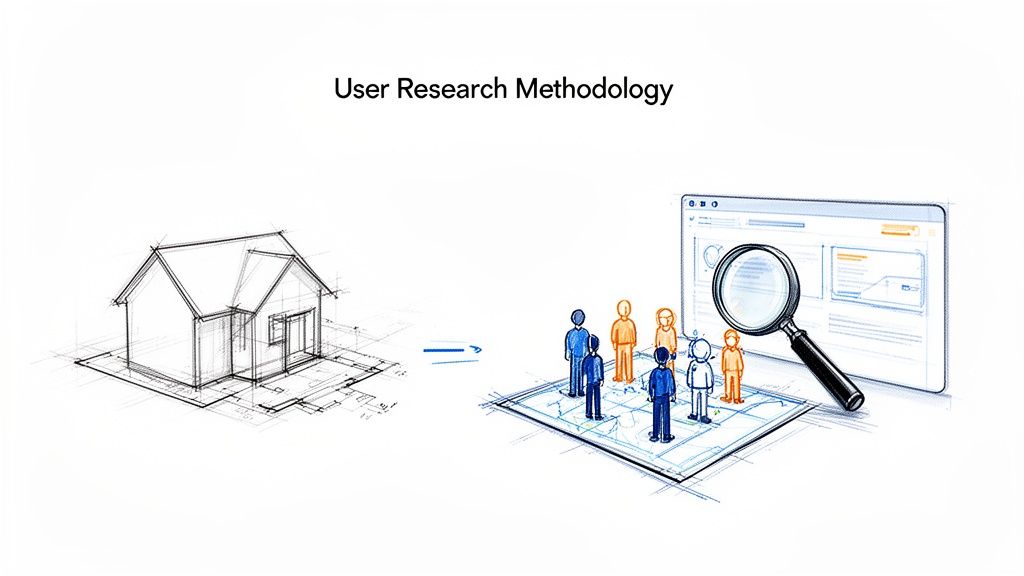
Your methodology is the roadmap that keeps your research focused and reliable. It’s what turns a pile of random opinions into a set of actionable facts, making sure you don't pour time and money into a product nobody actually wants.
It’s a bit like trying to build a house. You wouldn't just start digging without surveying the land, right? You'd risk building on unstable ground. In the same way, launching a new feature without a solid research plan is a massive gamble that almost always leads to wasted effort.
The Real Cost of Guesswork
Skipping a structured research process has very real, very expensive consequences. When teams build based on assumptions, they inevitably run into problems that burn through their budget and push customers away.
Here’s what that looks like in practice:
- Wasted Engineering Cycles: Developers spend weeks or months coding features that solve a problem nobody has.
- Poor Adoption Rates: A big launch falls flat because the new feature doesn't fit into a user's actual workflow or solve a pressing need.
- Increased Customer Churn: Frustrated users eventually leave for a competitor whose product actually understands and addresses their pain points.
A strong user research methodology is your insurance policy against building the wrong thing. It shifts the focus from "what we think users want" to "what users have shown they need."
Evolving from Projects to Continuous Habits
For a long time, user research was treated like a one-off project. A team would run a big study, gather some insights, and then get back to building. But that’s changing fast. Today, the best product teams are embedding user feedback into their daily routines, creating a constant loop of learning and improving.
Modern tools are making this shift possible. For example, platforms like FeatureBot help you move beyond those big, periodic studies by capturing and organizing user feedback all the time. Instead of manually digging through support tickets and survey data, you get a live pulse on what your customers are saying.
This turns understanding the voice of the customer into an ongoing habit, not just a rare event. We even offer a Free plan to get started, so any team can begin building this continuous feedback muscle.
Understanding Qualitative and Quantitative Methods
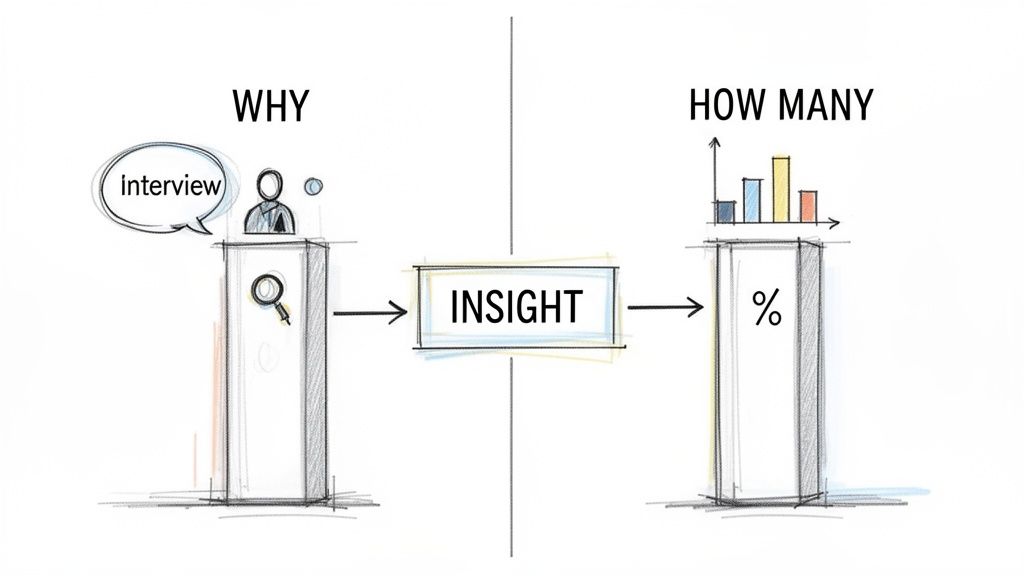
Any solid user research methodology boils down to two fundamental approaches: qualitative and quantitative. Think of them as two sides of the same coin. One gives you the rich, human stories, while the other gives you the hard numbers to back them up. You need both to see the full picture.
Qualitative research is all about the "why." It digs into the context, motivations, and frustrations that raw data can never reveal. Here, you’re working with smaller groups of people to gather deep, meaningful insights through conversation and direct observation.
On the flip side, quantitative research answers the "what" and "how many." It's focused on measurable, numerical data that helps you spot trends, measure impact, and validate ideas at scale. This requires much larger sample sizes to give you the statistical confidence to act.
Diving Deep with Qualitative Research
Imagine you run a popular coffee shop. You notice in your sales reports that a particular, complicated latte is selling surprisingly well. The numbers tell you what is happening, but they can't tell you why.
This is where you'd bring in qualitative methods. You could sit down with a handful of customers who regularly buy this drink and just talk to them. By asking open-ended questions, you might uncover something fascinating: it’s not just the taste they love, but the intricate foam art your barista creates. It makes their morning coffee feel like a small, special moment.
That’s the magic of qualitative data. It adds the human element and emotional context that get lost in spreadsheets. It’s perfect for exploring new ideas, mapping out complex user journeys, or getting to the root of a nagging usability issue.
Gaining Confidence with Quantitative Research
While those qualitative stories give you incredible depth, quantitative research provides the scale and certainty needed for big decisions. It turns those insightful anecdotes into statistically significant proof, so you know you're not just acting on a hunch.
Let's go back to the coffee shop. You've heard from a few people that they love the foam art. But is this a niche opinion or a major driver of your business? Time for a quantitative study.
You could send a short survey to your entire customer email list, asking them to rank the most important factors in their coffee choice. The results come in, and you see that 73% of your latte drinkers ranked "foam art" as a top-three reason for their purchase.
This is where it all clicks. The qualitative interviews gave you a hypothesis—"people love the foam art"—and the quantitative survey validated it—"a lot of people love the foam art."
Now you’re not just guessing anymore. You can confidently invest in training more baristas in advanced latte art, knowing it’s a decision grounded in both deep user understanding and solid data.
Comparing the Two Approaches
Knowing when to use each approach is key to building a smart research plan. They answer different kinds of questions, but their real power is unleashed when you use them together to tell a complete story. One helps you find the problem, and the other helps you measure just how big that problem is.
To make this crystal clear, let's break down the core differences in a simple table.
Qualitative vs Quantitative Research at a Glance
| Aspect | Qualitative Research | Quantitative Research |
|---|---|---|
| Primary Goal | Explores ideas and uncovers the "why" behind behaviors. | Measures and validates hypotheses, answering "how many" and "how much." |
| Sample Size | Small (typically 5-15 participants). | Large, to ensure statistical significance. |
| Questions Asked | Open-ended, like "Can you tell me about..." | Closed-ended, like "On a scale of 1-5..." or multiple-choice. |
| Typical Outcome | Detailed user stories, personas, and deep insights into pain points. | Charts, statistical analysis, and data-driven validation of trends. |
Ultimately, choosing between qualitative and quantitative isn't an "either/or" decision. The most experienced teams know how to weave them together, letting the "why" from qualitative work inform the "what" you measure with quantitative methods, and vice-versa.
Choosing Your Qualitative Research Toolkit
Now that we understand the power of asking "why," let's get practical and open up the toolkit. Choosing the right qualitative method feels a lot like a craftsperson picking the right tool for the job. You wouldn't use a hammer on a screw, right? Each method in your qualitative toolkit is designed to uncover a specific kind of insight.
We’ll focus on three of the most powerful methods for any SaaS team: in-depth interviews, usability testing, and contextual inquiries. Think of them as different lenses for looking at your user's world—each one helps you turn abstract data into real, human-centered product decisions.
In-Depth Interviews: The Art of Conversation
At its core, an in-depth interview is just a focused conversation. It's your chance to sit down with a user, either virtually or in person, and dig into their thoughts, feelings, and motivations about a certain topic. This isn't just a casual chat; it's a guided exploration designed to pull out the nuanced stories behind why people do what they do.
Imagine you're a journalist writing a feature story. You go in with key themes to explore, but you let the conversation breathe, allowing you to discover unexpected details and powerful quotes. This method is perfect for understanding complex workflows, validating a new idea before you build it, or fleshing out detailed user personas.
Usability Testing: Watching Your Product in the Wild
If interviews are about what users say, usability testing is all about what they do. This method is straightforward: you watch a real user try to complete specific tasks in your product. It’s like watching someone try to assemble a piece of furniture you designed—you instantly see where the instructions are confusing and where they get stuck.
That direct observation is gold. It reveals friction points, confusing UI, and broken workflows that users often can't even find the words to describe. It's the most direct way to answer the question, "Can people actually use this thing?"
Here’s what a classic moderated usability test looks like, with a facilitator guiding the user.
This setup is great because the researcher can see exactly where the user struggles and ask follow-up questions in real time to understand their thought process.
While this looks very modern, the core ideas have been around for a while. The math behind it goes back to the 1980s, when Jim Lewis used binomial distribution to figure out proper sample sizes, moving us past the old "just test 5 users" myth. The roots go even deeper, to ergonomics and human factors work during the Industrial Revolution. If you're interested, you can learn more about how to conduct usability testing.
Contextual Inquiry: The Ultimate Field Trip
Contextual inquiry takes observation to a whole new level by studying users in their natural habitat. Instead of bringing someone into a lab or a scheduled video call, you go to them. The idea is simple but incredibly powerful: a user's environment has a massive impact on their behavior.
Let's say you're building software for warehouse managers. A usability test in your office might show they can use the interface just fine. But a contextual inquiry on the actual warehouse floor might reveal they're trying to use it on a tablet with one hand while holding a scanner in the other. That context is everything. It uncovers real-world constraints and clever workarounds you would never, ever discover otherwise.
A contextual inquiry is less like an interview and more like a short apprenticeship. You become the student, and the user is the expert, showing you how they really work.
Connecting These Methods to Modern Workflows
These classic methods are fantastic, but let's be honest—they can take a lot of time. SaaS teams need insights yesterday. This is where modern tools can bridge the gap. Platforms like FeatureBot act as a kind of continuous, automated interview, helping you understand the "why" at scale.
You might only have the bandwidth to conduct a dozen formal interviews a quarter, but a tool like FeatureBot is always on, capturing feedback from thousands of users. It then automatically groups all that qualitative data, showing you the common themes and pain points that keep bubbling up. You can see the "why" behind feature requests without having to manually sift through every single comment.
This doesn't replace traditional qualitative methods—it makes them better. You can use the insights from your continuous feedback tool to pinpoint exactly what topics you need to dig into in your next round of interviews or which workflows are causing so much friction that they need immediate usability testing.
Scaling Insights with Quantitative Research
While qualitative methods give you the rich, human stories behind user behavior, quantitative research is how you validate those stories at scale. It’s the difference between hearing a few powerful anecdotes and having the statistical proof you need to make high-stakes business decisions. Here, we trade deep conversations for hard numbers, turning insightful hypotheses into measurable facts.
Think of it like this: qualitative research is a detective interviewing key witnesses to build a theory of the case. Quantitative research is the forensics team analyzing evidence from the entire crime scene to confirm that theory with concrete data. Both are absolutely essential to get the full picture and make a confident call.
This side of your user research methodology helps answer critical questions like, "How many of our users are actually affected by this issue?" or "Which of these two designs drives a bigger improvement in our key metrics?" It provides the scale and confidence needed to invest resources wisely.
Mastering Surveys for Modern SaaS
Surveys are one of the most common quantitative tools out there, but their power is often underestimated. Forget those static, ten-page questionnaires of the past. Today’s most effective surveys are short, contextual, and delivered right inside your product while the user's experience is still fresh.
Surveys have been a dominant force in research for a long time. In fact, for over four decades, they were the most popular method in Information Systems research, with an average adoption rate of 24% between 1968 and 2006. At their peak in the 1990s, an incredible 35% of all studies in the field relied on surveys. You can read the full research about the history of data collection methods on Fairgen.ai.
Modern tools have totally transformed this classic method. Instead of sending out a generic email poll, you can now use in-app feedback widgets to capture precise data right in the moment. It’s a much more effective approach—like asking a voter about their decision right after they leave the booth, not months later. The context is immediate, and the feedback is far more accurate. You can check out our guide on the best customer feedback software to see how modern platforms are changing the game.
A/B Testing for Measurable Impact
Another cornerstone of quantitative research is A/B testing, sometimes called split testing. The concept is simple: you show two different versions of a feature or design (Version A and Version B) to two similar groups of users to see which one performs better against a specific goal.
A/B testing is your best friend when you need to make decisions that directly impact business metrics. It takes the guesswork out of the equation and lets user behavior tell you what truly works.
Here are a few scenarios where A/B testing really shines:
- Improving Onboarding Flow: Does a shorter, more guided setup process lead to higher activation rates than a longer, more detailed one?
- Optimizing Pricing Pages: Does changing the call-to-action button from "Sign Up" to "Get Started Free" actually increase conversions?
- Testing New Feature UI: Does a redesigned dashboard layout result in users completing their primary task 15% faster?
The goal of an A/B test isn't just to find a "winner." It's to learn something specific and measurable about your users' preferences and behaviors, connecting a design change directly to a business outcome like user retention or revenue.
Uncovering Patterns in Product Analytics
Finally, don't forget that your product analytics platform is an absolute goldmine of quantitative data. While surveys and A/B tests require you to actively seek out answers, analytics tools are always on, passively collecting behavioral data from every single user. This can reveal patterns you might never have even thought to look for.
Digging into your analytics can help you answer questions like:
- Which features are our most retained users engaging with daily?
- Where in the user journey do most people drop off?
- Is there a correlation between using a specific feature and a lower churn rate?
When scaling insights with quantitative research, a fundamental concept is understanding tabular data format, which organizes information into rows and columns. This structure is the backbone of analytics, allowing you to slice, dice, and visualize user actions to spot trends. By combining direct feedback from surveys with the behavioral proof from A/B tests and analytics, you build a robust, data-backed understanding of your users that drives real growth.
Creating Your User Research Plan
So, you understand the different research methods. Now what? The next step is translating that knowledge into action, and that's where a solid user research plan comes in. Think of it as the bridge connecting your team's big, nagging questions to the real-world answers you need to build with confidence. It’s what turns a fuzzy goal like “make our app more engaging” into a concrete, step-by-step investigation.
This plan becomes the North Star for your project. It gets everyone on the same page—from your lead developer to the CEO—about what you’re trying to learn, who you’re talking to, and what you’ll do with the insights. Especially for small teams or startups without a dedicated research department, a clear plan makes the whole process manageable and less intimidating.
Define Clear Research Goals
Every great study starts by answering one simple question: "What do we really need to learn right now?" Your research goals can't be vague; they have to be specific, measurable, and tied directly to a real business or product need. Fuzzy goals get you fuzzy, unusable data.
For example, instead of aiming to "find out what users think of the new dashboard," you could set a much stronger goal: "determine if users can complete their top three tasks 50% faster with the new dashboard design compared to the old one." See the difference? That kind of clarity sharpens your focus from the get-go.
To nail down your goals, run through this quick checklist:
- Background: What’s the story here? Why is this research a priority now?
- Objectives: What specific questions must we answer? (e.g., "Where are people getting stuck in our onboarding flow?")
- Hypotheses: What do we currently believe is true? (e.g., "We believe adding a checklist to onboarding will bump up activation rates by 15%.")
Choose the Right Methodology and Recruit Participants
Once your goals are crystal clear, picking the right user research methodology becomes much easier. Are you still trying to understand the "why" behind a problem? Go with a qualitative method like in-depth interviews. Need hard numbers to back up a hypothesis? That's when you turn to quantitative tools like an A/B test or a large-scale survey.
With your method chosen, it's time to find your people. Be warned: recruiting the wrong participants is one of the quickest ways to derail a study and get junk data. You need a screener—a short questionnaire that filters participants to make sure they match your target audience perfectly.
A well-defined research plan is your best defense against "analysis paralysis." By defining your goals and methods upfront, you ensure the data you collect is relevant, actionable, and directly answers your most important questions.
When recruiting, you're aiming for a sample that truly represents your user base. For a B2B accounting tool, that might mean finding five senior accountants and five junior analysts to see how their day-to-day needs and workflows differ.
Create a Realistic Timeline and Share Your Plan
Finally, you need to put it all on a calendar. A practical timeline that fits into your team's development sprints is crucial for making research a reality, not just an idea. It helps to break the whole process down into phases:
- Planning (1 week): Nailing down the goals, writing your interview script, and building the screener.
- Recruiting (1-2 weeks): The active hunt for participants and getting them scheduled.
- Execution (1 week): This is go-time! You're conducting the interviews, running the tests, or sending out the survey.
- Analysis & Synthesis (1-2 weeks): Digging into the data, spotting the patterns, and putting together a report that tells a clear story.
Once you have this plan, share it. Share it everywhere. It keeps your stakeholders in the loop, sets realistic expectations, and helps build a culture where research is a transparent team sport, not something that happens behind a closed door. A structured process like this makes research less of a one-off event and more of a repeatable, high-impact habit.
Building a Continuous Feedback Loop
The real goal of any user research isn't just to collect data—it's to make smarter product decisions. For that to happen, research can't be a one-off project you dust off every quarter. It needs to become a habit, a continuous loop where a constant flow of feedback directly shapes your roadmap.
This is where modern tools really change the game for SaaS teams. Platforms like FeatureBot are built to bridge the gap between the firehose of user ideas and a prioritized development plan. They handle the heavy lifting, turning what used to be a chaotic mess of feedback into a clear, actionable signal. You can start building this muscle with our Free plan to get started.
From Manual Analysis to Automated Insights
Not too long ago, "analyzing feedback" meant a product manager was stuck in a spreadsheet, manually tagging support tickets and trying to connect the dots. It was slow, tedious, and riddled with bias. Thankfully, we've moved on.
The user experience field itself has seen explosive growth, jumping from just 1,000 practitioners in 1983 to 1 million by 2017. That’s a 1,000-fold increase, and it created a massive demand for smarter ways to process user insights. You can read more about the rise of the UX profession on User Interviews.
Today, AI-powered systems can do that manual work instantly and with far greater accuracy. Here’s what that looks like in practice:
- Automated Semantic Clustering: Instead of you sorting through hundreds of comments, the system automatically groups similar feedback. This lets you spot emerging themes at a glance.
- Revenue-Weighted Prioritization: Forget simple vote-counting. Feedback gets weighted by customer revenue, so you can focus on requests that actually move the needle for your business.
- AI-Driven Summaries: Get weekly digests that cut through the noise, summarizing key trends and suggesting what to tackle next.
Of course, this continuous feedback still benefits from a structured approach. A solid research plan always comes down to defining your goals, picking the right method, and talking to the right people.
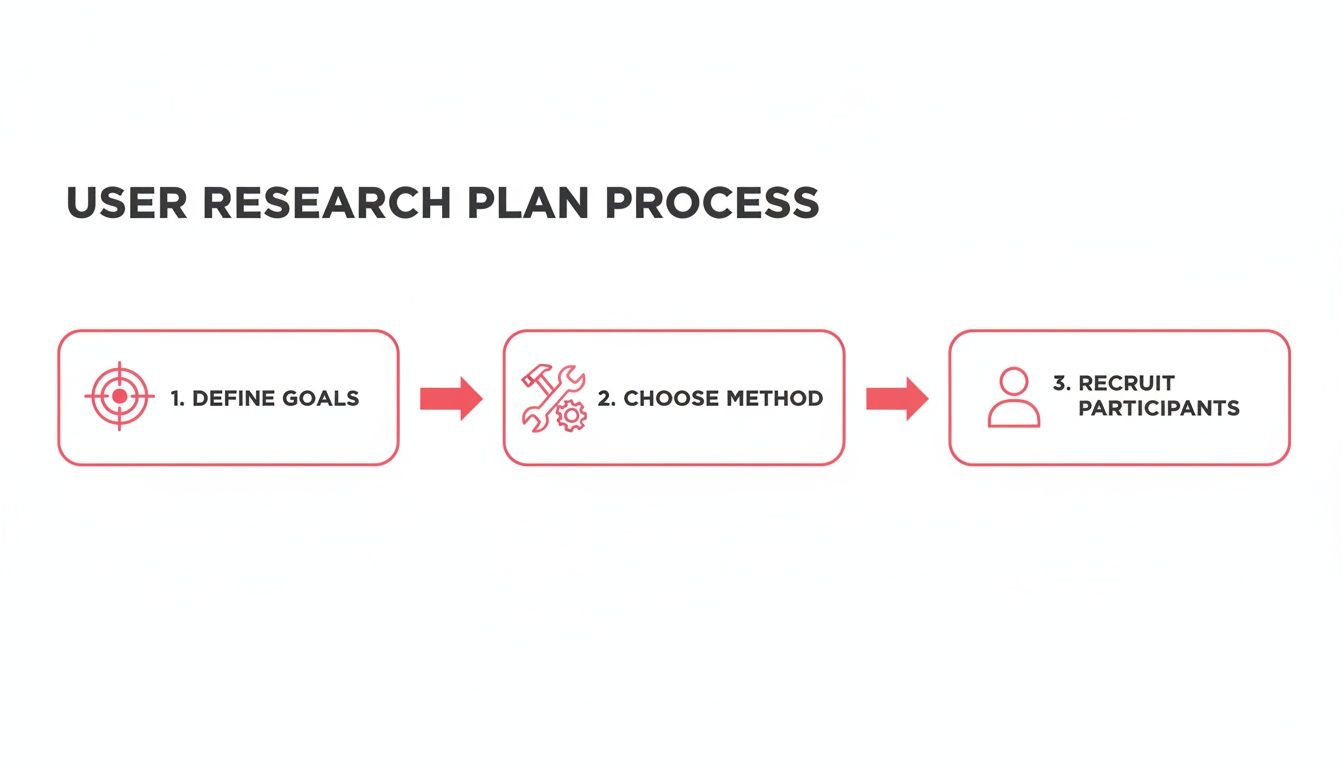
The difference is that with a continuous model, this cycle happens faster and more frequently, powered by a steady stream of incoming data.
This shift from project-based studies to an always-on feedback engine is a big one. Here’s a quick look at how the two workflows compare:
Traditional vs. Continuous Research Workflow
| Stage | Traditional Research Model | Continuous Feedback Model |
|---|---|---|
| Data Collection | Episodic, project-based (e.g., annual surveys, quarterly interviews). | Always-on, automated collection from multiple channels (support, in-app, etc.). |
| Analysis | Manual, slow, and often done in spreadsheets. Prone to human bias. | AI-powered semantic analysis, theme detection, and prioritization. |
| Prioritization | Based on "loudest voices" or internal assumptions. | Data-driven, often weighted by customer ARR or strategic importance. |
| Closing the Loop | Rarely happens. Users submit feedback into a black hole. | Automated notifications inform users when their suggestion is built. |
Ultimately, this new way of working creates a much more responsive and user-centric culture.
The most powerful part of this modern approach is "closing the loop"—proactively notifying users when their feedback has led to a real change in the product.
This simple act of communication does more than just inform; it builds incredible customer loyalty. When users see that their voice actually matters, they stop being just customers and become partners in your product’s evolution. It’s a powerful way to democratize your research, drive down churn, and build a real engine for growth.
Still Have Questions? Let's Clear Things Up.
Getting started with user research always brings up a few practical questions, especially when you're just building that muscle in your team. Let's tackle some of the most common ones we hear from SaaS teams.
"What’s the budget for user research? We’re a small team."
This is the best part: you can start for almost nothing. Seriously. The cost can be zero if you're willing to be a little scrappy. Your first research project could be as simple as analyzing your support tickets or hopping on a video call with a few friendly customers.
Of course, you can scale up from there. Paid tools for things like surveys or usability testing can run anywhere from under a hundred dollars to thousands per month. The trick is to start lean. Find a tool that lets you dip your toes in the water—like our own Free plan to get started—so you can build the research habit first, without the hefty price tag.
"How do I get my boss to actually invest in this?"
Don't pitch it as a cost. Pitch it as de-risking the business.
Every founder and executive understands the pain of wasted resources. Talk their language. Frame it around the high cost of building the wrong feature—all those engineering hours down the drain, the dismal adoption rates, and the customers who churn because the product just doesn't solve their problem.
Better yet, show them. Run a small pilot project and come back with a tangible win. Show how a few quick user interviews uncovered an insight that led to a 5% increase in conversions on a key screen. Nothing gets buy-in faster than showing a direct return on investment.
"Isn't user research just a fancy term for market research?"
It's a common mix-up, but they're two very different beasts.
Market research is about the big picture. It looks at the entire landscape—market trends, what your competitors are up to, and who your potential customers might be. It answers the question, "Is there a hungry crowd out there for us to serve?"
User research, on the other hand, is hyper-focused on your actual users and how they interact with your product. It gets into the nitty-gritty of their behaviors, their needs, and what truly motivates them.
Think of it this way: market research helps you find the right pond to fish in. User research helps you build the perfect lure to catch those fish.
Ready to turn chaotic feedback into a clear, prioritized roadmap? FeatureBot helps you capture, organize, and act on user requests with AI-powered insights. Get started for free at FeatureBot.com.
Ready to capture better feedback?
FeatureBot helps you collect, organize, and prioritize user feedback with AI-powered conversations.
Get Started Free